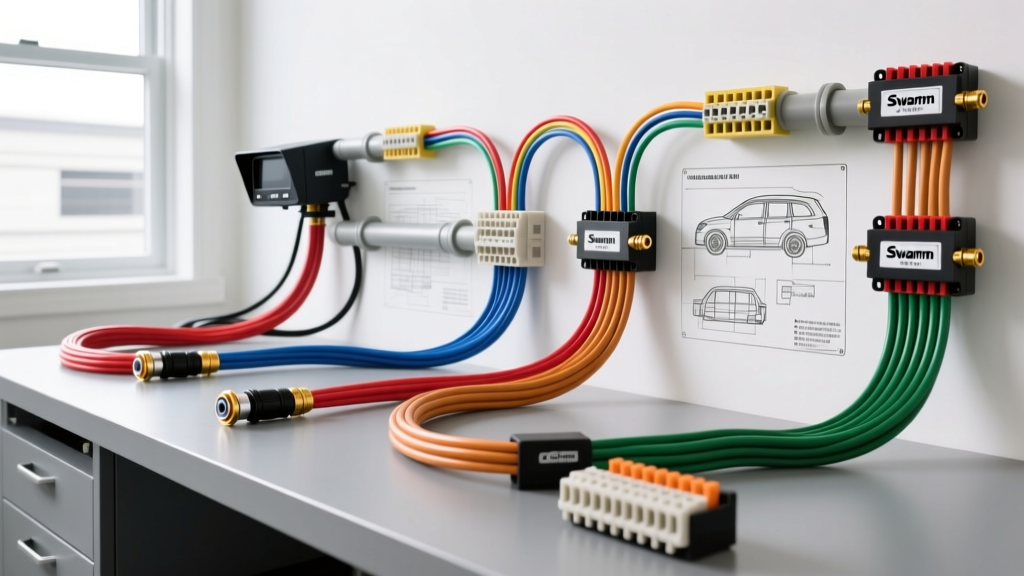
Adapting Swann Cameras for Automotive and RV Applications
When performing a standard Swann security camera installation in a static residential environment, the process is relatively straightforward: plug the provided 12V DC power adapter into a wall outlet, run the RG59 coaxial cable to the DVR, and terminate the BNC connectors. However, integrating these HD-TVI, CVI, and analog BNC cameras into a 12V DC automotive system—such as a Class C motorhome, a horse trailer, or a commercial box truck—introduces severe electrical variables. Vehicle charging systems operate between 13.8V and 14.4V, subject to massive voltage spikes, electromagnetic interference (EMI) from the alternator, and significant voltage drop over long chassis runs.
This guide provides a step-by-step troubleshooting flow and technical wiring specifications for adapting Swann cameras to 12V vehicular platforms, ensuring reliable surveillance and reverse-monitoring without signal degradation or component failure.
Phase 1: 12V DC Power Delivery & Voltage Drop
Swann HD-TVI dome and bullet cameras typically draw between 300mA in daylight and up to 800mA when the infrared (IR) night vision LEDs engage. Standard CCTV Siamese cable includes 18 AWG or 20 AWG power wires. While sufficient for a 50-foot run in a home, running 20 AWG wire for 40 feet from a tow vehicle's battery to a trailer's rear-mounted Swann camera will result in a voltage drop of over 1.5V. When the IR LEDs trigger at dusk, the voltage at the camera's 2.1mm x 5.5mm DC barrel jack will drop below 10.5V, causing the camera to reboot endlessly or display a black screen.
Automotive Wire Selection & Routing
For any vehicular Swann security camera installation exceeding 20 feet, discard the Siamese power lines. Instead, pull a dedicated 16 AWG TXL or GXL stranded copper wire for power and ground. TXL wire features a thin, high-temperature cross-linked polyethylene insulation that meets SAE J1128 Low Tension Primary Cable standards, making it resistant to chassis heat, moisture, and abrasion.
- Power Feed (Red 16 AWG): Tap into a switched 12V source. In a Ford Transit, use the rear auxiliary upfitter fuse panel. In an RV, connect to a dedicated 12V distribution block protected by a 3A Mini-ATO fuse.
- Ground (Black 16 AWG): Do not rely on the aluminum or fiberglass chassis skin. Run a dedicated ground wire back to the DVR's common ground bus or the vehicle's main negative battery terminal to prevent ground loops.
- Connector: Cut the Swann proprietary DC barrel plug and crimp a 2-pin Deutsch DT series connector (Part # DT06-2S). This provides a waterproof, vibration-proof seal that allows for easy camera replacement without re-pulling wire.
Voltage Drop Specification Chart (800mA Load / IR Active)
| Wire Gauge (AWG) | Max Run Distance (One Way) | Voltage Drop at 14.0V Source | Voltage at Camera | Status |
|---|---|---|---|---|
| 20 AWG (Standard Siamese) | 40 Feet | 2.66V | 11.34V | FAIL (IR Flicker/Reboot) |
| 18 AWG (Standard Siamese) | 40 Feet | 1.67V | 12.33V | MARGINAL |
| 16 AWG TXL (Dedicated) | 40 Feet | 1.05V | 12.95V | OPTIMAL |
| 14 AWG TXL (Dedicated) | 60 Feet | 1.32V | 12.68V | OPTIMAL |
Phase 2: Eliminating Alternator Whine & Ground Loops
The most common failure in mobile Swann BNC installations is the appearance of rolling horizontal bars or 'alternator whine' on the DVR monitor when the vehicle's engine is running. This is caused by Electromagnetic Interference (EMI) bleeding into the coaxial shield, or a ground loop occurring when the camera chassis and the DVR chassis are grounded to different points on the vehicle's frame, which has varying resistance.
According to guidelines adapted from the Ford Motor Company Body Builder Layout Book, sensitive electronic modules must share a common star-ground point. If your DVR is grounded to the dashboard frame, and your rear Swann camera is grounded to the rear bumper, the 0.2V to 0.5V potential difference between those two grounds will travel up the BNC shield, corrupting the HD-TVI video signal.
Step-by-Step EMI Troubleshooting Flowchart
Follow this diagnostic decision tree to isolate and resolve signal interference in your mobile CCTV setup:
Symptom 1: Rolling Horizontal Bars on Monitor (Engine Running)
- Step 1: Disconnect the BNC cable from the DVR. Do the bars disappear?
- Yes: The interference is entering via the coaxial shield. Proceed to Step 2.
- No: The interference is entering via the 12V DC power supply or the DVR's internal ground. Install a 12V DC Ground Loop Isolator on the camera's power feed.
- Step 2: Check the BNC connector shield. Is the copper braid of the RG59 cable making contact with the metal shell of the BNC connector? Ensure you are using 75-ohm compression BNC connectors, not crimp connectors, which often leave gaps in the shield.
- Step 3: Verify Coax Routing. Is the RG59 cable zip-tied parallel to the vehicle's main alternator power cable or ignition coil wires? Fix: Reroute the coaxial cable at least 12 inches away from high-current automotive wiring. If crossing is necessary, cross at a strict 90-degree angle.
Symptom 2: Camera Works in Daylight, Black Screen at Night
- Step 1: Measure voltage at the camera's DC barrel jack with a multimeter while the engine is OFF (IR LEDs should be active).
- Reading is below 11.0V: Severe voltage drop. Upgrade power wire from 18 AWG to 14 AWG TXL.
- Reading is above 12.5V: Power is sufficient. Proceed to Step 2.
- Step 2: Check the Swann camera's IR cut filter. Listen closely to the camera housing when covering the ambient light sensor. Do you hear a mechanical 'click'?
- No click: The internal 12V relay is failing due to automotive voltage spikes (load dump). Replace the camera or install a 12V DC-DC buck converter set to a strict 12.0V output to protect the camera's internal PCB.
Symptom 3: Intermittent Signal Loss Over Bumps
- Step 1: Inspect the BNC termination at the DVR end.
- Center pin is recessed: The center conductor of the RG59 was trimmed too short. The vibration of the vehicle chassis causes the pin to lose contact with the DVR's female BNC receptor. Strip the coax and re-terminate using a precision compression tool.
- Step 2: Check the Swann pigtail connection. The factory weatherproof boot on Swann cameras often traps condensation. Remove the boot, inspect the male BNC for green copper oxide (corrosion), clean with electrical contact cleaner, and reseal using dielectric grease and butyl rubber tape.
Phase 3: Coaxial Routing & Weatherproofing
When routing RG59/U coaxial cable through a vehicle chassis or RV underbelly, standard indoor CCTV cable will fail within months due to UV exposure, road salt, and moisture wicking. Always use RG59/U with a solid bare copper center conductor and a 95% copper braid shield. Avoid Copper Clad Aluminum (CCA) coax, as it is brittle and will snap under the continuous vibration of a commercial truck or motorhome chassis. For comprehensive cable jacket specifications and impedance tolerances, refer to Belden Coaxial Cable Specifications.
The 'Drip Loop' and Chassis Penetration
When drilling through the aluminum skin of a trailer or the roof of an RV to feed the Swann camera pigtail inside:
- Drill a 5/8-inch hole and insert a rubber grommet or marine-grade deck plate.
- Before the cable enters the grommet, form a 3-inch 'drip loop' below the entry point. This ensures that rain and road spray travel down the cable jacket and drip off the bottom of the loop, rather than wicking directly into the chassis penetration.
- Seal the interior and exterior grommet edges with marine-grade polyurethane sealant (e.g., Sikaflex-291), avoiding standard silicone which can off-gas and corrode the BNC connector shield over time.
Summary of Best Practices for Mobile Swann Installs
A successful Swann security camera installation in an automotive environment relies entirely on mitigating voltage drop and isolating the video shield from chassis ground loops. By utilizing 16 AWG TXL wire for power, employing Deutsch DT connectors for serviceability, and strictly adhering to 75-ohm BNC compression standards, you can transform a standard residential security camera into a rugged, reliable fleet or RV surveillance asset capable of withstanding the harsh realities of the road.