Introduction to Modern USB Retrofits in Legacy Platforms
Upgrading a classic vehicle or an early-2010s daily driver with modern high-speed charging requires more than simply splicing a cigarette lighter adapter into the accessory circuit. Modern smartphones and tablets utilizing USB-C Power Delivery (PD) protocols demand stable voltage, high amperage, and clean data lines for CarPlay or Android Auto integration. Relying on OEM accessory ports often results in voltage sag, alternator whine in the audio system, or failed data handshakes.
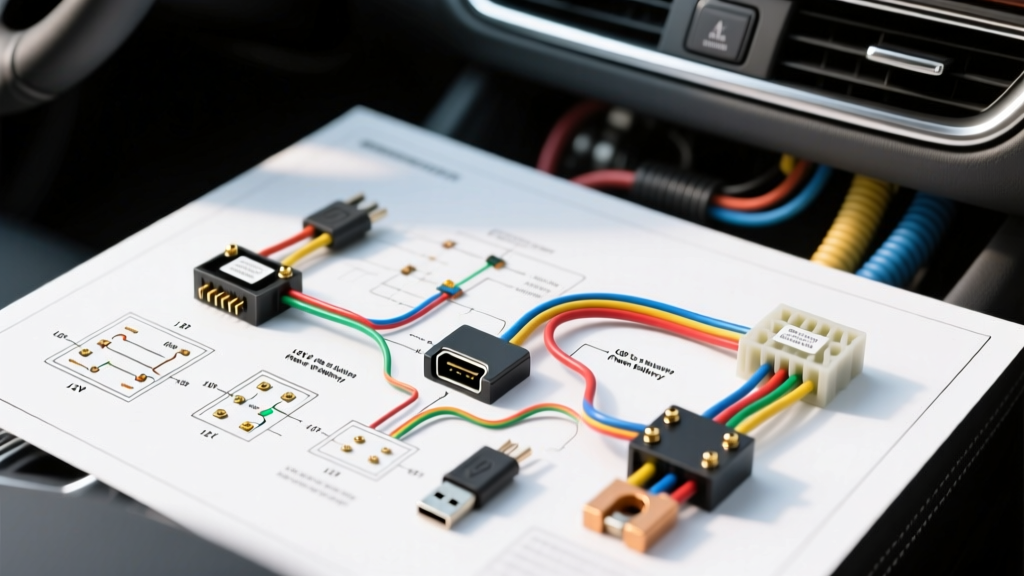
This comprehensive guide provides a custom wiring diagram for USB port retrofits, focusing on a 12V-to-USB-C PD (45W/60W) flush-mount dashboard integration. We will cover the critical transition from the vehicle's 14.4V charging system down to the 5V/9V/12V/20V variable outputs required by modern devices, utilizing ISO mini relays to prevent parasitic battery drain.
Complete Wiring Diagram for USB Power and Data
When fabricating a custom harness, understanding the distinction between charge-only and data-enabled USB architectures is critical. Data lines (D+ and D-) operate at high frequencies and are highly susceptible to Electromagnetic Interference (EMI) generated by the alternator and ignition coils. Below is the foundational pinout reference for both legacy USB-A and modern USB-C integrations.
| Pin / Contact | USB-A 2.0 Function | Wire Color (Standard) | USB-C PD Equivalent | Automotive Routing Note |
|---|---|---|---|---|
| Pin 1 | VCC (+5V Power) | Red | VBUS (Pins A4, B4, A9, B9) | Requires clean 5V DC from buck converter |
| Pin 2 | Data - (D-) | White | D- (Pins A6, B6) | Must use 90-ohm twisted pair shielding |
| Pin 3 | Data + (D+) | Green | D+ (Pins A7, B7) | Keep away from 12V ignition harnesses |
| Pin 4 | Ground (GND) | Black | GND (Pins A1, B1, A12, B12) | Star-ground to chassis; do not daisy-chain |
| N/A | N/A | Yellow/Blue | CC1 / CC2 (Pins A5, B5) | Configuration Channel for PD negotiation |
Reference: For complete USB-C physical layer specifications, consult the USB Implementers Forum (USB-IF) Type-C Cable and Connector Specification.
12V Automotive Power Feed & Relay Logic
The most common failure in aftermarket USB mods is parasitic draw. If you wire a high-amperage step-down buck converter directly to a constant 12V battery source, the converter's quiescent current (often 5mA to 15mA) will drain the vehicle's battery over a week of inactivity. To solve this, we integrate a standard Bosch-style ISO mini relay triggered by an ignition-switched (ACC) circuit.
ISO Mini Relay Integration Schematic
- Pin 86 (Coil +): Connect to a 12V ACC source (e.g., radio harness accessory wire). Use an add-a-fuse tap on the interior fuse box.
- Pin 85 (Coil -): Connect to a clean chassis ground.
- Pin 30 (Common Input): Connect directly to the positive battery terminal via an inline ATC fuse holder.
- Pin 87 (Normally Open Output): Connect to the 12V input pad of the USB-C PD step-down module.
This configuration ensures the step-down module receives full, unregulated battery voltage (up to 14.4V while running) only when the key is in the ON or ACC position. For detailed relay load management, refer to the Littelfuse Automotive Relay Selection Guide.
Wire Gauge and Fuse Specifications
Calculating the correct AWG is vital. A 60W USB-C PD module pulling maximum power at 12V will draw approximately 5.5 Amps (accounting for 90% step-down efficiency). While 18 AWG wire can technically handle 5.5A, automotive environments require derating for heat, vibration, and voltage drop over long wire runs from the engine bay or battery to the dashboard.
| Circuit Segment | Recommended AWG | Max Fuse Rating | Connector Type |
|---|---|---|---|
| Battery to Relay (Pin 30) | 12 AWG | 15A ATC | Ring Terminal (Heat Shrink) |
| Relay to Buck Converter (Pin 87) | 14 AWG | N/A (Protected upstream) | Deutsch DT or TE Superseal |
| ACC Trigger to Relay (Pin 86) | 18 AWG | 5A Add-A-Circuit | Posi-Tap or Solder/Sleeve |
| Buck Converter 5V Output to USB | 16 AWG | N/A (Module regulated) | Molex Micro-Fit 3.0 |
Data Line Routing and EMI Shielding
If your modification includes data transfer for Apple CarPlay or Android Auto (rather than just charging), the D+ and D- lines must be treated as high-speed RF transmission lines. The alternator generates significant broadband noise that can corrupt the USB data handshake, causing the head unit to display "Device Not Recognized" or drop the connection intermittently.
According to SAE J1113 standards for Electromagnetic Compatibility, sensitive data lines must be shielded or routed away from high-current switching cables. Always use a twisted-pair shielded cable for USB data lines. The shield drain wire must be grounded at one end only (preferably at the head unit chassis ground) to prevent ground loops, which will introduce a 60Hz-120Hz hum into your vehicle's audio system.
Troubleshooting Common USB Mod Failures
Voltage Sag and PD Handshake Errors
Symptom: The connected device displays "Slow Charger" or fails to negotiate 20V/3A for laptop charging.
Diagnosis: Measure the voltage at the buck converter's 12V input pads while the engine is running and the device is plugged in. If the voltage drops below 11.5V, the wire gauge is too small, or there is high resistance at a crimp connector. The USB-C PD controller will abort high-power negotiation if the input voltage sags, defaulting to a safe 5V/1A charge.
Fix: Upgrade the 12V feed wire to 12 AWG and solder all connections. Avoid quick-splice connectors for high-current DC feeds.
Parasitic Draw Diagnostics
Symptom: Vehicle battery is dead after 4-5 days of sitting.
Diagnosis: Use a digital multimeter in series with the negative battery terminal to measure amperage draw with the vehicle asleep (doors closed, BCM asleep). If the draw exceeds 50mA, the relay coil or the buck converter is staying active.
Fix: Verify that Pin 86 of the relay is connected to a true ignition-switched source, not a CAN-bus awake circuit or a constant 12V memory circuit. Some modern vehicles keep the ACC circuit powered for up to 15 minutes after the key is removed; ensure your module's quiescent draw is near zero.
Alternator Whine in Audio System
Symptom: A high-pitched whine that changes pitch with engine RPM is heard through the speakers when a device is plugged into the new USB port.
Diagnosis: A ground loop has been created between the USB module's ground, the head unit's ground, and the vehicle chassis.
Fix: Ensure the USB module's ground and the head unit's ground are tied to the exact same chassis star-point. Clean the paint and primer away from the grounding location to ensure bare metal-to-metal contact, and apply dielectric grease to prevent corrosion.