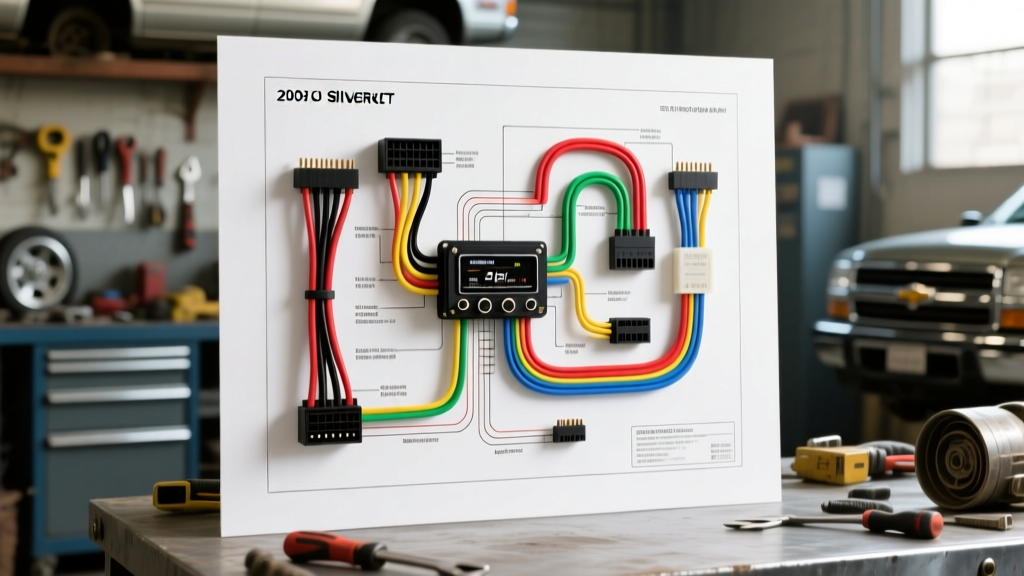
The Truth About Searching for a 2005 Chevy Silverado Radio Wiring Diagram PDF
When you are standing in your garage with a brand-new aftermarket head unit in one hand and a pair of wire strippers in the other, the immediate instinct is to search for a 2005 Chevy Silverado radio wiring diagram PDF. While factory service manual (FSM) PDFs are great for dealership technicians, they are often cluttered with diagnostic flowcharts and module location maps that confuse beginners. What you actually need is a clear, translated breakdown of the GMT800 platform's audio architecture, specific wire color codes, and pinout configurations.
As an automotive electrical resource, we have extracted the exact data found in those OEM PDFs and formatted it into an actionable, beginner-friendly guide. Before you cut a single wire, you must understand that the 2005 Silverado is not a simple "power, ground, and speakers" vehicle. It relies heavily on multiplexed data networks to control everything from radio turn-on signals to door chimes.
Beginner Fundamentals: Schematics vs. Wiring Diagrams
One of the most common mistakes beginners make when downloading automotive PDFs is confusing a schematic with a wiring diagram. According to the Haynes Automotive Electrical Manual, understanding the difference is critical for troubleshooting:
- Schematics (Logical Flow): These show how the circuit operates logically. They illustrate the path of current from the battery, through fuses, relays, and switches, to the component. They do not show physical wire routing or connector shapes.
- Wiring Diagrams (Physical Routing): These show the exact physical connectors, pin numbers, wire colors, and splice pack locations. When installing a radio, you need the wiring diagram to match the Delphi 24-pin connector on your truck's harness to your aftermarket interface.
The Class 2 Data Bus Trap (Why You Cannot Just Splice Wires)
In older vehicles, the radio received a 12-volt signal from the ignition switch to tell it to turn on. The 2005 Chevy Silverado does not work this way. GM utilized a multiplexed network known as the Class 2 Serial Data Bus. According to the SAE J1850 Standard, this bus allows multiple modules (BCM, PCM, Radio, OnStar) to communicate over a single wire using variable pulse-width modulation.
The Beginner Trap: Many DIYers use a multimeter or test light on the radio harness, find a wire that shows voltage when the key is turned, and assume it is the 12V accessory wire. In the 2005 Silverado, this is often the Yellow/Black Class 2 Data wire. If you splice your aftermarket radio's red accessory wire into the Class 2 data line, you will inject raw 12V DC into a sensitive 0-7V data network. This can instantly fry the Body Control Module (BCM) or the radio itself.
To safely install an aftermarket radio, you must use a data-bus interface module (such as the Axxess GMOS-LAN-01 or PAC OS-2) that "listens" to the Class 2 data and generates a traditional 12V accessory output for your new stereo.
OEM 24-Pin Delphi Connector Pinout & Wire Color Chart
The base and mid-level audio systems in the 2005 Silverado utilize a 24-pin Delphi connector. Note that not all 24 pins are populated; the empty cavities are reserved for optional features like rear seat entertainment or external amplifiers. Below is the exact pinout data extracted from GM factory wiring diagrams.
| Pin | Wire Color | Function | AWG Size |
|---|---|---|---|
| 1 | Yellow/Black | Class 2 Serial Data (DO NOT SPLICE) | 20 AWG |
| 4 | Brown/White | Retained Accessory Power (RAP) / Ignition | 18 AWG |
| 9 | Yellow | 12V Constant Battery Power | 14 AWG |
| 10 | Black/White | Chassis Ground | 14 AWG |
| 11 | Brown | Left Rear Speaker (+) | 18 AWG |
| 12 | Yellow | Left Rear Speaker (-) | 18 AWG |
| 13 | Tan | Left Front Speaker (+) | 18 AWG |
| 14 | Gray | Left Front Speaker (-) | 18 AWG |
| 15 | Light Green | Right Front Speaker (+) | 18 AWG |
| 16 | Dark Green | Right Front Speaker (-) | 18 AWG |
| 17 | Dark Blue | Right Rear Speaker (+) | 18 AWG |
| 18 | Light Blue | Right Rear Speaker (-) | 18 AWG |
| 22 | Light Green/White | Dashboard Illumination / Dimmer | 20 AWG |
Bose Premium Audio vs. Base Audio Systems
If your 2005 Silverado is equipped with the factory Bose premium audio system, the wiring architecture changes significantly. The Bose system uses a separate, externally mounted amplifier (usually located under the center console or behind the rear seat in Crew Cabs).
- Speaker Level vs. Line Level: The base system outputs high-level (speaker level) signals directly from the head unit. The Bose head unit outputs low-level (RCA style) signals to the factory amplifier, which then boosts them to the speakers.
- Active Noise Cancellation: Some higher-trim GMT800 models with Bose utilize microphones in the cabin to feed active noise cancellation signals through the audio system. Removing the factory radio without a proper Bose-bypass interface will result in a loss of this feature and potentially cause a loud popping sound upon startup.
- The Fix: If you have Bose, you must purchase a specific Bose-compatible interface module that includes a built-in line-output converter (LOC) and simulates the factory amplifier's wake-up signal.
Step-by-Step: Wiring the Aftermarket Interface Module
To retain critical features like OnStar, steering wheel controls (SWC), and Retained Accessory Power (RAP), follow these fundamental installation steps:
- Disconnect the Battery: Always disconnect the negative terminal on your Silverado's battery and wait 10 minutes. This prevents accidental shorting and stops the BCM from throwing security codes while modules are unplugged.
- Prepare the Interface Harness: Do not use "T-taps" or "scotch locks." These pierce the wire insulation, allowing moisture to enter and causing green corrosion (copper oxide) over time, which increases resistance and ruins data signals. Instead, strip the wires, use the Western Union splice method, and seal them with adhesive-lined marine-grade heat shrink.
- Match the Colors: Connect the interface module's wiring harness to your aftermarket radio's harness on a workbench before installing it in the dash. Match the standard EIA color codes (e.g., Purple to Purple for Right Rear +).
- Verify the Ground: The 14 AWG Black/White ground wire must be secured to bare, unpainted metal. If the factory ground point behind the dash is corroded, run a new 14 AWG wire directly to a steel dash support bracket and secure it with a self-tapping screw or ring terminal.
Troubleshooting Common 2005 Silverado Audio Issues
Even with a perfect 2005 Chevy Silverado radio wiring diagram PDF in hand, things can go wrong. Use this expert decision tree to diagnose common post-installation issues:
Symptom: The Aftermarket Radio Will Not Turn On
- Cause 1: The interface module is not receiving the Class 2 wake-up signal. Fix: Use a Digital Multimeter (DMM) to check Pin 1 on the OEM harness. You should see a pulsing DC voltage (usually between 0V and 7V) when the key is in the "Run" position. If it reads 0V, check the BCM data fuses under the hood.
- Cause 2: Blown inline fuse on the aftermarket radio's constant 12V (Yellow) wire. Fix: Replace the blade fuse and ensure the Yellow wire is connected to a true constant 12V source, not a switched circuit.
Symptom: Alternator Whine or Engine Noise in Speakers
- Cause: A ground loop. This happens when the radio's ground and the amplifier/interface ground are at different electrical potentials.
- Fix: Ensure all audio components share the same grounding point on the chassis. Scrape away any paint or powder coating at the ground location. According to Crutchfield's Vehicle Research Team, star-grounding all audio components to a single, clean chassis point eliminates 95% of alternator whine issues in GMT800 trucks.
Symptom: Door Chimes and Seatbelt Warnings are Missing
- Cause: In the 2005 Silverado, the factory radio acts as the primary speaker for the BCM's warning chimes. If you bypassed the data bus or used a cheap "power only" harness adapter, the chimes are lost.
- Fix: You must install a data-bus integration module that features a built-in chime generator. These modules intercept the BCM data commands and trigger a small internal piezoelectric speaker to recreate the factory door and seatbelt chimes.
Final Expert Advice
While having a 2005 Chevy Silverado radio wiring diagram PDF is a great reference, understanding the why behind the wiring is what separates a professional installation from a fire hazard. Respect the Class 2 data bus, use proper soldering and heat-shrink techniques, and always verify your power and ground circuits with a multimeter before plugging in your new head unit. By following these GMT800-specific fundamentals, your audio upgrade will be seamless, safe, and fully integrated with your truck's factory electronics.