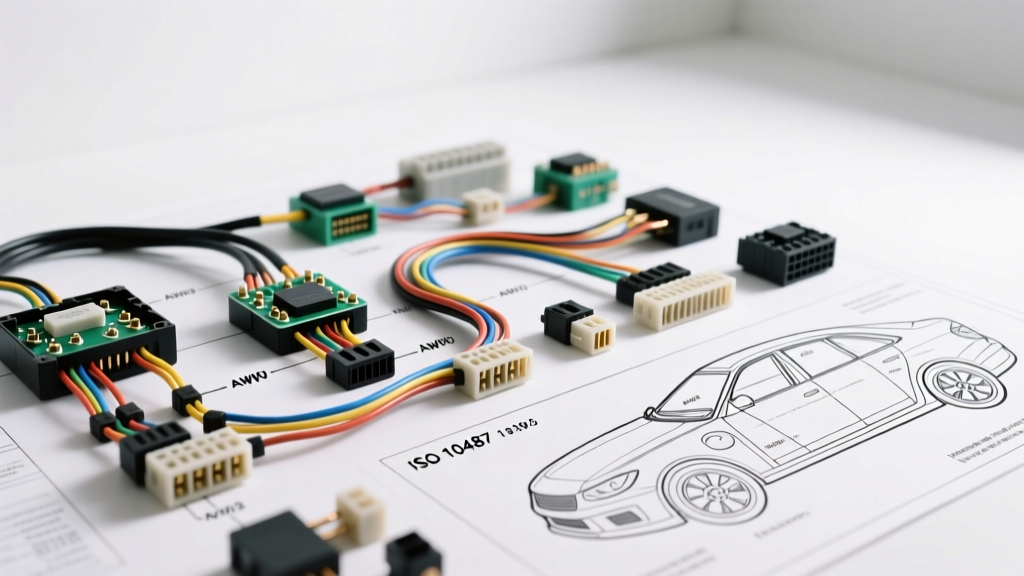
Introduction to Smartphone and Bluetooth Integration
Integrating a modern hands-free Bluetooth module or Apple CarPlay/Android Auto interface into an older or base-model vehicle requires a precise understanding of the factory head unit harness. Whether you are retrofitting a classic vehicle or upgrading a daily driver, locating the correct car phone wiring diagram is the critical first step. Modern mobile integration relies on seamless communication between the vehicle's data bus, the 12V accessory circuit, and the audio amplifier. This practical how-to guide will walk you through decoding standard automotive wiring schematics, selecting the proper wire gauges, and executing a professional-grade installation without damaging your vehicle's sensitive CAN-bus network.
Essential Tools and Materials for the Job
Before dissecting your dashboard, ensure you have the proper mobile electronics tools. Relying on cheap crimp connectors is the leading cause of intermittent audio failure and parasitic battery drains.
- Multimeter: A True-RMS digital multimeter (e.g., Fluke 87V) for voltage drop testing and continuity checks.
- Wire Strippers & Cutters: Precision strippers for 22-10 AWG wire to avoid nicking copper strands.
- Soldering Station & Heat Shrink: Marine-grade adhesive-lined heat shrink (3:1 shrink ratio) for permanent, moisture-proof splices.
- Trim Removal Tools: Nylon pry tools to prevent marring dashboard plastics.
- Connectors: Molex MX150 or TE Connectivity AMP sealed connectors for any splices routed near kick panels or firewalls.
Decoding the Wiring Diagram: ISO 10487 and EIA/CEA Standards
When referencing a universal car phone wiring diagram, you will typically encounter two primary standards: the international ISO 10487 standard for power and speaker blocks, and the EIA/CEA color code standard widely adopted by aftermarket manufacturers like Pioneer, Kenwood, and Alpine. Understanding both is vital for mapping the OEM harness to your new Bluetooth interface.
Table 1: ISO 10487 Block A (Power & Control) Pinout
| Pin Number | Function | Standard Wire Color | AWG Recommendation |
|---|---|---|---|
| Pin 4 | +12V Constant (Battery Memory) | Yellow | 14 AWG - 16 AWG |
| Pin 5 | Illumination / Dimmer Signal | Orange / Orange-White | 18 AWG |
| Pin 7 | +12V Accessory (Ignition Sense) | Red | 14 AWG - 16 AWG |
| Pin 8 | Chassis Ground | Brown / Black | 14 AWG - 16 AWG |
Table 2: EIA/CEA Aftermarket Audio Color Codes
| Wire Color | Function | Installation Note |
|---|---|---|
| Yellow | 12V Constant Power | Connects to battery/fuse box; maintains Bluetooth pairing memory. |
| Red | 12V Switched Accessory | Wakes the module up. On CAN-bus vehicles, use a data interface. |
| Black | Chassis Ground | Must be grounded to bare, unpainted metal. Max resistance < 0.05 ohms. |
| Blue / White | Amplifier Turn-On / Mute | Used to trigger external amps or mute the OEM amp during phone calls. |
For deeper insights into aftermarket harness color codes, Crutchfield's comprehensive wiring guide is an excellent visual resource for identifying non-standard factory wiring anomalies.
Step-by-Step Installation Sequence
Step 1: Safety and Battery Disconnect
Always disconnect the negative battery terminal using a 10mm wrench. Wait at least 15 minutes before touching any wiring behind the dashboard. This allows the Supplemental Restraint System (SRS) airbag capacitors to discharge, preventing accidental deployment or ECU damage. Tape the negative terminal to prevent accidental contact.
Step 2: Harness Identification and CAN-Bus Integration
In vehicles manufactured after 2010, the traditional 12V Accessory (Red) wire is often absent from the radio harness. Instead, the head unit receives a digital 'wake-up' signal via the high-speed CAN-bus (CAN-H and CAN-L). If your vehicle uses a data bus, you must install a CAN-bus interface module (such as those from iDatalink or PAC). Splicing directly into CAN-H (typically Green) or CAN-L (typically Purple/White) with a standard T-tap will introduce impedance mismatches and throw U-codes (network communication faults) on your OBD2 scanner. Always use a dedicated data T-harness for these connections. For certified installation protocols, refer to the standards set by the Mobile Electronics Certified Professional (MECP) program.
Step 3: Splicing Power and Ground
Strip exactly 5/16th of an inch from the 16 AWG power wires. Twist the strands, tin them with rosin-core solder, and join them to your Bluetooth module's pigtail. Slide the adhesive-lined heat shrink over the joint and apply heat until the sealant oozes from the ends. For the ground wire, locate a factory grounding bolt behind the dash. Remove the bolt, sand away any paint or rust to expose bare steel, and secure the ground ring terminal. Re-tighten to the factory torque specification (usually 8-10 Nm for M6 bolts).
Step 4: Routing the Microphone and Shielding
Cellular transmitters and Bluetooth antennas emit high-frequency RF signals that can induce crosstalk in unshielded audio cables. Route the external microphone cable using shielded 22 AWG twisted-pair wire. Keep the microphone cable at least 4 inches away from the vehicle's main wiring loom, airbag modules, and the 12V power feeds. Mount the microphone on the A-pillar or rear-view mirror housing, aiming directly at the driver's mouth for optimal noise cancellation.
Troubleshooting Common Integration Failures
Symptom: Alternator Whine in the Audio System
Cause: A ground loop occurs when the Bluetooth module and the factory amplifier are grounded at different chassis points with varying electrical potentials. The alternator's AC ripple is introduced into the audio signal path.
Fix: Perform a voltage drop test between the module's ground point and the amplifier's ground point while the engine is running and the alternator is charging. The reading must be less than 0.05V DC. If it is higher, run a dedicated 14 AWG ground wire from the module directly to the amplifier's main ground distribution block.
Symptom: Bluetooth Module Loses Pairing or Resets
Cause: The module is wired to a switched 12V circuit that drops voltage during engine cranking (starter draw), causing the module's volatile memory to wipe.
Fix: Verify that the Yellow (Constant 12V) wire is connected to a true battery-backed fuse (e.g., the interior dome light or hazard light circuit), not an accessory fuse. Use your multimeter to monitor the Yellow wire while a helper cranks the engine; voltage should never drop below 9.5V.
Symptom: Phone Call Audio Plays Through Front Speakers Only
Cause: The OEM amplifier's 'Mute' or 'Telephone Interrupt' pin is not being triggered, or the Bluetooth module's audio output is not spliced into the correct front/rear fade circuits.
Fix: Consult the vehicle-specific pinout diagram for the OEM amplifier. Locate the 'TEL MUTE' or 'PHONE IN' pin. Connect the Bluetooth module's Blue/White (Amp Turn-On/Mute) wire to this pin through a 1N4001 diode to prevent back-feeding voltage into the head unit.
Final Testing and Reassembly
Before snapping the dashboard trim back into place, reconnect the vehicle's battery. Turn the ignition to the 'ON' position (without starting the engine). Pair your smartphone to the new module and initiate a test call. Verify that the vehicle's audio system automatically mutes the music, the call audio routes clearly through the designated speakers, and the external microphone picks up your voice without heavy cabin echo. Once verified, neatly bundle the excess wiring using Tesa fleece tape (which prevents dash rattles and withstands high temperatures) and secure it to the factory harness with nylon zip ties. Reinstall the trim panels, ensuring all retaining clips are fully seated.