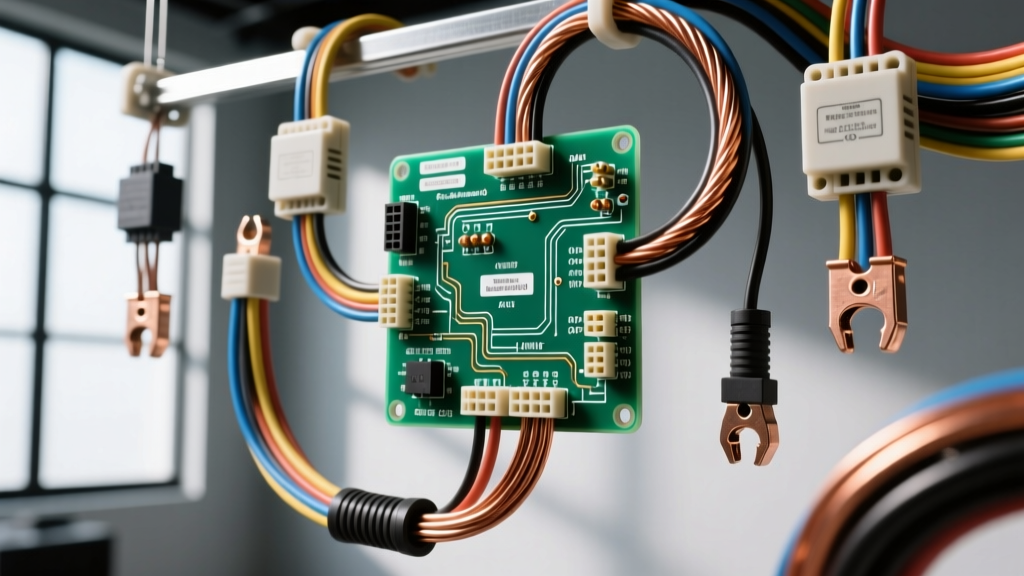
Understanding the Carrier Dissipation Board in RV and Truck AC Systems
When upgrading, repairing, or performing a custom install on a high-efficiency Carrier RV rooftop air conditioner or a Carrier Transicold commercial truck refrigeration unit, the power distribution and heat management modules are critical. The carrier dissipation board wiring diagram outlines the complex routing of high-amperage AC input, 12V DC control signals, and the multi-phase outputs required to drive inverter-based BLDC (Brushless DC) compressors. Unlike older mechanical relay systems, modern Carrier units utilize Solid State Relays (SSRs) and Insulated Gate Bipolar Transistors (IGBTs) mounted directly to a specialized dissipation board. This board acts as both a power distribution hub and a massive heat sink, managing the thermal load generated during high-current switching.
Improper wiring of this board is the leading cause of catastrophic compressor failure, thermal shutdowns, and melted terminal blocks in custom motorhome and heavy-duty truck builds. This practical how-to installation guide provides the exact pinouts, wire gauge requirements, and torque specifications necessary to execute a flawless installation that complies with NFPA 1192 Standard on Recreational Vehicles and SAE J1128 primary cable specifications.
Critical Safety Protocols & Pre-Installation Checks
Before consulting the carrier dissipation board wiring diagram and stripping a single wire, you must establish a verified zero-energy state. The dissipation board handles both 120V/240V AC shore power and high-current 12V DC battery banks.
- Shore Power Disconnect: Unplug the RV or truck from all external AC sources. Lock out the main breaker panel.
- Inverter/Charger Isolation: Turn off the main DC disconnect switch located between the battery bank and the inverter/charger. Remove the Class-T fuse or pull the main ANL fuse to ensure no backfeed can occur.
- Capacitor Discharge: The dissipation board contains large electrolytic filter capacitors for the inverter circuit. Wait a minimum of 15 minutes after power removal, then use a digital multimeter (DMM) set to DC Volts to verify the DC bus voltage is below 5V before touching any terminals.
- ESD Protection: Wear an anti-static wrist strap grounded to the vehicle chassis. The IGBTs on the dissipation board are highly sensitive to electrostatic discharge.
Carrier Dissipation Board Wiring Diagram & Pinout Table
The following pinout configuration applies to the standard Carrier 15,000 BTU Inverter-Driven RV AC and equivalent commercial truck cab units. Always verify your specific board revision number (e.g., Rev C or Rev D) as control pinouts may vary slightly. The physical carrier dissipation board wiring diagram is typically silkscreened directly onto the PCB or printed on the inside of the shroud access panel.
| Pin / Terminal | Function | Wire Color Code | AWG Size | Connector Type |
|---|---|---|---|---|
| AC-L1 (IN) | 120V AC Line Input (Hot) | Black | 10 AWG | Ring Terminal (3/8") |
| AC-N (IN) | 120V AC Neutral Input | White | 10 AWG | Ring Terminal (3/8") |
| AC-GND | Chassis / Earth Ground | Green | 10 AWG | Ring Terminal (3/8") |
| DC-12V+ | 12V DC Control Power | Red | 12 AWG | Molex 4-Pin (Pin 1) |
| DC-GND | 12V DC Control Ground | Black | 12 AWG | Molex 4-Pin (Pin 2) |
| T-STAT | Thermostat Signal (PWM) | Blue | 18 AWG | Molex 4-Pin (Pin 3) |
| COMP-U | Compressor Phase U Output | Black | 12 AWG | Spade / Quick Disconnect |
| COMP-V | Compressor Phase V Output | Red | 12 AWG | Spade / Quick Disconnect |
| COMP-W | Compressor Phase W Output | White | 12 AWG | Spade / Quick Disconnect |
Step-by-Step Installation Guide
Step 1: High-Voltage AC Input Routing
The AC input terminals on the dissipation board are subjected to continuous high-amperage draws, especially during compressor startup surges. According to RVIA (Recreational Vehicle Industry Association) guidelines, all 120V AC wiring must be routed separately from low-voltage DC control wires to prevent electromagnetic interference (EMI) and signal degradation.
- Strip exactly 5/8 inch of insulation from your 10 AWG Black (Hot) and White (Neutral) wires.
- Use a closed-barrel, nylon-insulated crimp tool to attach 3/8-inch ring terminals. Perform a pull-test to ensure a secure mechanical bond.
- Apply a thin layer of dielectric grease to the ring terminal barrel (avoiding the contact surface) to prevent galvanic corrosion, especially in marine or high-humidity truck environments.
- Secure the Black wire to the AC-L1 terminal and the White wire to the AC-N terminal. Torque the terminal block screws to exactly 25 in-lbs (2.8 Nm). Over-torquing will strip the brass threads; under-torquing will cause high-resistance arcing and thermal failure.
- Attach the 10 AWG Green ground wire to the dedicated AC-GND chassis stud, ensuring bare metal contact by using a star washer between the ring terminal and the chassis.
Step 2: DC Control Circuit & Thermostat Wiring
The logic side of the dissipation board requires clean, stable 12V DC power. Voltage drops on the DC control side will cause the microprocessor to reset mid-cycle, leading to erratic compressor cycling and potential IGBT shoot-through.
- Run a dedicated 12 AWG Red wire directly from the main DC distribution bus (fused at 15A with an automotive ATO fuse) to the DC-12V+ pin on the Molex connector.
- Connect the 12 AWG Black wire to a verified, clean chassis ground point. Do not daisy-chain this ground with high-current loads like water pumps or interior lighting.
- For the thermostat PWM (Pulse Width Modulation) signal, use 18 AWG shielded cable. Connect the Blue signal wire to the T-STAT pin, and ensure the shield drain wire is grounded only at the thermostat end to prevent ground loops.
- Snap the Molex connector housing into the board receptacle until you hear a definitive click. Secure the wiring harness with a nylon zip-tie to the integrated strain relief loop.
Step 3: Compressor & Fan Motor Outputs
The outputs from the dissipation board to the hermetic BLDC compressor carry high-frequency, high-voltage DC pulses. Standard stranded wire is insufficient here; you must use high-strand-count, silicone-insulated flexible wire rated for continuous 105°C operation.
- Identify the U, V, and W phase terminals on the compressor. Match them exactly to the COMP-U, COMP-V, and COMP-W terminals on the dissipation board. Reversing these phases will cause the compressor to run in reverse, resulting in zero cooling and immediate mechanical destruction of the scroll plates.
- Crimp insulated female spade connectors onto the 12 AWG phase wires. Use a heat gun to shrink the insulation sleeve tightly over the wire jacket.
- Push the spade connectors onto the board pins. Ensure they are fully seated. A loose spade connector will arc under the 30A+ operational load, melting the plastic housing and destroying the board's SSRs.
Wire Gauge & Torque Specifications Chart
Adhering to precise mechanical and electrical specifications is non-negotiable when working with inverter-driven HVAC systems. Use the following reference chart during your installation.
| Specification Category | Requirement / Limit | Tool Required |
|---|---|---|
| AC Terminal Block Torque | 25 in-lbs (2.8 Nm) | 1/4" Drive Torque Screwdriver |
| Chassis Ground Stud Torque | 45 in-lbs (5.0 Nm) | 3/8" Drive Torque Wrench |
| Max AC Input Wire Size | 10 AWG (Stranded Copper) | Wire Stripper (10-14 AWG) |
| Max DC Control Wire Size | 12 AWG (Stranded Copper) | Crimper (Molex Terminals) |
| Operating Temp Rating | 105°C (221°F) Minimum | N/A (Wire Jacket Spec) |
Real-World Troubleshooting & Failure Modes
Even with a perfect physical installation, environmental factors and component degradation can cause issues. Here is how to troubleshoot the carrier dissipation board using a professional-grade DMM and an oscilloscope.
Symptom: Compressor Hums but Fails to Start (Thermal Overload Trip)
Cause: This is rarely a mechanical compressor issue. It is usually caused by a failing SSR on the dissipation board that is only passing half-wave DC, or excessive voltage drop on the AC input side starving the inverter capacitors.
Fix: Perform a voltage drop test across the AC-L1 and AC-N terminals while the unit is attempting to start. If the voltage drops below 108V, upgrade your shore power cord or check for corroded transfer switch contacts. If input voltage is stable, use an oscilloscope to check the COMP-U, V, and W outputs. If one phase shows a flat line instead of a PWM square wave, the IGBT for that phase has failed. The entire dissipation board must be replaced, as individual surface-mount IGBTs cannot be reliably repaired in the field.
Symptom: Erratic Fan Speeds and Thermostat Disconnects
Cause: EMI (Electromagnetic Interference) from the high-frequency compressor outputs bleeding into the low-voltage DC control circuit. This happens when the shielded thermostat wire is routed too close to the compressor phase wires, or if the DC-GND pin has a high-resistance connection.
Fix: Reroute the 18 AWG thermostat harness at least 4 inches away from the 12 AWG compressor phase wires. If they must cross, ensure they cross at a strict 90-degree angle. Clean the DC-GND chassis contact point with sandpaper to bare metal, apply dielectric grease, and re-torque.
Symptom: Visible Burn Mark on PCB Near Heat Sink
Cause: Thermal paste degradation. The dissipation board relies on a layer of thermal interface material (TIM) between the SSRs and the aluminum heat sink. Over 5-7 years, cheap factory TIM dries out and cracks, causing the SSRs to overheat and burn the PCB substrate.
Fix: If replacing the board, ensure the new unit has fresh, high-quality thermal paste (e.g., Arctic Silver or equivalent silicone-based TIM) applied evenly across all power transistors. Do not overtighten the heat sink mounting screws, as this will squeeze the TIM out and create air pockets, defeating the purpose of the heat sink.
Final Inspection and Commissioning
Before applying power, perform a final visual inspection of the carrier dissipation board wiring diagram connections. Verify that no stray wire strands are bridging terminal gaps. Ensure all Molex connectors are fully seated and locked. Reinstall the shroud and secure all fasteners. Restore DC battery power first, followed by AC shore power. Monitor the system for the first 30 minutes of operation using an infrared thermometer to scan the terminal blocks; no connection should exceed ambient temperature by more than 15°F. By strictly following these guidelines, your Carrier AC system will deliver reliable, efficient cooling for years to come.