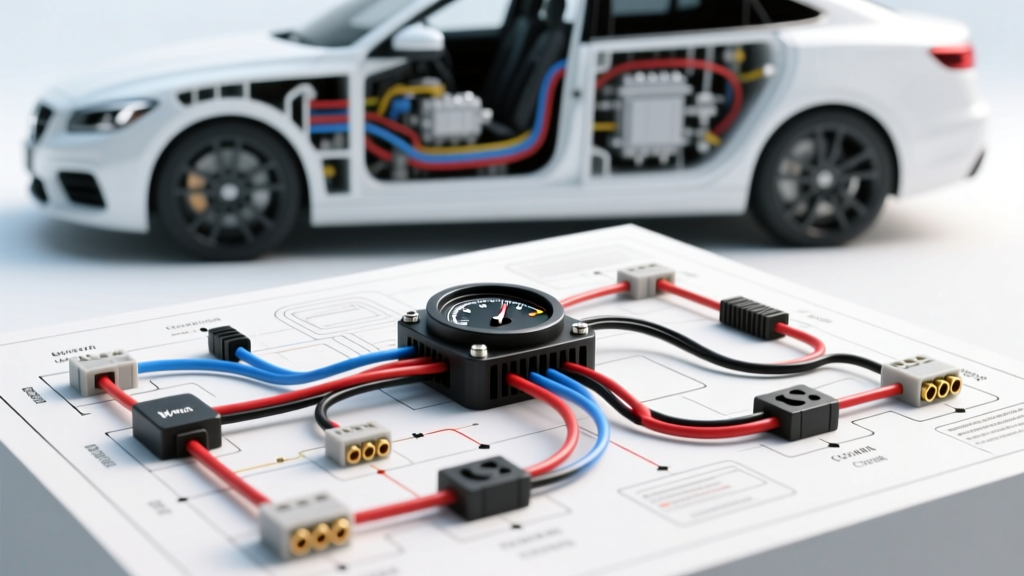
Advanced Engine Hour Meter Wiring Diagram: Beyond the Ignition Switch
In modern heavy-duty, marine, and industrial applications, relying on a simple ignition-switched 12V feed to log engine hours is an obsolete and inaccurate practice. An advanced engine hour meter wiring diagram must integrate a dynamic tachometer signal to ensure the meter only accumulates time when the crankshaft is physically rotating. This prevents false maintenance intervals caused by operators leaving the master battery switch or ignition key in the 'ON' position without the engine running. This technical deep dive explores the precise pinouts, wire gauge specifications, and signal routing requirements for integrating analog and digital hour meters with heavy-duty alternators and Engine Control Units (ECUs).
Decoding the Core Hour Meter Terminals
Standard heavy-duty electronic hour meters (such as those manufactured by Faria Beede, VDO, or Teleflex) typically utilize a 4-pin or 5-pin connector interface. When referencing your engine hour meter wiring diagram, you must map the following terminals using high-temperature GXL (cross-linked polyethylene) automotive wire.
- Terminal 1 (IGN / Switched 12V+): Supplies primary logic power to the meter's internal microcontroller or electromagnetic coil. Wire Color: Red (18 AWG). Must be sourced from a clean, fused ignition bus, not directly from the starter solenoid to avoid voltage spikes during cranking.
- Terminal 2 (GND / Sensor Return): Provides the ground reference. Wire Color: Black (18 AWG). Must be terminated to a dedicated chassis ground stud or the ECU sensor return circuit. Never daisy-chain this ground with high-amperage accessories like solenoids or relays.
- Terminal 3 (TACH / Signal Input): The critical input that dictates hour accumulation. Wire Color: Gray or Green (18 AWG Shielded). This pin receives either an unrectified AC pulse from the alternator or a DC square wave from the ECU.
- Terminal 4 (LAMP / Backlight +): Illumination feed for the gauge face. Wire Color: White (18 AWG). Often tied to the dashboard potentiometer for dimming control.
- Terminal 5 (LAMP / Backlight -): Illumination ground. Wire Color: Black (18 AWG).
Signal Source Architecture: Alternator W-Terminal vs. ECU Digital Pulse
The most complex aspect of the engine hour meter wiring diagram is routing the tachometer signal. The signal source dictates how the meter's internal logic board interprets RPM and accumulates time.
The Alternator 'W' Terminal (Unrectified AC)
On heavy-duty diesel platforms (e.g., Cummins ISX, Detroit Diesel DD15) utilizing high-output alternators like the Delco Remy 36SI or 40SI, the stator features an auxiliary 'W' (Wave) terminal. According to Delco Remy Alternator Technical Manuals, the W-terminal taps directly into one phase of the stator before the rectifier diode assembly. This outputs an unrectified AC sine wave. The frequency of this AC signal is directly proportional to engine RPM. Electronic hour meters read this frequency; if the frequency drops below a set threshold (typically 15 Hz, equating to ~400 RPM), the internal relay opens, and hour accumulation pauses. When wiring to the W-terminal, you must configure the DIP switches on the rear of the hour meter to match the alternator's pole count (e.g., 12-pole or 16-pole) to ensure the internal logic calculates the threshold correctly.
ECU Digital Square Wave Output
Newer engines utilize a dedicated tachometer output pin on the ECU. For example, on a Cummins X15, the dedicated tach output provides a 5V to 12V DC square wave. This signal is highly susceptible to Electromagnetic Interference (EMI) from the high-pressure fuel injector harness. When routing the gray signal wire from the ECU to the hour meter's Terminal 3, you must use a shielded twisted pair (STP) cable, grounding the shield drain wire exclusively at the ECU connector shell to prevent ground loops.
J1939 CAN Bus Integration for Digital Hour Meters
For fully digital glass-cockpit setups, the engine hour meter wiring diagram bypasses analog pulses entirely and taps into the SAE J1939 CAN bus network. The ECU broadcasts engine speed and total engine hours via PGN 61444 (Electronic Engine Controller 1) and PGN 65255 (Hours). To wire a J1939-compatible digital hour meter, you must integrate into the twisted pair CAN backbone:
- CAN-H (Yellow): Connects to the meter's CAN-H pin. Must maintain a 120-ohm termination resistance across the network.
- CAN-L (Green): Connects to the meter's CAN-L pin.
For comprehensive network protocols and PGN definitions, refer to the SAE J1939 Digital Message Standards documentation. Improper termination or splicing into the CAN bus without utilizing a proper Y-harness will alter the network impedance, potentially causing the engine ECU to derate or throw inactive fault codes.
Wiring Specifications and Harness Routing Chart
Adhering to strict wire gauge and insulation standards prevents voltage drop and signal degradation over long harness runs in heavy equipment and marine engine bays.
| Circuit Function | AWG Size | Insulation Type | Connector / Terminal Spec | Routing Constraints |
|---|---|---|---|---|
| Ignition 12V+ (Pin 1) | 16 AWG (or 14 AWG if >15ft) | GXL (125°C rated) | Deutsch DT04-4P (Pin 1) | Route with main ignition harness; fuse at 5A. |
| Sensor Ground (Pin 2) | 16 AWG | GXL (125°C rated) | Deutsch DT04-4P (Pin 2) | Must return to clean ECU ground bus. |
| Tach Signal (Pin 3) | 18 AWG Shielded | TXL with Braided Shield | Deutsch DT04-4P (Pin 3) | Keep min. 4 inches away from injector/solenoid harnesses. |
| CAN-H (Digital Only) | 20 AWG Twisted Pair | XLPE (Cross-linked) | Deutsch DT06-2S (Y-splice) | Maintain twist rate; do not untwist more than 1 inch at term. |
Troubleshooting Signal Dropout and Meter Drift
When an hour meter fails to log accurately, the issue is rarely the meter itself, but rather a flaw in the engine hour meter wiring diagram execution. Use the following symptom-cause-fix decision tree, derived from Faria Beede Instruments Technical Guides, to isolate electrical faults.
Symptom: Meter Logs Hours with Key ON, Engine OFF
- Cause: The meter is configured as a simple 'voltage-on' timer, or the tach signal wire (Pin 3) is disconnected, forcing the internal logic to default to a failsafe 'always-on' state.
- Fix: Verify continuity on the Gray Tach wire from the meter Pin 3 to the alternator W-terminal or ECU Tach pin. Use a digital multimeter (DMM) set to AC Voltage; crank the engine and verify a 2V-12V AC reading at the W-terminal.
Symptom: Meter Reads Zero Hours While Engine is Running
- Cause: Tach signal loss, or the meter's internal DIP switches are set to the wrong alternator pole count, causing the microcontroller to reject the incoming frequency as 'noise'.
- Fix: Connect an oscilloscope to Pin 3. Verify a clean sine wave (alternator) or square wave (ECU). If the signal is present but the meter ignores it, locate the DIP switch block on the gauge housing and adjust the pole count setting to match the alternator manufacturer specification (e.g., set to '12' for a standard 12-pole Delco stator).
Symptom: Erratic Hour Logging, LCD Flicker, or Random Resets
- Cause: Electromagnetic Interference (EMI) inducing phantom voltage spikes on the tach signal line, or severe voltage drop on the ground circuit causing logic brownouts.
- Fix: Inspect the Pin 2 ground circuit. Perform a voltage drop test between the meter ground pin and the battery negative terminal while the engine is running at high idle; a reading above 0.1V indicates a corroded ground stud. If the ground is clean, inspect the Tach signal wire routing. If it is zip-tied to the high-voltage HEUI injector harness or starter solenoid cable, reroute it and replace the wire with a shielded STP cable, grounding the shield drain at the ECU.
Final Integration Notes
A properly executed engine hour meter wiring diagram is the backbone of predictive maintenance for any fleet or marine vessel. By prioritizing clean sensor grounds, utilizing shielded cabling for sensitive tachometer signals, and respecting the physics of alternator stator taps versus digital ECU outputs, you ensure that maintenance intervals are triggered by actual mechanical wear, not electrical anomalies. Always seal all Deutsch or Weather-Pack connector cavities with the appropriate silicone plugs to prevent moisture ingress and subsequent galvanic corrosion in harsh engine bay environments.