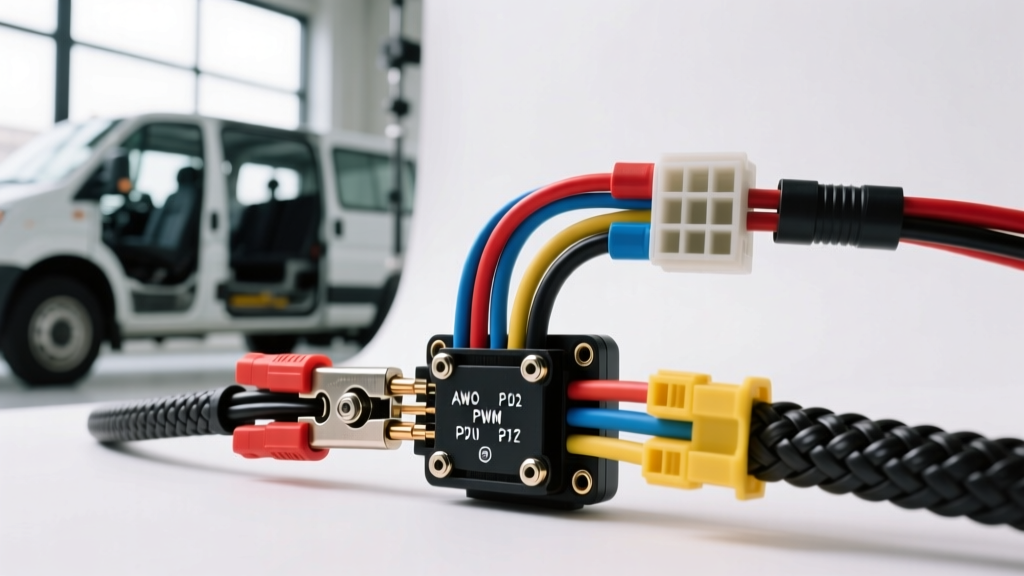
The Reality of 12V Automotive Surveillance Wiring
Integrating aftermarket surveillance and backup cameras into commercial fleet vehicles, RVs, and camper vans requires a fundamental shift from residential CCTV practices. When reviewing a vehicle-specific wiring diagram, splicing security camera wires into a 12V automotive chassis presents unique challenges: severe thermal cycling, high-frequency vibration, and complex CAN-bus multiplexed lighting circuits. A standard home security camera splice will fail within months on the road due to moisture ingress and voltage drops.
This complete wiring diagram walkthrough focuses on heavy-duty commercial applications, specifically utilizing the 4-pin GX12 aviation connector standard and integrating with modern vehicle Upfitter Interface Modules (UIM). We will cover exact AWG requirements, pulse-width modulation (PWM) filtering, and OEM-grade splicing techniques to ensure your vehicular security system operates flawlessly.
Anatomy of the 4-Pin GX12 Aviation Connector
In automotive and fleet environments, standard RCA and BNC connectors are entirely unsuited for exterior mounting due to their lack of IP67 water resistance and poor vibration tolerance. The industry standard for heavy-duty security and backup cameras is the 4-pin GX12 aviation connector. Before splicing, you must understand the pinout configuration to map your vehicle's harness correctly.
- Pin 1 (12V DC Power): Typically Red wire, 18 AWG. Requires a fused connection to a switched or constant 12V source depending on the desired recording behavior.
- Pin 2 (Chassis Ground): Typically Black wire, 18 AWG. Must be terminated to a clean, bare-metal chassis ground point using a ring terminal, never spliced into an existing OEM ground wire to avoid ground loops.
- Pin 3 (Audio/Mic): Typically White wire, 22 AWG. Carries the analog audio signal back to the DVR/monitor.
- Pin 4 (Reverse Trigger): Typically Green or Yellow wire, 20 AWG. Signals the DVR to switch to the camera feed and overlay parking guidelines when the vehicle is shifted into reverse.
The PWM Problem: Why Direct Splicing Fails
The most common mistake technicians make when following a generic wiring diagram for splicing security camera wires is tapping directly into the OEM reverse lamp wire. Modern vehicles (including the Ford Transit, Ram ProMaster, and Mercedes Sprinter) utilize CAN-bus controlled Body Control Modules (BCMs). To monitor bulb health and dim taillights, the BCM sends a Pulse Width Modulated (PWM) signal rather than a solid 12V DC current.
If you splice your camera's Pin 4 trigger directly into a PWM reverse light wire, the camera will receive rapid 12V pulses (often at 500Hz to 1kHz). This results in severe video flickering, DVR rebooting, or complete failure of the camera to initialize. To resolve this, you must either use a mechanical relay to isolate the circuit or tap into a dedicated, filtered OEM upfitter module.
Wiring Diagram Walkthrough: Splicing Security Camera Wires via Relay
To convert a dirty PWM reverse signal into a clean 12V DC trigger for your security camera, we use a standard ISO 7588-2 5-pin Bosch-style relay. This acts as a galvanic isolator between the vehicle's sensitive CAN-bus network and your aftermarket camera harness.
Relay Pinout & Splicing Map
- Pin 86 (Coil +): Splice into the OEM Reverse Lamp Wire (e.g., Light Green with Brown stripe on Ford Transit). Use a Posi-Tap or solder-seal connector.
- Pin 85 (Coil -): Terminate to a local chassis ground.
- Pin 30 (Common Input): Connect to a fused, constant 12V battery feed (minimum 16 AWG).
- Pin 87 (Normally Open Output): Splice this output directly to the Camera Pin 4 (Reverse Trigger) wire.
- Pin 87a (Normally Closed): Cap and insulate. Not used in this application.
When the vehicle is shifted into reverse, the PWM signal energizes the relay coil. The relay's internal electromechanical switch closes, sending a clean, solid 12V DC signal from Pin 30 to Pin 87, safely triggering the camera without introducing CAN-bus interference.
Ford Transit UIM Integration (The OEM Method)
For fleet managers working on 2015+ Ford Transits, the preferred method avoids the taillight harness entirely by utilizing the Upfitter Interface Module (UIM). The UIM provides clean, solid-state 12V outputs specifically designed for aftermarket accessories. According to the Ford Motor Company Body Builder Layout Book, the reverse lamp output is readily available at the UIM connector.
- Connector ID: C2280G (Located behind the driver-side B-pillar trim)
- Pin Number: 12
- Wire Color: Light Green / Brown (VT/BN)
- Max Load: 3 Amps (More than sufficient for multiple camera triggers)
Splicing into Pin 12 of the UIM provides a filtered, non-PWM 12V signal the exact moment the transmission range sensor detects Reverse. This eliminates the need for a relay and drastically reduces installation time and potential failure points.
Wire Gauge & Splicing Method Specification Chart
Adhering to the SAE J1128 Low Tension Primary Cable Standard is critical for automotive wire selection. Below is the specification chart for splicing security camera wires in high-vibration vehicular environments.
| Application | Recommended AWG | Wire Type | Approved Splicing Method | Banned Methods |
|---|---|---|---|---|
| Camera 12V Power Feed | 16 AWG | SGT / Cross-Linked PE | Solder + Adhesive Heat Shrink | Scotch-Lok, Twist Caps |
| Camera Chassis Ground | 16 AWG | SGT / Cross-Linked PE | Ring Terminal to Bare Metal | Splicing to OEM Ground Wire |
| Reverse Trigger (UIM) | 20 AWG | GXL / Thin-Wall | Posi-Tap or Solder-Seal | Piercing Taps, Electrical Tape |
| Video Signal (Coaxial) | RG59 / RG6 | Shielded Coaxial | Crimp BNC + Weatherproof Boot | Twisting Coax Shields |
For comprehensive guidelines on crimping and weather-sealing, professionals frequently reference MAD Enterprises Automotive Wiring Tech, which outlines the necessity of adhesive-lined heat shrink to prevent capillary action from drawing moisture into the copper strands.
Troubleshooting Decision Tree: Camera Flickering or No Signal
Even with a perfect wiring diagram, splicing security camera wires in a vehicle can yield unexpected results. Use this diagnostic tree to isolate faults:
- Symptom: Camera image flickers rapidly when vehicle is running.
- Cause: Alternator whine or PWM ground loop.
- Fix: Ensure the camera ground (Pin 2) is grounded directly to the chassis near the camera, NOT grounded back at the DVR. Verify the power feed is not sharing a ground path with high-draw inductive loads (like fuel pumps).
- Symptom: DVR does not switch to reverse camera when shifting into Reverse.
- Cause: Trigger wire voltage drop or BCM bulb-out error.
- Fix: Use a multimeter to check voltage at Pin 4 (GX12) while in reverse. If voltage is pulsing between 2V and 11V, you have spliced into a PWM circuit without a relay. Install the Bosch relay isolation circuit detailed above.
- Symptom: Intermittent video loss over bumpy terrain.
- Cause: Micro-fractures in the coaxial cable or loose GX12 set-screws.
- Fix: Inspect the GX12 connector collar. Ensure the internal set-screw is tightened against the cable jacket. Replace any RG59 cable that was routed through sheet-metal bulkheads without a rubber grommet, as vibration will sever the shield braid.
Final Routing and Looming Best Practices
Once the splices are executed and tested, the wiring harness must be secured. Never use zip-ties directly over wire looms without a mounting pad, as the sharp edges will slice into the insulation over time. Use split-loom corrugated tubing for all interior cabin routing, and transition to flexible braided fiberglass sleeving or conduit when routing through exterior chassis rails. Secure the harness every 12 inches using automotive-grade Tesa tape (fleece tape) to eliminate harness rattle against the vehicle's metal framework. By treating the security camera integration as a critical vehicular system rather than a simple accessory, you ensure long-term reliability across millions of fleet miles.