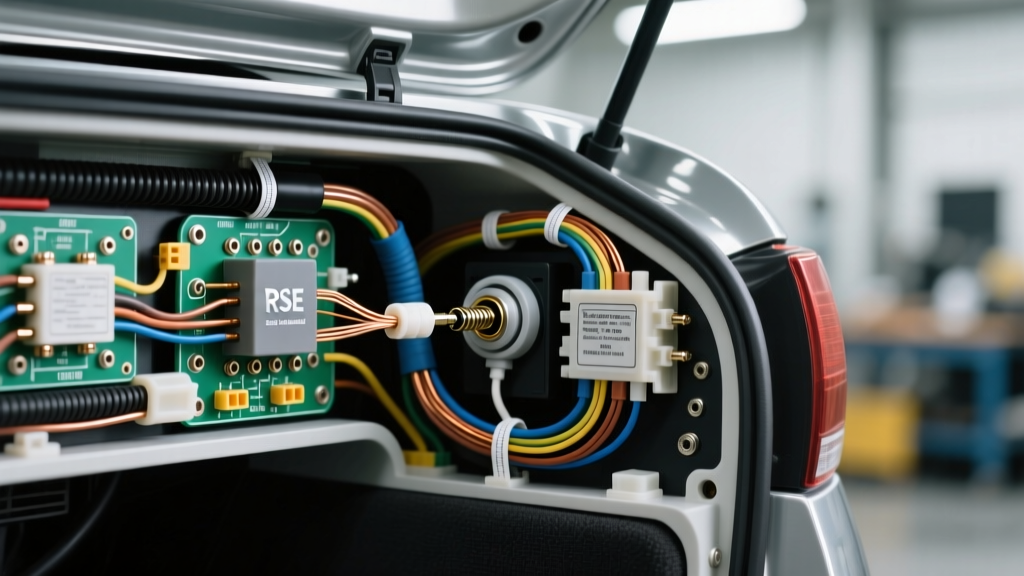
Introduction: Automotive Audio & Rear Seat Entertainment Integration
Integrating physical audio outputs into a vehicle's cabin—specifically for Rear Seat Entertainment (RSE) systems, custom center consoles, or aviation-style off-road communication rigs—requires a precise understanding of low-voltage AC signal routing. When fabricating a custom rear-seat console or upgrading an older OEM DVD system to accept modern devices, obtaining an accurate wiring diagram for headphone jack integration is critical. Unlike standard 12V DC power wiring, audio signals operate in the millivolt range and are highly susceptible to electromagnetic interference (EMI) and alternator whine. This guide provides a comprehensive cost and tool requirements analysis, alongside the exact pinouts and shielding techniques necessary to install a 3.5mm TRS (Tip-Ring-Sleeve) panel-mount headphone jack in a 12V automotive environment.
Cost Analysis: Components & Ground Loop Isolation
The most common failure mode in custom automotive audio installations is the introduction of engine noise (alternator whine) into the audio path. This occurs when the audio ground and the vehicle's noisy 12V DC chassis ground form a loop. To prevent this, your bill of materials (BOM) must include high-quality shielded components and isolation hardware. Below is a cost breakdown for a professional-grade single-zone headphone jack installation.
| Component | Specification | Est. Cost | Function |
|---|---|---|---|
| Switchcraft 35RAPC2BV4 | 3.5mm TRS Panel Mount, Enclosed | $9.50 | Provides a rugged, chassis-isolated connection point. |
| Belden 8723 Shielded Cable | 22 AWG, 2-Pair, Stranded OFC | $18.00 / 10ft | Carries L/R audio signals with braided EMI shielding. |
| PAC SNI-35 Isolator | Variable Ground Loop Isolator | $24.99 | Blocks DC ground loops while passing AC audio signals. |
| Posi-Tap Connectors | 22-18 AWG Tap & Ferrules | $12.50 | Non-destructive tapping into OEM RSE harness. |
| Adhesive Heat Shrink | 3/16" and 1/8" Dual-Wall | $8.00 | Seals connections against cabin humidity and vibration. |
Total Estimated Component Cost: $72.99
Tool Requirements for Micro-Soldering & Automotive Routing
Soldering a 3.5mm TRS jack requires precision. The phenolic or plastic insulators separating the Tip, Ring, and Sleeve lugs will melt if exposed to excessive heat for more than 2-3 seconds. Furthermore, routing 22 AWG shielded wire requires specialized stripping tools to avoid nicking the delicate copper strands or the underlying foil/braided shield.
Essential Tooling List
- Temperature-Controlled Soldering Station (e.g., Hakko FX-888D): Set to 320°C (608°F) when using 63/37 rosin-core solder. Use a micro-pencil tip (e.g., T18-B) for precise heat application to the TRS lugs.
- Knipex Precision Wire Strippers: Calibrated for 20-30 AWG stranded wire to safely remove the outer jacket and the braided shield drain wire without scoring the signal conductors.
- True-RMS Digital Multimeter (DMM): Required to measure AC ripple (millivolts) on the audio ground to diagnose alternator whine. A standard auto-ranging DMM may not accurately read the high-frequency noise superimposed on the DC ground.
- Fluke 115 or Equivalent: For verifying continuity and ensuring the panel-mount jack's sleeve is properly isolated from the metal dash/console chassis.
The Wiring Diagram for Headphone Jack (TRS Pinout & Wire Colors)
The standard 3.5mm TRS (Tip-Ring-Sleeve) connector carries unbalanced stereo audio. In an automotive application, the shield and the sleeve (ground) must be managed carefully to avoid creating an antenna for the vehicle's ignition system noise.
3.5mm TRS Pinout Configuration
| Jack Lug | Signal Function | Belden 8723 Wire Color | Connection Point |
|---|---|---|---|
| Tip | Left Channel Audio (+) | White (Pair 1) | OEM RSE Left Audio Out / RCA L |
| Ring | Right Channel Audio (+) | Red (Pair 2) | OEM RSE Right Audio Out / RCA R |
| Sleeve | Audio Common Ground (-) | Black (Pair 2) / Clear (Pair 1) | Isolator Ground / Star Ground Point |
| Shield Drain | EMI Shielding | Bare Copper Braid | Connected to Sleeve at Source ONLY |
Crucial Shielding Rule: The 'Pigtail' vs. 'Drain' Method
According to SAE International J1113 guidelines regarding electromagnetic compatibility in vehicles, audio shielding should never be grounded at both ends. Grounding the shield at both the head unit and the headphone jack creates a ground loop, turning the shield into an inductor that amplifies alternator whine.
The Fix: At the 3.5mm headphone jack (the destination), solder the Tip and Ring to their respective lugs. Twist the bare copper shield drain wire together with the Sleeve (Ground) wire and solder them both to the Sleeve lug. At the source (the RSE module or amplifier), connect the signal grounds, but leave the shield drain wire wrapped in heat shrink and disconnected. This ensures the shield blocks EMI without carrying DC ground current.
OEM Integration: GM Rear Seat Entertainment (RSE) Module
When integrating this wiring diagram into a GM vehicle (e.g., 2007-2013 GMT900 Tahoe/Yukon with RPO code UQA RSE), you will be tapping into the rear audio amplifier located in the left rear quarter panel. The OEM audio signals are low-level analog.
- Left Audio (+): Tan/White Stripe
- Right Audio (+): Light Green/White Stripe
- Audio Ground: Black/White Stripe
Note: Always use a line-level adapter or verify signal voltage with an oscilloscope or DMM before tapping. OEM amplified signals can exceed 4V RMS, which will severely distort audio if fed directly into a standard 32-ohm headphone impedance load. If the signal is pre-amplified, you must install an inline attenuator pad (e.g., -10dB) between the OEM harness and the headphone jack.
Step-by-Step Execution & Torque Specifications
- Prepare the Cable: Strip 2 inches of the Belden 8723 outer jacket. Fold the braided shield back over the jacket and secure it with heat shrink to expose the four inner signal conductors.
- Tin the TRS Lugs: Apply a micro-drop of flux to the Tip, Ring, and Sleeve lugs. Pre-tin them with a minimal amount of 63/37 solder. Warning: Do not let solder bridge the microscopic gap between the Ring and Sleeve lugs.
- Solder Connections: Insert the stripped, twisted wires into the pre-tinned lugs. Apply the 320°C iron for exactly 1.5 to 2 seconds until the solder flows. Remove heat immediately to preserve the phenolic insulators.
- Chassis Grounding (If using a Ground Loop Isolator): If your installation requires a PAC SNI-35 isolator inline, the isolator's ground wire must be terminated to a bare metal chassis point. Use an M6 bolt, clean the paint with a fiberglass scratch pen, and torque the bolt to 10 Nm (88 in-lbs) to ensure a gas-tight, vibration-resistant bond.
- Panel Mounting: Secure the Switchcraft jack to your console using the provided star washer and hex nut. The star washer bites into the console material, preventing the jack from spinning when users plug and unplug their headphones.
Troubleshooting Common Failure Modes
Even with a perfect wiring diagram for headphone jack setups, the harsh 12V automotive environment can introduce variables that degrade audio quality.
Symptom: High-Pitched Whine that Revs with Engine RPM
Cause: Alternator Whine (AC Ripple on the DC Ground).
Diagnosis: Set your True-RMS DMM to AC Millivolts (mV). Measure between the audio ground at the headphone jack and the vehicle's negative battery terminal. A reading above 5mV AC indicates a ground loop.
Fix: Install a PAC SNI-35 Ground Loop Isolator inline, or relocate the audio ground to a dedicated 'star ground' point shared only with the source head unit, completely isolating it from high-current accessories like seat heaters or HVAC blowers.
Symptom: Audio Cuts Out When Headphone Plug is Rotated
Cause: Cold Solder Joint or Melted Phenolic Insulator.
Diagnosis: Visually inspect the TRS lugs under a magnifying lamp. If the solder looks dull, gray, or crystalline, it is a cold joint. If the plastic spacer between the Ring and Sleeve is warped, the Ring lug is physically shorting against the Sleeve.
Fix: Desolder the joint using copper desoldering braid. Clean the lug with 99% isopropyl alcohol, re-apply flux, and re-solder using strict temperature control.
Symptom: Left/Right Channel Bleed (Crosstalk)
Cause: Using unshielded or improperly routed wire.
Diagnosis: Check the routing path. If the 22 AWG audio cable is zip-tied alongside the vehicle's CAN bus lines, 12V power feeds, or PWM lighting modules, inductive coupling will cause crosstalk and digital noise.
Fix: Reroute the shielded audio cable down the opposite side of the vehicle's cabin from the main 12V power harness, maintaining a minimum 6-inch separation distance wherever possible.