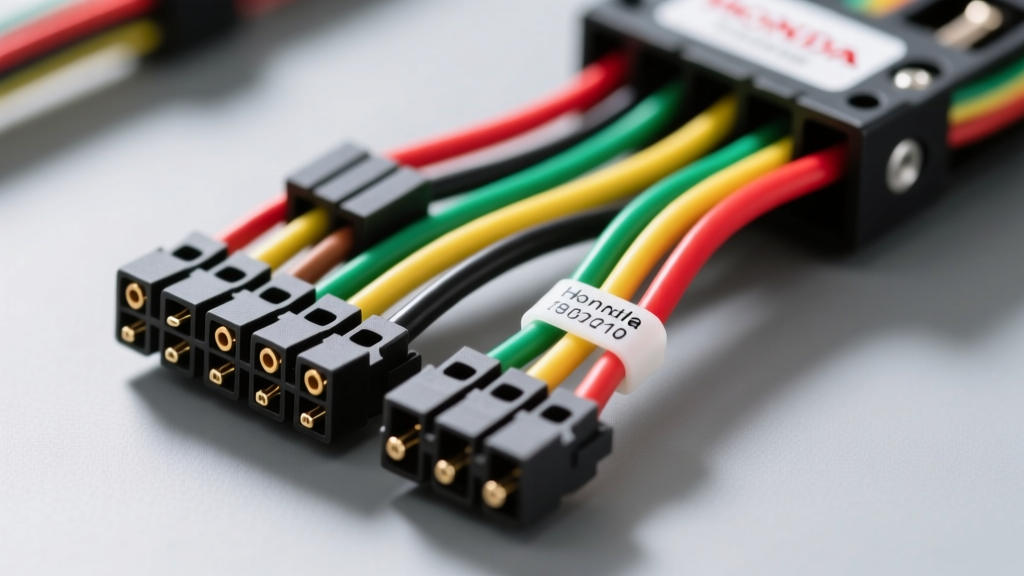
Introduction to Honda's 20-Pin Audio Architecture
When upgrading the audio system in a Honda vehicle, understanding the factory wiring harness diagram is critical to avoiding blown fuses, damaged CAN-bus networks, or silent speaker outputs. Unlike many domestic manufacturers that transitioned to fully digital audio buses in the early 2010s, Honda maintained a hybrid analog-digital architecture for its base and mid-tier audio systems well into the 2020s. This guide provides a complete walkthrough of the ubiquitous Honda 20-pin radio connector, detailing OEM wire color codes, AWG specifications, and multiplex network integration.
According to Helm Incorporated, the official publisher of Honda service documentation, the base audio system relies on standard analog speaker-level outputs paired with a single-wire Gage/NET communication line. Misinterpreting these circuits—especially the ignition-switched power wire—is the leading cause of parasitic battery drains and head unit memory loss in aftermarket installations.
Complete Honda Radio Wiring Color Code Chart
The standard 20-pin connector (often found in 2006-2015 Civic, Accord, CR-V, and Pilot models) houses power, ground, illumination, and four channels of analog speaker outputs. Below is the definitive OEM pinout reference.
| Pin | Function | OEM Wire Color | AWG | Aftermarket EIA Equivalent |
|---|---|---|---|---|
| 1 | Left Rear Speaker (+) | Blue | 18 | Green |
| 2 | Left Rear Speaker (-) | Blue/Black Stripe | 18 | Green/Black |
| 3 | Left Front Speaker (+) | Green | 18 | White |
| 4 | Left Front Speaker (-) | Green/Black Stripe | 18 | White/Black |
| 5 | Right Front Speaker (+) | Red | 18 | Gray |
| 6 | Right Front Speaker (-) | Red/Black Stripe | 18 | Gray/Black |
| 7 | Right Rear Speaker (+) | Purple | 18 | Purple |
| 8 | Right Rear Speaker (-) | Purple/Black Stripe | 18 | Purple/Black |
| 9 | Chassis Ground | Black | 16 | Black |
| 10 | +12V Constant (Battery) | Yellow | 16 | Yellow |
| 11 | +12V Switched (Ignition) | White | 16 | Red |
| 14 | Illumination (Dimmer) | Orange | 20 | Orange/White |
| 15 | Power Antenna / Amp Turn-On | Blue/White Stripe | 18 | Blue/White |
| 20 | Gage / CAN-Bus Data | Green/White Stripe | 22 | N/A (Requires Module) |
The Ignition Power Discrepancy: White vs. Red
The most common pitfall when reading a Honda factory wiring diagram versus an aftermarket adapter harness is the ignition-switched 12V wire. The Electronic Industries Association (EIA) standard dictates that Red is switched 12V and Yellow is constant 12V. However, Honda's OEM harness utilizes White for the ignition-switched circuit (Pin 11) and Red for the Right Front Speaker positive (Pin 5). If an installer blindly splices an aftermarket radio's red switched wire to the Honda's red wire, they will send 12V directly into the right front speaker voice coil, potentially destroying the driver and blowing the head unit's internal amplifier IC.
Power and Ground Circuit Walkthrough
Honda's base audio systems typically draw between 5 to 8 amps under normal listening conditions, peaking at 12 amps during heavy bass transients. The OEM power and ground circuits utilize SAE J1128 compliant 16 AWG primary wire, which is sufficient for the factory 4x50W (peak) internal amplifier.
- Constant 12V (Yellow, Pin 10): Routed directly from the under-hood fuse box through a 10A or 15A fuse. This circuit maintains the head unit's volatile memory (clock, radio presets, and CAN-bus handshake tokens).
- Switched 12V (White, Pin 11): Triggered by the ignition switch's ACC position. This wire wakes the head unit's main processor.
- Ground (Black, Pin 9): Terminates at a central grounding point (G501 or similar) behind the dashboard. Expert Tip: Never rely on the metal dashboard frame for a ground when testing. Honda uses painted, powder-coated, or insulated steel brackets that will cause high-resistance ground loops, resulting in alternator whine in the audio signal.
Speaker Output Pinouts and Phase Verification
The factory speaker wires are 18 AWG, which is adequate for the short runs in a compact sedan but can introduce a 0.5dB to 1.0dB voltage drop over the 12-to-14-foot run to the rear parcel shelf or D-pillars in larger SUVs like the Pilot. When retaining the factory wiring harness for aftermarket speakers, phase verification is mandatory.
Honda uses a standard color-with-black-stripe convention to denote the negative (ground) side of the speaker output. However, if you are probing a damaged harness where the stripe has faded, use a digital multimeter (DMM) in AC voltage mode. Play a 50Hz test tone through the system. The positive wire will show a positive AC voltage relative to the chassis ground, while the negative wire will show a near-zero or slightly inverted phase reading due to the BTL (Bridge-Tied Load) amplifier configuration used in modern Honda head units.
CAN-Bus and Steering Wheel Control Integration
Pin 20 on the 20-pin connector is the Gage/NET communication wire (often Green/White). In vehicles equipped with steering wheel audio controls, a multi-information display (MID), or an odometer trip button integrated into the radio faceplate, this wire carries multiplexed data packets.
If you are bypassing the factory radio, you cannot simply cut this wire. Doing so will trigger a 'Code Error' on the dashboard, disable the steering wheel controls, and prevent the vehicle's ECU from logging certain body-control module (BCM) faults. To retain these features, you must install a CAN-bus translation module, such as the PAC RP4-HD11 or Axxess ASWC-1. These modules intercept the Honda B-CAN or Gage-Net signals and translate them into standard resistor-ladder or infrared commands that aftermarket head units can understand.
Common Factory Harness Failure Modes & Troubleshooting
Even if you are simply diagnosing a dead factory radio, understanding the wiring diagram is the fastest path to a repair. Follow this diagnostic decision tree for common Honda audio failures:
Symptom 1: Head Unit Display is On, But No Audio Output
- Cause A: Blown internal amplifier IC. (Common in 2006-2011 Civics if a speaker wire was momentarily shorted to chassis ground).
- Cause B: Premium Audio Mismatch. If the vehicle has a factory external amplifier (e.g., Alpine or Mark Levinson premium system), the head unit outputs low-level differential signals, not standard speaker-level outputs. Splicing standard aftermarket speakers to a premium harness will result in severely distorted, low-volume audio.
- Fix: Verify Pin 15 (Blue/White). If it shows 0V when the radio is on, the head unit is not sending the turn-on signal to the external amplifier. If it shows 12V but there is no sound, the external amp or its dedicated 30A trunk fuse is faulty.
Symptom 2: Parasitic Battery Drain Overnight
- Cause: The CAN-bus sleep mode is being interrupted. If an aftermarket radio is wired incorrectly (e.g., Constant Yellow and Switched White tied together), the radio never sends the 'sleep' command back to the BCM via Pin 20.
- Fix: Use a DMM in series with the negative battery terminal. Wait 15 minutes for the Honda multiplex network to enter sleep mode. If the draw remains above 50mA, isolate the radio harness. Ensure the switched and constant 12V wires are strictly separated.
Expert Installation Tips and Wire Gauge Specs
When modifying the Honda 20-pin harness, avoid using generic twist-on butt connectors. The 18 AWG speaker wires are stranded copper with thin PVC insulation. Use a ratcheting crimp tool with heat-shrink adhesive-lined butt splices to prevent moisture ingress and copper oxidation. For the 16 AWG power and ground wires, soldering and sealing with dual-wall polyolefin heat shrink is the only method that guarantees a vibration-proof, low-resistance connection that meets OEM safety standards.