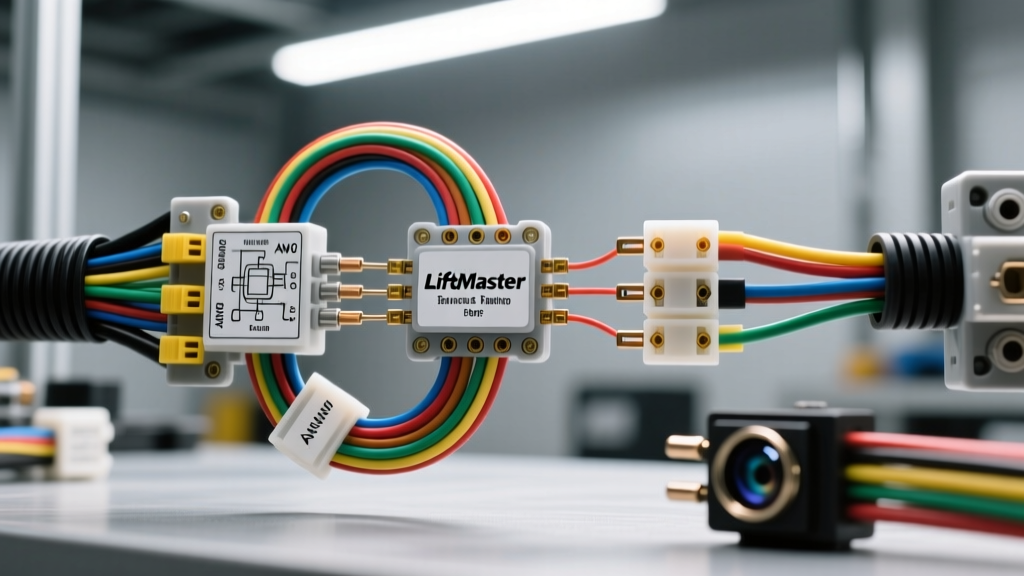
Integrating LiftMaster Vehicular Gate Sensors for Fleet Access Control
For automotive fleet managers, dealership facility technicians, and heavy-duty transport yards, securing the perimeter while allowing seamless vehicle ingress and egress is a daily operational challenge. Commercial vehicular gate operators, such as the LiftMaster CSL24V and CSW24V series, rely on a complex network of inductive loops, photoelectric eyes, and edge sensors to prevent vehicle strikes and automate access. Understanding the liftmaster wiring diagram sensors configuration is not just about making the gate move; it is about ensuring compliance with UL 325 safety standards and protecting high-value automotive assets from entrapment or collision damage.
This complete wiring diagram walkthrough provides automotive electrical specialists with the exact terminal pinouts, AWG wire specifications, and diagnostic procedures required to install and troubleshoot LiftMaster sensor networks in high-traffic vehicular environments.
Logic Board Terminal Pinouts & Sensor Assignments
The core of any LiftMaster commercial gate system is the main logic board. When referencing the liftmaster wiring diagram sensors layout, technicians must understand that the board separates high-voltage motor inputs from low-voltage 24VDC sensor inputs. Below is the definitive terminal block assignment for sensor integration on standard LiftMaster commercial vehicular boards.
| Terminal Pair | Function | Wire Gauge (AWG) | Standard Wire Colors | Notes & Specifications |
|---|---|---|---|---|
| 1 & 2 | 24 VDC Accessory Power | 18 - 14 AWG | Red (+), Black (-) | Max draw 500mA. Use 14 AWG for runs over 50 feet to prevent voltage drop. |
| 9 & 10 | Photo Eye (Interrupt / Stop) | 22 - 18 AWG | White (Signal), Black (GND) | Stops gate if beam is broken during open or close cycle. N/O or N/C configurable. |
| 11 & 12 | Photo Eye (Reverse) | 22 - 18 AWG | White (Signal), Black (GND) | Reverses gate immediately upon beam interruption while closing. |
| 13 & 14 | Edge Sensor (Reverse) | 22 - 18 AWG | White (Signal), Black (GND) | For pneumatic or resistive gate edges. Requires end-of-line resistor if wireless. |
| 15 & 16 | Loop Detector (Open) | 18 AWG Shielded | White (Signal), Green (Shield) | Free exit loop. Triggers open command when vehicle clears the gate zone. |
| 17 & 18 | Loop Detector (Reverse) | 18 AWG Shielded | White (Signal), Green (Shield) | Shadow/Reverse loop. Prevents gate from closing on a stationary truck or trailer. |
Vehicle Detection Loop Wiring & AWG Specifications
Inductive loop detectors are the primary method for sensing the presence of a vehicle's ferrous mass (engine block, chassis, axles). When cutting and wiring loops for commercial driveways that accommodate 18-wheelers and multi-axle fleet trucks, standard residential loop practices will fail.
Loop Geometry and Wire Selection
According to SAE International guidelines on vehicle detection, the loop geometry must match the wheelbase and ground clearance of the target vehicles. For standard fleet yards, a 6x6 foot square loop is insufficient for articulated lorries.
- Wire Specification: Use 14 AWG or 16 AWG XLPE (Cross-Linked Polyethylene) insulated wire. Standard THHN degrades rapidly under asphalt sealants and UV exposure during construction.
- Turn Count: Standard passenger vehicles require 4 turns. For heavy-duty trucks with high ground clearance, increase to 5 or 6 turns to amplify the microhenry (µH) inductance shift.
- Lead-in Cable: The twisted lead-in cable from the loop to the gate operator must be twisted at least 6 times per foot to cancel out ambient electromagnetic interference (EMI) from nearby high-voltage lighting or EV charging stations.
- Slot Sealing: Cut slots to a depth of 3 inches. Seal with a flexible polyurethane sealant, not rigid silicone, to accommodate concrete expansion and contraction without shearing the 14 AWG wire.
Photoelectric Sensor Placement & UL 325 Compliance
The LiftMaster wiring diagram sensors schematic heavily emphasizes photoelectric eyes (photo eyes) for non-contact entrapment protection. Under the UL 325 Standard for Gate Operators, vehicular gates must utilize multiple monitored photo eyes to prevent a gate from striking a stopped vehicle or a pedestrian standing in a vehicle's blind spot.
Retroreflective vs. Through-Beam Configurations
For wide commercial spans (over 20 feet), through-beam sensors are mandatory. Retroreflective sensors suffer from beam scatter when hitting the reflective tape on commercial trucks or dirty fleet vehicles.
- Height Requirement 1 (Bumper Level): Install the first set of photo eyes at exactly 6 inches above the ground. This detects low-clearance sports cars, lowered fleet sedans, and prevents the gate from striking a dropped trailer hitch.
- Height Requirement 2 (Hood/Cab Level): Install the second set at 18 to 24 inches. This ensures the beam intersects the main body of a vehicle, preventing a gate from closing on a pickup truck's tailgate that might ride higher than the 6-inch sensor.
- Wiring the Monitored Circuit: Modern LiftMaster boards require monitored photo eyes (Terminals 9/10 and 11/12). This means the sensor sends a continuous pulsed signal. If the wire is cut or the sensor fails, the logic board defaults to a safe state (usually requiring constant manual pressure on a 3-button station to close the gate).
Edge Sensor Integration for Barrier Arms and Gates
While sliding gates use photo eyes, vertical barrier arms and vertical pivot gates require edge sensors. These are flexible rubber strips containing a conductive or pneumatic core that triggers a reverse command upon physical compression against a vehicle's roof or hood.
When wiring a resistive edge sensor to Terminals 13 & 14, the logic board measures the resistance of the circuit. A standard closed-loop edge rests at 8.2 kΩ (using an internal resistor). When the rubber edge compresses against a vehicle, the internal conductive strips touch, dropping the resistance to near 0 Ω. The logic board detects this voltage drop and immediately reverses the motor. Ensure your multimeter reads exactly 8.2 kΩ at the terminal block before applying power; a reading of infinite resistance (OL) indicates a severed wire inside the rubber extrusion, a common failure mode in extreme winter climates where the rubber becomes brittle.
Troubleshooting Sensor Faults & Multimeter Diagnostics
When a fleet gate fails to close or reverses unexpectedly, technicians must bypass the guesswork and rely on electrical diagnostics. Here is a structured decision tree for troubleshooting the liftmaster wiring diagram sensors network.
Symptom: Gate Refuses to Close, Only Opens
- Check Photo Eye Alignment: Use a digital camera or smartphone camera to view the IR emitter lens. If you do not see a faint purple glow, the 24VDC power (Terminals 1 & 2) is dead or the emitter is blown.
- Measure Voltage Drop: Set your multimeter to DC Volts. Probe Terminals 1 and 2 at the sensor end of the wire run, not the board. If the board outputs 24.2V but the sensor receives 19.5V, your wire gauge is too thin for the distance. Upgrade from 18 AWG to 14 AWG.
- Test the Loop Detector: If the shadow loop (Terminals 17 & 18) is malfunctioning, it will hold the gate open indefinitely. Disconnect the loop wires from the board. If the gate closes, the fault is in the ground loop. Use a loop inductance meter to check for a short to ground or an open circuit in the asphalt.
Symptom: Gate Closes on Vehicles (Strike Hazard)
This is a critical UL 325 failure. Immediately lock out the gate. This usually occurs when installers wire the photo eyes to the 'Interrupt' terminals (9 & 10) instead of the 'Reverse' terminals (11 & 12), or when DIP switches on the logic board are set to ignore monitored sensor faults. Verify the DIP switch bank on the LiftMaster board matches the physical sensor types installed. If a non-monitored photo eye is connected to a board expecting a monitored pulsed signal, the board may bypass the safety circuit entirely.
Final Torque and Environmental Sealing
Automotive environments are harsh. Gate operators are subjected to exhaust soot, road salt, and high-pressure washdowns. When terminating sensor wires into the LiftMaster logic board terminal blocks, do not overtighten. The brass terminal screws are designed for a maximum torque of 4 to 5 in-lbs. Overtightening will crush the stranded 18 AWG wire, increasing resistance and causing intermittent sensor dropouts when the gate motor vibrates the operator chassis. Finally, coat all exposed terminal connections with a dielectric silicone grease to prevent galvanic corrosion, ensuring your sensor network remains operational for the lifespan of the fleet facility.
For comprehensive operator specifications and firmware updates, always consult the official LiftMaster Commercial Support Portal and verify your installation against the latest UL 325 entrapment protection mandates.