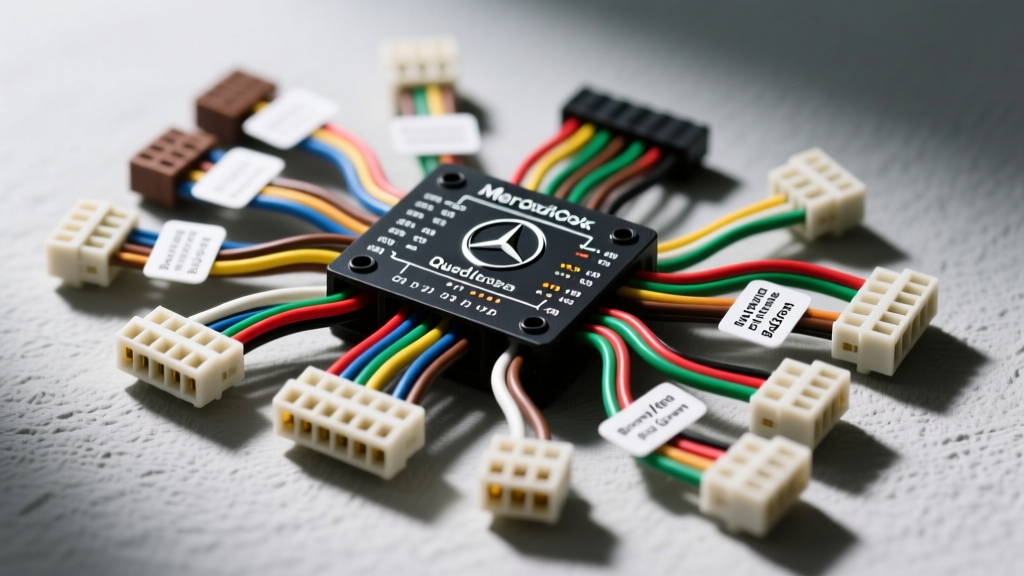
Introduction to Mercedes-Benz Head Unit Architecture
Understanding the diagram mercedes radio wiring color codes requires a fundamental shift from traditional 12-volt DC automotive electrical theory to complex, networked vehicle architecture. Unlike standard aftermarket DIN radios that rely on simple switched and constant 12V+ feeds, modern Mercedes-Benz head units (often branded as COMAND or Audio 20) act as central gateway nodes. They communicate via Controller Area Network (CAN bus) and Media Oriented Systems Transport (MOST) fiber-optic rings. Whether you are diagnosing a parasitic battery draw, integrating an aftermarket DSP, or replacing a failed CD changer, referencing the correct pinout matrix and wire color code is mandatory to prevent catastrophic module failure.
Evolution of Mercedes Radio Connectors: ISO vs. Quadlock
Mercedes-Benz transitioned its audio wiring standards significantly around the 2004 model year (spanning the W203, W211, and W204 chassis generations). Identifying your connector type is the first step in reading the wiring schematic.
- Pre-2004 (ISO 10487 Standard): Utilizes standard dual 8-pin ISO connectors (Power and Speaker blocks). Common in older W210 and early W203 models.
- 2004-Present (Quadlock / FAKRA): A massive, single-housing multi-pin connector divided into distinct blocks (A, B, C, D) handling high-current power, fiber optics, and high-speed CAN data.
For comprehensive standard definitions, automotive technicians refer to the ISO 10487 standard for car radio connections, which dictates the baseline for European vehicle wiring harnesses.
Standard ISO Harness Color Codes (Pre-2004 Models)
On older Mercedes-Benz models equipped with the Audio 10 or early COMAND APS units, the wiring follows a modified ISO standard. Note that Mercedes often uses metric wire sizing (mm²) rather than American Wire Gauge (AWG), though the physical dimensions are nearly identical to standard AWG equivalents.
| ISO Pin | Wire Color | Function | Wire Size (mm² / AWG) | Technical Notes |
|---|---|---|---|---|
| 1 | Blue/White | Speed Signal (Gala) | 0.5mm² / 20 AWG | Pulse signal from ABS/ESP module for speed-dependent volume. |
| 2 | Brown/White | Telephone Mute | 0.5mm² / 20 AWG | Pulls to ground to mute audio during hands-free calls. |
| 3 | Green/White | Navigation / Galileo | 0.5mm² / 20 AWG | Used for external GPS antenna or Nav mute triggers. |
| 4 | Red/Yellow | Constant 12V+ (Terminal 30) | 1.5mm² / 16 AWG | Direct battery feed. Must hold memory under 11.5V. |
| 5 | Blue/Yellow | Switched 12V+ (Terminal 15R) | 1.5mm² / 16 AWG | Ignition accessory feed via SAM (Signal Acquisition Module). |
| 6 | Grey/Red | Illumination (Terminal 58d) | 0.5mm² / 20 AWG | PWM dimming signal from the instrument cluster. |
| 7 | Brown | Chassis Ground (Terminal 31) | 1.5mm² / 16 AWG | Must have less than 0.05V drop to chassis ground. |
| 8 | Blue | Power Antenna / Amp Trigger | 0.5mm² / 20 AWG | Max current draw 300mA. Do not use to trigger high-draw relays. |
Mercedes Quadlock Connector Pinout & Color Codes (2004+ Models)
The Quadlock connector is the backbone of the modern Mercedes infotainment system. It aggregates power, speaker outputs, MOST fiber optics, and CAN bus networks into a single shielded housing. When referencing a diagram mercedes radio wiring color codes for a W204 C-Class or W212 E-Class, you must isolate the specific block you are probing.
Block A: Power and Front Speaker Outputs
Block A handles the high-current requirements of the head unit and the direct speaker outputs for vehicles without the factory Harman Kardon or Burmester amplifiers.
- Pin 1 (Red/White): Terminal 30 (Constant 12V+). 2.5mm² (14 AWG). Feeds the internal amplifier and memory.
- Pin 2 (Brown): Terminal 31 (Ground). 2.5mm² (14 AWG). Critical for preventing alternator whine.
- Pin 3 (Green/White): CAN High (CAN I). 0.35mm² (22 AWG). Twisted pair network.
- Pin 4 (Green/Black): CAN Low (CAN I). 0.35mm² (22 AWG). Twisted pair network.
- Pins 5-8: Front Left & Right Speaker outputs (+ and -). 0.75mm² (18 AWG).
Block B: MOST Network and Telematics
Block B is where most diagnostic failures occur. It houses the fiber-optic connections and auxiliary data lines.
- Pin 1 (Orange): MOST Optical Out (TX). Fiber optic cable.
- Pin 2 (Yellow): MOST Optical In (RX). Fiber optic cable.
- Pin 3 (Grey/Pink): Telephone Mute / Steering Wheel Control LIN bus.
- Pin 5 (White/Green): Wake-up line (Terminal 87G). Used to wake the audio gateway from sleep mode.
For deeper understanding of the data protocols running through these pins, technicians rely on the ISO 11898 standard for CAN bus physical layers, which defines the differential voltage requirements for the Green/White and Green/Black wires.
CAN Bus and MOST Fiber Optic Integration
Unlike traditional wiring where a broken wire simply disables one component, the Mercedes MOST (Media Oriented Systems Transport) network operates in a closed-loop ring. The head unit, amplifier, CD changer, and satellite radio module are all daisy-chained via fiber optic cables (Block B, Pins 1 and 2). If the Mercedes radio wiring harness is damaged, or if a single module in the ring loses power or fails internally, the optical light signal is broken, and the entire audio system will shut down.
The CAN bus wires (Pins 3 and 4 on Block A) do not carry audio. They carry wake-up commands, volume requests from the steering wheel, and diagnostic trouble codes (DTCs). Probing these wires with a standard test light or an unshielded multimeter can induce voltage spikes that crash the SAM module. Always use a high-impedance digital multimeter (DMM) or a dedicated automotive oscilloscope when measuring the 2.5V (CAN High) and 2.2V (CAN Low) resting states.
Real-World Troubleshooting & Failure Modes
When working with Mercedes audio schematics, electrical faults manifest in highly specific ways. Use this diagnostic decision tree to isolate the root cause based on wire color and pinout data.
Symptom 1: Parasitic Battery Draw (Head Unit Stays Awake)
- Cause: The head unit is not receiving the 'sleep' command via the CAN bus, or the Terminal 15R (Switched Power) wire is back-feeding voltage.
- Diagnostic Step: Disconnect the Quadlock harness. Measure current draw on the vehicle side. If the draw drops below 50mA, the head unit is faulty. If the draw persists, check the Blue/Yellow (ISO Pin 5) or Terminal 15R feed from the Front SAM for a short to constant 12V.
Symptom 2: 'No Audio' or COMAND Reboot Loop
- Cause: A break in the MOST fiber-optic ring. This is rarely a wiring harness issue and usually a failed internal laser diode in the trunk-mounted amplifier or CD changer.
- Diagnostic Step: Pull Block B from the Quadlock. Inspect the Orange and Yellow fiber optic ends for physical cracking. Use a fiber-optic loop bypass tool to bridge the TX and RX ports at the head unit. If the COMAND screen boots fully and displays 'No CD Changer', the head unit is fine, and the fault lies downstream in the MOST ring.
Symptom 3: Steering Wheel Controls Inoperative Aftermarket Swap
- Cause: Mercedes uses a LIN (Local Interconnect Network) bus or a discrete resistor-ladder network on the Grey/Pink wire depending on the chassis. Standard aftermarket resistive adapters will not work on CAN/LIN integrated steering columns.
- Fix: You must install a CAN bus decoding interface (such as a PAC RP4-MB01 or Axxess XSVI-2104) that reads the digital CAN messages on Pins 3 and 4 and translates them into analog resistive drops for the aftermarket radio.
Aftermarket Integration and Wire Tapping Best Practices
If you are bypassing the factory amplifier to install an aftermarket DSP or subwoofer, you must tap into the low-level pre-out signals. In Harman Kardon equipped vehicles, these signals are not present at the head unit; they are generated digitally via the MOST network and converted to analog at the trunk amplifier. Therefore, tapping the speaker color codes at the Quadlock Block A will yield zero audio signal. You must either use a MOST bus digital audio extractor or run new wiring from the trunk amplifier's analog output stage.
For further reading on safe wire tapping and preventing galvanic corrosion in European automotive harnesses, consult the AutoShop101 Automotive Electrical Troubleshooting Guide, which details the proper use of T-taps versus military-splice soldering techniques on low-voltage CAN networks.
Summary Reference Table: Quadlock Block A Quick-Guide
| Pin | Color Code | Circuit Designation | Voltage Spec |
|---|---|---|---|
| 1 | Red/White | Term 30 (B+) | 12.2V - 14.4V DC |
| 2 | Brown | Term 31 (GND) | 0.00V (Max 0.05V drop) |
| 3 | Green/White | CAN I High | 2.5V - 3.5V (Active) |
| 4 | Green/Black | CAN I Low | 1.5V - 2.5V (Active) |
Always disconnect the negative battery terminal and wait 15 minutes for the vehicle's SRS and CAN networks to enter sleep mode before unpinning or modifying any Mercedes-Benz radio wiring harness. Improper grounding or splicing into the CAN bus wires can trigger Check Engine lights and disable the Electronic Stability Program (ESP).