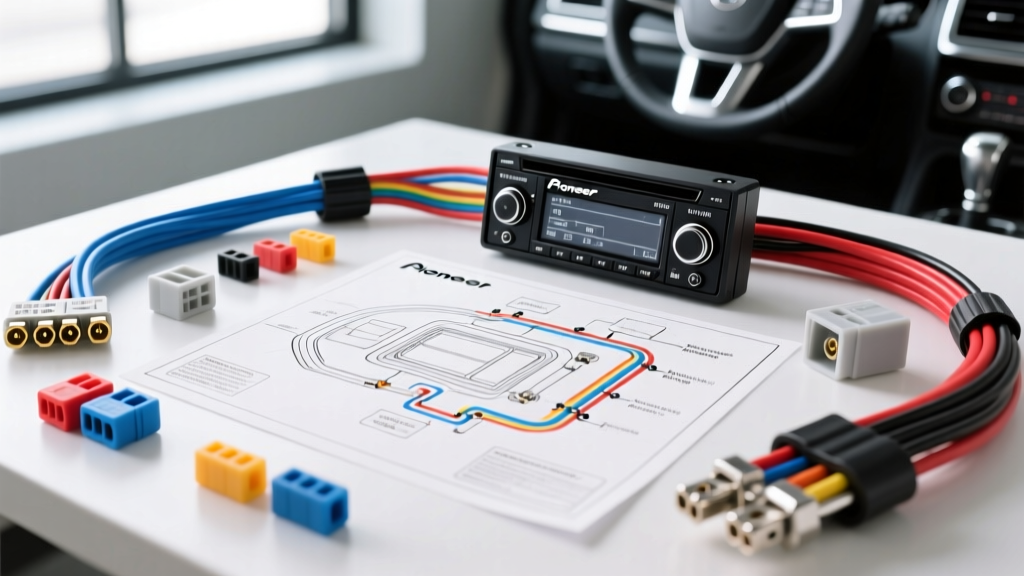
Wiring Diagram for Pioneer Radio: Critical Safety Warnings & Installation Mistakes
Upgrading to an aftermarket Pioneer head unit (such as the AVH, DMH, or MVH series) is one of the most popular vehicle modifications. However, relying on memory or generic color assumptions instead of consulting the specific wiring diagram for Pioneer radio harnesses is a fast track to electrical failure. Modern vehicles utilize complex multiplexed networks, sensitive SRS (airbag) circuits, and low-tolerance CAN-bus systems. A single miswired pin can drain your battery, fry the head unit's internal PCB, or worse, trigger a safety system fault.
As an automotive electrical resource, we have compiled the most dangerous installation mistakes and the exact technical specifications required to wire a Pioneer receiver safely and correctly.
The Standard Pioneer 16-Pin EIA Harness Reference
Pioneer follows the CTA-2006 (formerly CEA-2006) mobile electronics standard for its primary 16-pin power and speaker harness. Before making any connections, verify your harness against this baseline specification chart. Note that wire gauges (AWG) are critical; substituting thinner wire for high-draw circuits will cause voltage drops and overheating.
| Wire Color | Function | Standard AWG | Max Load / Notes |
|---|---|---|---|
| Yellow | Constant 12V (Battery / Memory) | 18 AWG | Fused at 10A-15A. Powers memory and standby. |
| Red | Switched 12V (Accessory / IGN) | 18 AWG | Turns the unit on/off with the ignition key. |
| Black | Chassis Ground | 18 AWG (Upgrade to 12 AWG) | Must connect to bare, unpainted chassis metal. |
| Blue/White | System Remote Control (Amp Turn-On) | 22 AWG | MAX 200mA. Do not exceed or internal trace will burn. |
| Orange | Illumination / Dimmer | 22 AWG | Accepts +12V to trigger night-mode dimming. |
| White / White-Black | Front Left Speaker (+ / -) | 18 AWG | Do not ground speaker negatives to chassis. |
| Gray / Gray-Black | Front Right Speaker (+ / -) | 18 AWG | Do not ground speaker negatives to chassis. |
| Green / Green-Black | Rear Left Speaker (+ / -) | 18 AWG | Do not ground speaker negatives to chassis. |
| Purple / Purple-Black | Rear Right Speaker (+ / -) | 18 AWG | Do not ground speaker negatives to chassis. |
Reference: Mobile electronics wiring standards are governed by the Consumer Technology Association (CTA). Always cross-reference vehicle-specific OEM pinouts using a factory service manual or reliable database like Crutchfield's Master Vehicle Fit Database.
Fatal Mistake #1: Overloading the Blue/White Remote Turn-On Lead
The Mistake: Installers frequently use the Blue/White "System Remote Control" wire to trigger multiple aftermarket amplifiers, a digital signal processor (DSP), and a motorized power antenna simultaneously.
The Technical Reality: The Blue/White wire on a Pioneer harness is fed by a low-current transistor on the main PCB. It is strictly rated for a maximum of 200 milliamps (0.2A). A standard 4-channel amplifier relay draws roughly 150mA to 300mA upon initial engagement. If you daisy-chain multiple devices, the inrush current will instantly vaporize the microscopic copper trace inside the Pioneer head unit, permanently killing the amp turn-on function.
The Fix: Use the Blue/White wire solely to trigger the coil of a standard 12V SPDT automotive relay (e.g., Bosch 0332014150). Route the heavy current (from the Yellow constant 12V or a dedicated fused battery line) through the relay's switch contacts to your amplifiers and DSPs. Note: Do not confuse the Blue/White wire with the solid Blue wire (Power Antenna). The solid Blue wire drops to 0V when playing a CD or using Bluetooth; the Blue/White stays at +12V as long as the unit is on.
Fatal Mistake #2: Bypassing CAN-Bus Data Modules on Modern Vehicles
The Mistake: In vehicles from 2010 to present (especially Chrysler, Dodge, Jeep, RAM, and VW/Audi), installers cannot find a traditional 12V switched accessory wire. To force the Pioneer radio to turn on, they tap the Red accessory wire into a "cigar lighter" or "12V accessory" fuse in the fuse panel using a fuse tap.
The Technical Reality: Modern vehicles utilize a Class-C CAN-bus network to wake up the radio. The OEM head unit receives a digital data packet (CAN-H at ~3.5V, CAN-L at ~1.5V) telling it to wake up or go to sleep. Tapping a 12V accessory circuit bypasses the vehicle's Body Control Module (BCM) sleep cycle. The Pioneer unit will remain in standby mode indefinitely, drawing 50mA to 150mA continuously, which will drain your battery dead within 48 hours.
The Fix: You must use a CAN-bus data interface module (such as the PAC RP4-CH11 or Axxess CHTO-01). These modules listen to the vehicle's OBD-II CAN network and generate a clean, isolated +12V accessory output specifically for the Pioneer's Red wire, ensuring the radio shuts down when the BCM commands the network to sleep.
Fatal Mistake #3: The "Chassis Ground" Shortcut & Alternator Whine
The Mistake: Ring-terminaling the Black ground wire to a random painted bolt under the dash, or relying entirely on the 18 AWG ground wire provided in the Pioneer box to handle the current of a 4x50W internal amplifier.
The Technical Reality: According to SAE J1128 standards for low-tension primary cable, 18 AWG wire is rated for roughly 16 amps in a chassis wiring harness, but voltage drop over distance is a major factor in car audio. A 4x50W Pioneer unit can pull peak currents exceeding 12 Amps during heavy bass transients. An inadequate ground creates a voltage differential between the head unit and the vehicle's alternator, manifesting as a high-pitched alternator whine that increases with engine RPM (a classic ground loop).
The Fix: Scrape away all paint, primer, and rust to expose bare steel. Use a minimum of 12 AWG or 10 AWG OFC (Oxygen-Free Copper) wire for the ground connection, keeping the run as short as physically possible (under 18 inches). Apply dielectric grease over the terminal after tightening to prevent galvanic corrosion.
CRITICAL SAFETY WARNING: Steering Wheel Controls (SWC) and SRS Airbags
Airbag & Clock Spring Hazard
When wiring a steering wheel control interface (like the Axxess ASWC-1) to retain OEM volume and track buttons, you must interface with the vehicle's clock spring. Never probe the steering column harness with a standard test light or a multimeter set to resistance/continuity (Ohms) without disconnecting the battery for 15 minutes.
Many OEM steering columns share a common ground or routing pathway near the SRS (Supplemental Restraint System) squib wires (typically Yellow or Yellow/Black). Sending an active voltage from a test light into an SRS circuit can deploy the airbag, causing severe injury and thousands of dollars in damage. Always identify SWC wires using a high-impedance digital multimeter (DMM) measuring DC voltage only, and strictly follow the interface manufacturer's pinout guide.
Proper Wire Splicing: Ban the "Twist and Tape" Method
The vibration and temperature extremes of an automotive dashboard will destroy amateur wire splices. The Pioneer harness uses stranded copper, which is prone to oxidation if exposed to ambient humidity.
- Never use T-Taps (Scotch-Loks): These crush the wire strands, creating a high-resistance point that generates heat and eventually fails. They also expose bare copper to moisture.
- Avoid Electrical Tape Alone: Automotive dashboards can reach 160°F (71°C) in summer. Standard vinyl electrical tape adhesive will melt, unravel, and leave a dangerous, sticky mess that can short against the metal radio chassis.
- The Professional Standard: Use Posi-Taps or Posi-Locks for tapping into OEM harnesses without cutting wires. For direct butt-connections, use adhesive-lined marine-grade heat shrink crimp connectors. Soldering is acceptable only if you are highly skilled; otherwise, solder joints can become brittle and snap under dashboard vibration.
Final Verification Before Powering Up
Before plugging the Pioneer 16-pin harness into the back of the receiver and reconnecting the vehicle battery, perform a continuity test. Set your multimeter to the continuity/diode setting. Place one probe on the Black ground wire of your newly spliced harness, and the other probe on the metal chassis of the Pioneer unit. You should read a dead short (near 0.0 ohms). If you read infinite resistance, your ground connection is faulty. Correct it before applying power to prevent the head unit from attempting to ground itself through the RCA audio cables, which will instantly destroy the RCA preout op-amps on the Pioneer's motherboard.