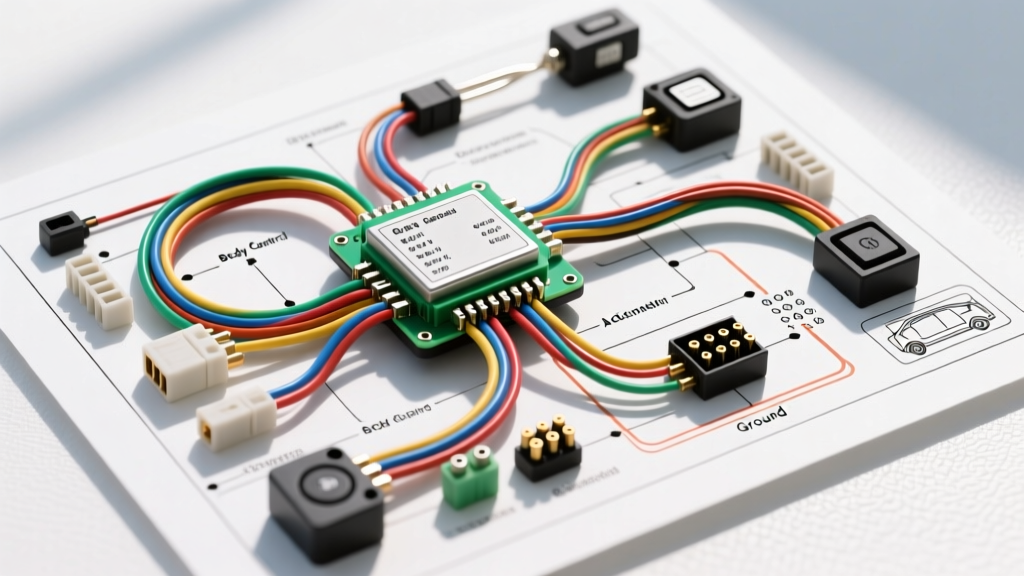
Introduction to Automotive Access Control Schematics
When technicians and DIY enthusiasts search for a door access control system wiring diagram PDF, they are typically looking for the blueprint that governs a vehicle's power locks, keyless entry, and security modules. Modern vehicles no longer rely on simple mechanical linkages or vacuum-operated systems. Instead, they utilize complex, multiplexed networks managed by a central Body Control Module (BCM). For beginners, opening an OEM service manual PDF for the first time can feel like reading an alien language. However, once you understand the foundational symbols, wire color codes, and circuit logic, these diagrams become your most powerful diagnostic tool.
In this beginner-friendly guide, we will break down the fundamentals of reading these schematics. We will use a highly common automotive architecture—the GM full-size truck BCM-controlled door lock circuit—as our practical example. By the end of this article, you will understand how to trace power sources, interpret actuator pinouts, and diagnose real-world wiring faults using factory documentation.
Decoding the Symbols in Your Wiring Diagram PDF
Every manufacturer adheres to standardized electrical symbols, largely governed by organizations like the Society of Automotive Engineers (SAE). Before tracing a single wire, you must understand the visual vocabulary of the schematic.
Power Sources and Grounding Nodes
- Battery Power (B+): Usually represented by a line pointing to a battery symbol or a fuse box block. In our GM example, the door lock circuit is fed by the BATT 3 (15A) fuse in the instrument panel fuse block.
- Grounds (GND): Depicted as a vertical line with three horizontal lines of decreasing width beneath it. The diagram will label this with a specific ground node number (e.g., G302), which corresponds to a physical bolt location on the vehicle chassis.
- Splices: A solid black dot where two or more wires intersect indicates a physical solder joint or ultrasonic splice inside the factory harness. If wires cross without a dot, they do not connect.
Connectors and Modules
Modules like the BCM are drawn as large rectangular boxes with pin numbers listed along the edges. Connectors that mate the harness to a door latch actuator are shown as trapezoids or brackets. According to Motor Information Systems, factory PDFs will label these connectors with alphanumeric codes (like C305 for the driver door hinge connector), allowing you to locate the exact physical plug behind the interior trim panels.
The Physics of the 2-Wire Reversible Actuator
To understand the wiring diagram, you must understand the component it controls. Most modern automotive door lock actuators utilize a simple 2-wire reversible DC motor. There is no dedicated ground wire running to the actuator itself. Instead, the BCM uses an internal solid-state relay configuration known as an H-bridge to control the motor.
When you press the lock button on your key fob, the BCM applies 12 volts to Wire A and grounds Wire B. The motor spins in one direction, engaging the lock mechanism. When you press unlock, the BCM reverses the polarity internally, applying 12 volts to Wire B and grounding Wire A. This reverses the motor's rotation. Because the motor only draws power for a fraction of a second, the wires can be relatively thin, typically 18 AWG, which complies with the SAE J1128 Standard for low-tension primary cables in automotive applications.
Real-World Example: GM BCM Door Lock Circuit Breakdown
Let us apply these fundamentals to a specific, widely documented system: the GM Silverado/Tahoe BCM door lock circuit. In this architecture, the BCM directly drives the door lock actuators without the need for external mechanical relays. Below is the specification chart for the driver and passenger front door lock circuits originating from the BCM X4 (Connector 4) harness plug.
| Circuit Function | Wire Color | AWG Size | BCM X4 Pin | Voltage State (Lock) | Voltage State (Unlock) |
|---|---|---|---|---|---|
| Driver Unlock Control | Tan/White | 18 AWG | Pin 12 | 0V (Ground) | 12V (B+) |
| Driver Lock Control | Gray/Black | 18 AWG | Pin 13 | 12V (B+) | 0V (Ground) |
| Passenger Unlock Control | Yellow/Black | 18 AWG | Pin 14 | 0V (Ground) | 12V (B+) |
| Passenger Lock Control | Light Blue/Black | 18 AWG | Pin 15 | 12V (B+) | 0V (Ground) |
By referencing this table alongside your wiring diagram PDF, you can immediately identify which wire should carry voltage during a specific command. If the driver door fails to lock, you know to focus your diagnostic efforts on the Gray/Black wire originating from Pin 13.
Step-by-Step Diagnostic Routine Using the Diagram
Reading the PDF is only half the battle; applying it to a multimeter is where the real work begins. The ASE A6 Electrical/Electronic Systems certification outlines strict protocols for diagnosing multiplexed and module-controlled circuits. Follow this decision tree when an actuator fails to respond:
Step 1: Verify Power and Module Wake-Up
Before tearing apart the door panel, verify that the BCM is actually awake and receiving power. Check the BATT 3 fuse in the cabin fuse block. If the fuse is intact, use a digital multimeter (DMM) to check for battery voltage at the fuse terminals with the ignition off. A blown fuse often indicates a short to ground in the door jamb wiring harness.
Step 2: Isolate the Actuator Motor
Remove the interior door panel and unplug the connector at the door latch assembly. Using a fused jumper wire or a Power Probe, apply 12V directly to the actuator's lock pin and ground the unlock pin. If the motor actuates smoothly, the mechanical assembly and internal motor are healthy. The fault lies in the vehicle harness or the BCM.
Step 3: Backprobe the BCM Connector
Locate the BCM (usually under the dash on the driver's side). Find the X4 connector. Using a specialized backprobe pin, carefully probe Pin 13 (Gray/Black wire) without piercing the wire insulation. Command the doors to lock via the key fob. Your DMM should read exactly 12.0V to 12.6V. If you read 0V, the internal H-bridge driver inside the BCM has likely failed, requiring module replacement and programming.
Step 4: Perform a Voltage Drop Test Across the Hinge
If the BCM outputs 12V, but the actuator receives only 4V, you have high resistance in the circuit. The most common failure point in any door access control system is the rubber weather boot between the door and the A-pillar. Every time the door opens and closes, the 18 AWG wires flex. Over years of use, the copper strands inside the insulation suffer from flex fatigue and break, creating massive resistance. Perform a voltage drop test across the C305 door hinge connector to confirm this physical failure mode.
Essential Tools for Tracing Access Control Circuits
To effectively utilize a door access control system wiring diagram PDF, you need the right equipment. A basic test light is insufficient and can actually damage the delicate solid-state drivers inside the BCM by drawing too much current. Instead, invest in a high-impedance Digital Multimeter (DMM) capable of measuring millivolts for precise voltage drop testing. Additionally, a set of T-pin backprobes and a set of OEM connector terminal release tools will allow you to safely extract and test pins without destroying the plastic connector housings. Mastering these fundamentals transforms a confusing PDF into a clear, actionable roadmap for automotive electrical repair.