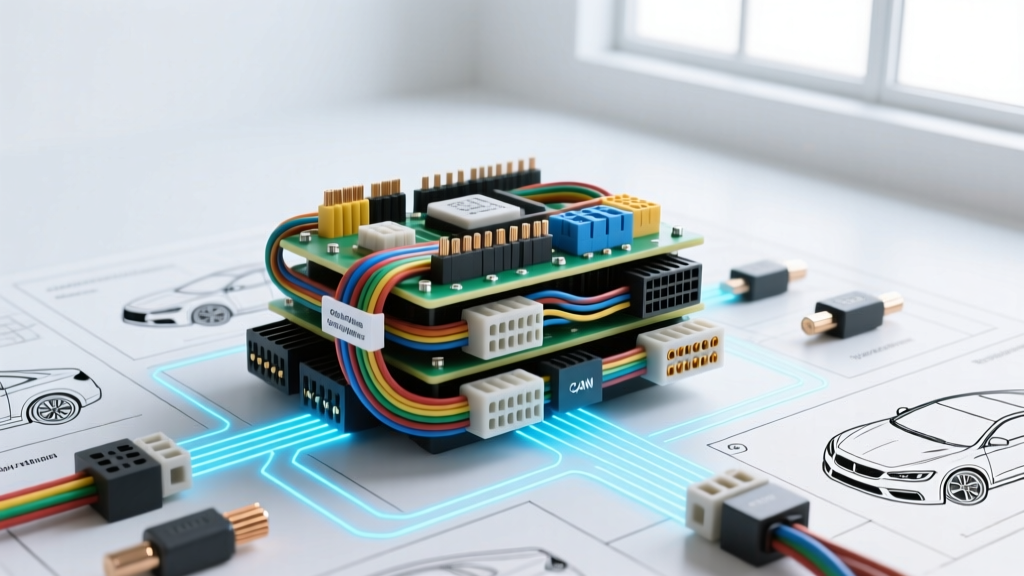
Introduction: The Danger of Guesswork in Network Diagnostics
Modern vehicles are no longer just mechanical machines; they are rolling data centers. When a vehicle throws a U0100 (Lost Communication with ECM/PCM) or a cascade of U-codes across multiple modules, the issue lies within the Controller Area Network (CAN) bus. Many technicians struggle when searching for car wiring diagrams online, not because the schematics are inaccurate, but because they lack a systematic flow to apply the schematic data to a live network fault. Simply staring at a wiring diagram will not fix a shorted CAN line. You must know how to translate the digital schematic into physical, measurable electrical values.
This guide provides a definitive, step-by-step troubleshooting flow for diagnosing high-speed CAN bus failures using OEM-level wiring schematics. We will cover wire gauges, pin configurations, termination resistance, and bias voltage specifications required to isolate network faults efficiently.
Phase 1: Diagram Acquisition and Topology Mapping
Before touching a multimeter, you must understand the network topology. High-speed CAN (ISO 11898-2) operates as a linear bus with terminating resistors at each physical end of the network. When you pull up your car wiring diagrams online, look for the following critical elements:
- The Backbone (Trunk Line): The main twisted pair connecting the primary modules.
- Splice Packs (Star Points): Many manufacturers (like GM with their SP205 or SP305 splice packs) use centralized physical connection points to branch off to secondary modules.
- Terminating Modules: Identify which two modules house the 120-ohm terminating resistors. Typically, this is the Powertrain Control Module (PCM) and the Instrument Panel Cluster (IPC) or Body Control Module (BCM).
- Wire Colors and AWG: CAN High (CAN H) and CAN Low (CAN L) are typically 20 AWG (0.5 mm²) copper wires. The twist rate is critical—usually 1 twist per 1 to 2 inches to reject electromagnetic interference (EMI).
Phase 2: The Step-by-Step CAN Bus Troubleshooting Flow
Follow this exact sequence to diagnose a dead or degraded CAN network. Skipping steps will lead to misdiagnosis and unnecessary module replacement.
Step 1: Verify Network Topology at the Data Link Connector (DLC)
The OBD-II DLC is your primary access point for network diagnostics. According to standard SAE J2284 and ISO 15031-3 specifications, high-speed CAN is universally mapped to specific pins on the 16-pin DLC.
- Pin 6: CAN High (CAN H)
- Pin 14: CAN Low (CAN L)
Using your wiring diagram, verify that the DLC Pin 6 and Pin 14 circuits trace directly back to the PCM or the central gateway module without passing through intermediate connectors that could be prone to corrosion. Note the specific connector cavity numbers at the PCM (e.g., Connector 1, Pins 32 and 33 on many GM LS/LT platforms) so you can perform voltage drop tests later if the DLC readings are inconclusive.
Step 2: Test Termination Resistance (Key OFF)
Network termination prevents signal reflection, which causes data corruption. The CAN bus requires a total of 60 ohms of resistance across the network. Because the two 120-ohm resistors are wired in parallel, the math dictates: (120 x 120) / (120 + 120) = 60 ohms.
- Turn the ignition completely OFF and remove the key.
- Set your Digital Multimeter (DMM) to measure Ohms (Ω).
- Place the probes across DLC Pin 6 and Pin 14.
Diagnostic Outcomes:
- 60 Ohms: The physical wiring and terminating resistors are intact. The issue is likely a module power/ground failure or internal module fault.
- 120 Ohms: One of the terminating resistors is open, or the network is broken in half. Use your wiring diagram to locate the two terminating modules and check the branch lines leading to them.
- 0 Ohms or Near 0: CAN H and CAN L are shorted together. This will take down the entire network.
- OL (Open Loop): Both terminators are missing, or you are testing the wrong pins.
Step 3: Measure Bias Voltage (Key ON, Engine OFF)
If the resistance is correct, the next step is to check the network's bias voltage. The CAN transceivers require a specific baseline voltage to operate. With the Key ON and Engine OFF (KOEO), back-probe the DLC.
- CAN High (Pin 6): Should read approximately 2.5V to 2.6V.
- CAN Low (Pin 14): Should read approximately 2.4V to 2.5V.
If you read 0V on both lines, you have a short to ground. If you read 12V on both lines, you have a short to battery power. If CAN H reads 12V and CAN L reads 0V, the wires are shorted to each other or crossed. Consult your car wiring diagrams online to trace the harness routing, paying special attention to areas where the harness passes through the firewall or under the driver's side kick panel, as these are prime locations for chafing.
Step 4: Isolate the Faulty Module (The Drop-Out Test)
If the network is completely down (0 ohms or 0 volts), a single shorted module can crash the entire bus. You must isolate the fault using a process of elimination guided by the schematic's splice pack locations.
- Locate the central splice pack or gateway module on your wiring diagram.
- Disconnect the network at the splice pack to divide the vehicle into two halves.
- Measure the resistance and voltage on both halves independently.
- The half that shows a short to ground or power contains the fault.
- Continue unplugging modules on the faulty half one by one until the short disappears. The last module unplugged is the culprit.
Reference Table: Standard OBD-II DLC CAN Pinouts and Specifications
| DLC Pin | Signal Name | Typical Wire Color (GM/Ford) | Wire Gauge | KOEO Bias Voltage | Active State Voltage |
|---|---|---|---|---|---|
| 6 | CAN High (CAN H) | Dark Green / White-Blue | 20 AWG (0.5 mm²) | ~2.5V - 2.6V | ~3.5V |
| 14 | CAN Low (CAN L) | Dark Blue / White | 20 AWG (0.5 mm²) | ~2.4V - 2.5V | ~1.5V |
| 4 / 5 | Signal / Chassis Ground | Black / Black-White | 18 AWG (0.8 mm²) | 0.00V | 0.00V |
| 16 | Battery Positive (B+) | Orange / Red | 16 AWG (1.3 mm²) | ~12.6V | ~12.6V |
Note: Wire colors vary significantly by manufacturer and model year. Always verify against the specific vehicle schematic. Data sourced from iATN (International Automotive Technicians Network) technical archives and OEM service manuals.
Common Failure Modes and Real-World Fixes
When using car wiring diagrams online to trace physical faults, keep an eye out for these recurring real-world failure modes:
1. Aftermarket Accessory Interference
The most common cause of intermittent CAN bus faults is the installation of aftermarket remote starters, alarm systems, or telematics devices. Installers often use 'T-taps' or 'Scotch-Loks' to splice into the CAN H and CAN L wires. This practice is catastrophic for high-speed data lines. Untwisting the pair to install a T-tap alters the 120-ohm characteristic impedance, causing signal reflection and data packet loss. The Fix: Remove all aftermarket splices. Solder the wires back together using rosin-core solder and seal with marine-grade heat shrink, or replace the pigtail using OEM crimp sleeves.
2. Water Intrusion at the BCM or IPC
Modules located near the A-pillar, cowl, or lower kick panels (such as the BCM on many Chrysler and Ford platforms) are highly susceptible to water intrusion from clogged sunroof drains or degraded windshield urethane. Water bridges the gap between the CAN H and CAN L terminals inside the TE Connectivity / Delphi GT 280 series connectors, causing a dead short. The Fix: Disconnect the battery, unplug the affected module, and inspect the terminal cavities for green/white corrosion. Clean with electrical contact cleaner, apply dielectric grease, and address the external water leak.
3. Harness Chafing at the Firewall Grommet
The main engine harness passes through a large rubber grommet at the firewall. Over time, engine torque and vibration can cause the harness to rub against the sheet metal firewall, wearing through the 20 AWG CAN wire insulation and shorting the network to the chassis ground. The Fix: Use your wiring diagram to identify the exact pass-through location. Carefully slice the harness loom, inspect the CAN twisted pair for copper exposure, and repair using staggered butt-connectors to prevent a bulky repair joint from binding inside the firewall grommet.
Advanced Diagnostics: When the DMM Isn't Enough
If your resistance and bias voltage tests pass, but the vehicle still experiences intermittent communication dropouts under load, a Digital Multimeter is no longer sufficient. You must use an automotive oscilloscope (such as a PicoScope) to view the physical CAN waveform.
Connect Channel A to CAN H and Channel B to CAN L. A healthy network will show a clean, mirrored square-wave pattern. Look for 'ringing' (oscillations at the top and bottom of the square wave), which indicates an impedance mismatch or a broken termination resistor. Look for 'voltage sag' during the dominant state, which indicates excessive resistance in the wiring or a failing transceiver inside the PCM. By combining the visual data from the oscilloscope with the precise routing data found in car wiring diagrams online, you can pinpoint network degradation before it results in a hard failure.
Conclusion
Troubleshooting a CAN bus network requires a disciplined, step-by-step approach. Finding accurate car wiring diagrams online is your first step, but interpreting the topology, measuring the 60-ohm termination, verifying the 2.5V bias, and systematically isolating the network halves is what separates a parts-replacer from a true diagnostic technician. Always respect the physical properties of the twisted pair, avoid destructive splicing methods, and let the schematic guide your electrical measurements.