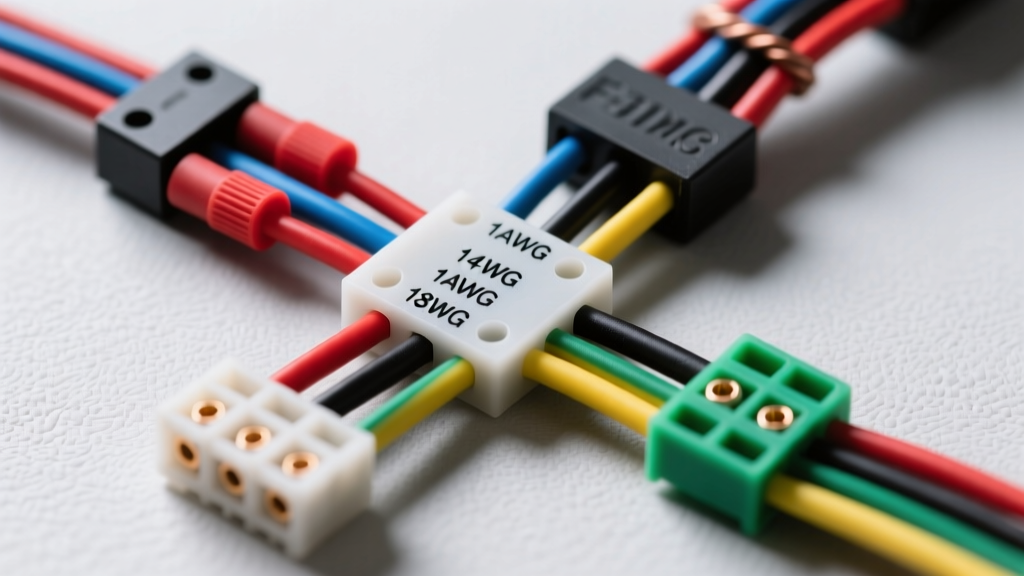
Understanding the Alpine Wiring Harness Diagram
Whether you are installing a budget-friendly Alpine CDE-172BT or a premium digital media receiver like the iLX-W65T, the aftermarket wiring harness pigtail follows a universal standard. For beginners, staring at a bundle of 16 to 20 multi-colored wires can be intimidating. However, mastering the Alpine wiring harness diagram is straightforward once you understand the EIA/CEA (Electronic Industries Alliance / Consumer Electronics Association) color code standards. This guide breaks down the fundamental pinouts, wire gauge requirements, and real-world installation techniques to ensure your head unit powers on, retains memory, and drives your speakers with perfect phase alignment.
Standard EIA/CEA Wire Color Codes and Pinout Chart
Alpine, like nearly all major aftermarket car audio manufacturers, adheres to the CTA-2006 standard for wiring harness color codes. This ensures that when you purchase a vehicle-specific adapter harness from brands like Metra or Scosche, the colors on the Alpine pigtail will match the colors on the adapter harness perfectly. Below is the definitive reference chart for your Alpine head unit wiring.
| Wire Color | Function / Circuit | Standard AWG | Connection Target |
|---|---|---|---|
| Yellow | Constant 12V (Battery / Memory) | 16 - 14 AWG | Vehicle Constant 12V Source |
| Red | Switched 12V (Accessory / Ignition) | 16 - 14 AWG | Vehicle Ignition / ACC Source |
| Black | Chassis Ground | 16 - 14 AWG | Bare Metal Vehicle Chassis |
| Orange | Illumination / Dimmer | 18 AWG | Vehicle Headlight Dimmer Circuit |
| Blue with White Stripe | Amplifier Turn-On (Remote) | 18 AWG | External Amp / Processor Remote |
| Solid Blue | Power Antenna Turn-On | 18 AWG | Motorized Antenna Relay |
| White / White-Black | Front Left Speaker (+ / -) | 18 AWG | Front Left Speaker Terminals |
| Gray / Gray-Black | Front Right Speaker (+ / -) | 18 AWG | Front Right Speaker Terminals |
| Green / Green-Black | Rear Left Speaker (+ / -) | 18 AWG | Rear Left Speaker Terminals |
| Purple / Purple-Black | Rear Right Speaker (+ / -) | 18 AWG | Rear Right Speaker Terminals |
Power, Ground, and Memory Circuit Fundamentals
The most common point of failure for beginners installing an Alpine head unit lies in the power and ground connections. The Yellow wire provides constant 12-volt power directly from the battery. This circuit is responsible for maintaining your radio presets, clock settings, and Bluetooth pairing data when the vehicle is turned off. The Red wire provides switched 12-volt power, which tells the head unit to turn on and off with the ignition key.
The Memory Loss Mistake
If you connect the Yellow wire to a switched source and the Red wire to a constant source, your Alpine radio will turn on and function normally. However, every time you turn off the car, the head unit will completely lose power, erasing all your saved settings. Always use a digital multimeter to verify the vehicle's factory harness: the constant wire will read 12.6V with the key out of the ignition, while the switched wire will only read 12.6V when the key is in the ACC or ON position. For a comprehensive look at vehicle-specific testing, refer to the Crutchfield Car Stereo Wiring Guide.
Upgrading Wire Gauge for High-Current Draws
Most Alpine harness pigtails use 16 AWG wire for the Yellow, Red, and Black circuits. While this is sufficient for standard receivers drawing under 10 amps, modern Alpine units with built-in high-power amplifiers (such as those pushing 50W x 4 Peak) can draw significant current. If you are running a high-power unit without an external amplifier, consider splicing a short jumper of 12 AWG or 14 AWG primary wire to the Yellow, Red, and Black wires. This reduces voltage drop and prevents the head unit from shutting down during heavy bass transients.
Establishing a True Chassis Ground
Never connect the Black ground wire to the back of the metal radio chassis sleeve, and never attach it to a painted surface or a plastic dash support bracket. A poor ground introduces alternator whine, causes the unit to overheat, and leads to erratic touchscreen behavior on Alpine multimedia units. Strip back the paint on a solid metal bolt behind the dash, use a properly crimped 16-14 AWG ring terminal, and secure it tightly to bare metal.
Speaker Wire Pinouts and Phase Matching
Alpine utilizes the standard solid-and-stripe color coding for speaker outputs. The solid color (e.g., Solid White) is always the positive (+) terminal, while the wire with the black tracer stripe (e.g., White with Black Stripe) is the negative (-) terminal. Maintaining consistent phase across all four corners of the vehicle is critical for acoustic performance.
Understanding Phase Cancellation
If you accidentally reverse the positive and negative wires on a single speaker (for example, wiring the Front Left speaker out of phase), the speaker cone will move inward while the other three speakers move outward. This results in severe phase cancellation, which drastically reduces mid-bass response and creates a hollow, disjointed soundstage. Always double-check your connections against the Metra Electronics Installation Resources adapter diagrams to ensure vehicle-specific harness adapters match the Alpine pigtail perfectly.
Amplifier Turn-On and Illumination Circuits
Alpine harnesses typically feature two blue wires, and confusing them is a classic beginner error. The Blue wire with a White stripe is the dedicated Amplifier Remote Turn-On lead. It outputs a low-current 12V signal (usually max 300mA) the moment the head unit powers on, triggering your external amplifiers and DSPs. The Solid Blue wire is strictly for powering a motorized power antenna. If you use the solid blue wire to turn on your amplifier, the amp will shut off every time you switch the radio source from FM/AM to Bluetooth or AUX, as the power antenna circuit disengages when no radio signal is being received.
The Orange wire handles illumination. When your vehicle headlights turn on, this wire receives a 12V signal, prompting the Alpine display to dim its backlighting to prevent blinding the driver at night. If your vehicle uses a variable dimmer circuit (pulse-width modulation or variable voltage), you may need to use a dimmer bypass module or leave the Orange wire disconnected to prevent the Alpine screen from flickering.
Proper Connection Methods: Crimping vs. Soldering
When joining the Alpine pigtail to your vehicle-specific adapter harness, the physical connection method dictates the long-term reliability of your install. Avoid using T-taps or Scotch-Loks, as they slice through the wire strands, promoting copper oxidation and eventual failure. Instead, use one of the following methods:
- Nylon Insulated Butt Connectors: Strip 5/16 inch of insulation from both the Alpine wire and the adapter wire. Twist the strands, insert them into a 16-14 AWG or 22-18 AWG nylon butt connector, and crimp firmly with a ratcheting crimping tool. The internal nylon adhesive lining melts when heated, creating a moisture-proof seal.
- Solder and Heat Shrink: For the most permanent connection, twist the wires together, apply rosin-core solder, and seal the joint with dual-wall adhesive heat shrink tubing. This provides the lowest electrical resistance and highest vibration resistance.
Beginner Troubleshooting: Symptom, Cause, and Fix
Even with the correct Alpine wiring harness diagram, mistakes happen. Use this decision tree to diagnose common installation issues:
Symptom: The radio turns on, but the internal amplifier produces no sound.
- Cause: The Alpine head unit's internal amplifier settings are disabled in the menu, or the Blue/White amp turn-on wire is shorted to ground.
- Fix: Navigate to the Alpine Setup Menu and ensure 'Amp Turn On' is set to 'On'. Check the Blue/White wire for pinched insulation behind the dash.
Symptom: The unit powers on, but shuts off immediately when the engine is cranked.
- Cause: Voltage drop on the Constant 12V (Yellow) or Ground (Black) circuit. When the starter motor engages, system voltage drops below the head unit's minimum operating threshold (usually around 9V).
- Fix: Upgrade the Yellow and Black wires to 12 AWG, and ensure the ground is secured to thick, unpainted chassis metal, not thin sheet metal.
Symptom: A high-pitched whining noise that changes pitch with engine RPM.
- Cause: Alternator whine caused by a ground loop. The head unit ground and the external amplifier ground are at different electrical potentials.
- Fix: Ensure the Alpine Black ground wire and the external amplifier ground wire are bolted to the exact same chassis point, or verify that both ground points have zero ohms of resistance between them. For more advanced diagnostic steps, consult Alpine Electronics Official Manuals and technical support bulletins.
By respecting the standardized color codes, utilizing proper wire gauges, and executing secure physical connections, you will achieve a flawless, reliable installation that maximizes the performance of your Alpine audio system.