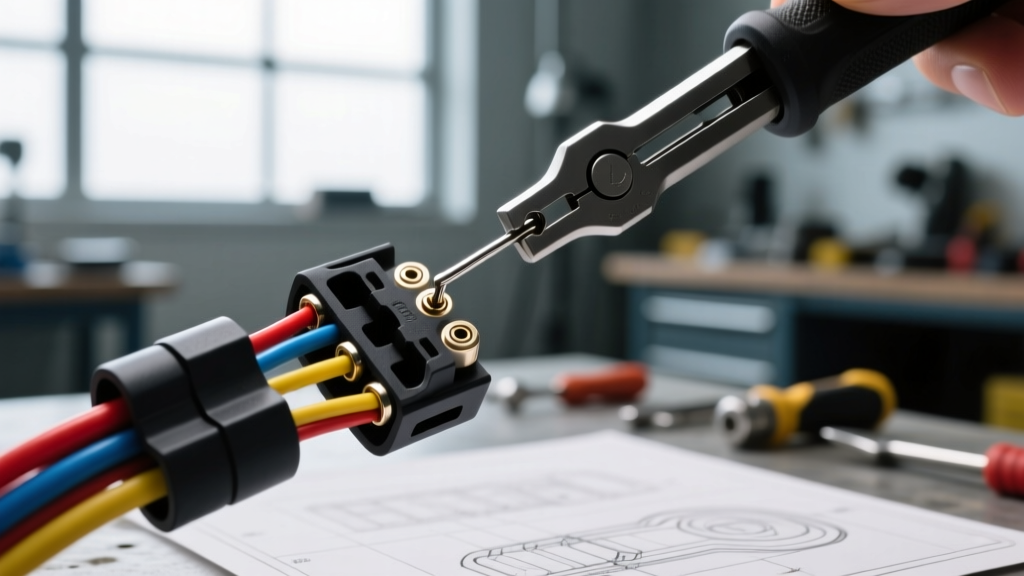
The Beginner's Guide to Wiring Harness Pin Extraction
Whether you are repinning a factory harness for an LS engine swap, repairing a corroded ground circuit, or replacing a damaged sensor pigtail, knowing how to remove wiring harness pins is a foundational automotive electrical skill. For beginners, the process often ends in frustration: a snapped plastic locking tab, a stretched 18 AWG wire, or a completely destroyed $60 OEM connector housing. The secret to flawless pin extraction lies in understanding connector anatomy, using the correct terminal release tools, and respecting the secondary locking mechanisms designed to keep those pins secure under high-vibration conditions.
Understanding Connector Anatomy: Primary vs. Secondary Locks
Before inserting any tools into a connector cavity, you must understand how the terminal is retained. Modern automotive connectors utilize a dual-locking system to prevent 'terminal back-out' caused by engine harmonics and thermal cycling.
- The Primary Lock (Locking Tang): This is a small, flexible leaf spring stamped directly into the brass or tin-plated terminal itself. It snaps over a plastic ramp inside the connector housing cavity. To remove the pin, this tang must be depressed.
- The Secondary Lock (TPA): The Terminal Position Assurance (TPA) is a separate plastic wedge, comb, or slide-lock. Once all pins are inserted, the TPA is pushed into place, physically blocking the locking tang from being depressed. Attempting to extract a pin without removing the TPA is the number one cause of broken connector housings.
- Silicone Weather Seals: Found on 'wet' connectors like the Delphi Weather-Pack series, these ribbed silicone boots create immense friction against the cavity walls. Overcoming this friction requires proper tooling, not brute force.
Essential Tools for Pin Extraction
While many online forums suggest using sewing needles, paperclips, or dental picks, these improvised tools frequently slip, scratch the cavity walls, or fail to depress the tang evenly. For reliable results, invest in a dedicated terminal removal kit. The Lisle 39960 Terminal Removal Kit and the OTC 4521 Master Terminal Service Kit are industry standards. These kits include hollow tubes, flat blades, and hooked picks designed to straddle the wire and depress the tang from multiple sides simultaneously, mimicking the factory insertion tool.
Step-by-Step Pin Extraction Process
Follow this precise sequence to extract pins from standard 14 AWG (2.0mm²) to 22 AWG (0.35mm²) automotive circuits without damaging the wire strands or the plastic housing.
Step 1: Isolate the Circuit and Clean the Housing
Always disconnect the negative battery terminal before working on active harnesses to prevent shorting a 12V power feed to a ground cavity. Use a soft bristle brush and electrical contact cleaner to remove dirt and grease from the connector face. Debris pushed into the cavity during extraction can jam the locking tang.
Step 2: Disengage the Secondary Lock (TPA)
Inspect the connector for the TPA. On GM Metri-Pack 150 and 280 series connectors, this is often a secondary plastic comb that slides outward. On Ford and TE Connectivity AMP Micro-Timer connectors, it may be a hinged door or a push-in wedge. Use a small flathead screwdriver or a specialized TPA pick to gently unseat the secondary lock. Do not pry forcefully; if it resists, you are likely prying on the primary housing lock.
Step 3: Depress the Primary Locking Tang
Identify the tang orientation. Look into the front of the connector cavity (the mating side). You will see the metal terminal and the small brass tang catching on the plastic ramp. Select an extraction tool that matches the cavity shape (e.g., a flat blade for Metri-Pack, a hollow tube for Weather-Pack). Insert the tool into the front of the cavity, straddling the terminal. Push gently but firmly until you feel or hear a faint 'click', indicating the tang has cleared the plastic ramp.
Step 4: Extract from the Rear (Wire Side)
While maintaining forward pressure on the extraction tool with one hand, use your other hand to grip the wire as close to the rear of the connector as possible. Pull straight back. Never yank the wire from the middle of the harness; this will stretch the copper strands inside the insulation and create a high-resistance failure point. If the pin does not slide out, stop pulling. Release the wire, re-seat your tool, and depress the tang again. The silicone weather seal is likely binding.
Manufacturer-Specific Connector Reference Chart
Different automakers utilize distinct connector families, each with unique extraction quirks. Refer to this chart when approaching an unfamiliar harness.
| Connector Family | Typical Application | Wire Gauge (AWG) | Locking Tang Location | Extraction Tool Profile |
|---|---|---|---|---|
| Delphi Weather-Pack | GM Engine Bays, Headlights | 14 - 18 AWG | Side (Cylindrical) | Hollow Tube / Spear |
| Delphi Metri-Pack 150 | GM/Import Sensors, ECU | 18 - 22 AWG | Top (Flat Blade) | Thin Flat Blade / Pick |
| TE AMP Micro-Timer | Ford/Import Airbag, ECU | 20 - 22 AWG | Top/Side (Micro-tab) | Micro-Hook / Fine Pick |
| Sumitomo 0.64mm | Toyota/Honda CAN-Bus | 22 - 24 AWG | Top (Double Lock) | Fine Flat Blade |
| Yazaki YESC 1.2 | Modern Import Injectors | 16 - 18 AWG | Side (Sliding TPA) | Angled Flat Blade |
Post-Extraction: Inspecting and Re-Crimping
Once the pin is removed, inspect the terminal crimp barrel. According to SAE J1128 standards for low-tension primary cable, a proper crimp must deform the wire strands and the terminal barrel together without cutting or fraying the copper. If the locking tang is 'mushroomed' or bent backward from repeated insertion attempts, the terminal is compromised. You must cut the wire, strip back 5mm of insulation, and attach a new terminal using a ratcheting crimp tool (such as an IWISS or Hozan open-barrel crimper). Never use standard pliers for open-barrel automotive terminals; the crimp will lack the necessary pull-force retention and will vibrate loose, causing intermittent sensor codes.
Common Troubleshooting & Failure Modes
The Pin is Stuck and the Wire is Stretching
If the wire insulation is stretching but the terminal won't move, the silicone ribbed seal has bound against the plastic cavity wall, or corrosion has welded the terminal to the housing. Apply a single drop of dielectric grease or isopropyl alcohol to the rear of the cavity to lubricate the seal. Let it sit for two minutes, then re-attempt extraction. If the terminal is severely corroded, you may need to carefully cut the plastic housing away with a flush cutter to salvage the wire length.
The Tool Slips and Scratches the Cavity
Using a tool that is too small for the cavity (e.g., using a Metri-Pack pick on a Weather-Pack connector) will cause the tool to slip past the terminal and gouge the plastic housing. This destroys the sealing surface, leading to moisture intrusion. Always match the tool profile to the terminal family outlined in the reference chart above. For comprehensive tooling specifications and cavity designs, refer to the Aptiv Connector Solutions documentation or the TE Connectivity extraction guides.
Conclusion
Mastering how to remove wiring harness pins safely is about patience and precision, not force. By identifying the TPA, selecting the correct extraction profile, and pulling from the wire base, you can depopulate and repin any OEM or aftermarket harness kit with factory-level integrity. Take your time, respect the delicate locking tangs, and always verify your crimps before reassembling the connector.