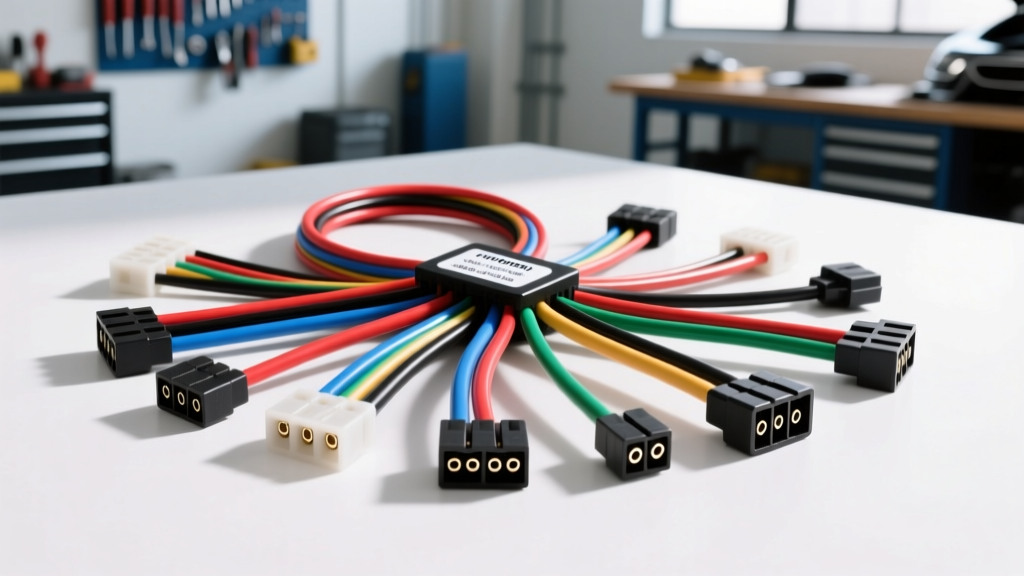
Introduction to the Hyundai ISO Wiring Harness
Upgrading the factory stereo in a Hyundai vehicle—whether it is an Elantra, Sonata, Tucson, or Santa Fe—often presents a unique electrical roadblock for beginners. Unlike older vehicles that utilized standardized connectors, modern Hyundai models rely on proprietary, high-density multi-pin plugs. To bridge the gap between your vehicle's factory wiring and a new aftermarket head unit, you need a Hyundai ISO wiring harness adapter. This beginner-friendly guide breaks down the fundamentals of Hyundai's electrical architecture, standard ISO pinouts, wire gauge requirements, and best practices for a reliable, solder-free installation.
Understanding the ISO 10487 Standard vs. Hyundai Proprietary Connectors
The ISO 10487 standard defines the physical dimensions, pin configurations, and wire color codes for passenger car radio connections. A standard ISO setup utilizes two separate blocks: Block A (Power and Accessories) and Block B (Speaker Outputs). However, Hyundai rarely uses these standard ISO blocks directly on the back of their factory radios. Instead, they use proprietary 20-pin, 24-pin, or Quadlock-style connectors that bundle power, speakers, CAN-bus data, and steering wheel controls into a single housing.
A Hyundai to ISO adapter harness features the proprietary Hyundai plug on one end and the standard ISO Block A and Block B connectors on the other. This allows you to wire your new aftermarket stereo to the ISO adapter on your workbench, and simply plug the harness into the vehicle without cutting a single factory wire.
Hyundai to ISO Adapter Pinout and Wire Color Matrix
While exact wire colors can vary slightly depending on the model year and trim level (especially between standard audio and premium Infinity/Lexicon systems), the fundamental power and ground circuits remain consistent. Below is a cross-reference chart mapping standard ISO Block A pins to a typical Hyundai 20-pin factory connector.
| Function | ISO Block A Pin | ISO Wire Color | Typical Hyundai 20-Pin Wire Color |
|---|---|---|---|
| 12V Constant (Battery) | Pin 4 | Yellow | Yellow or Yellow/Red (Pin 1) |
| 12V Switched (Accessory) | Pin 7 | Red | Red or Red/White (Pin 2) |
| Chassis Ground | Pin 8 | Black | Black (Pin 10) |
| Power Antenna / Amp Turn-On | Pin 5 | Blue | Blue (Pin 14) |
| Illumination (Dash Dimmer) | Pin 6 | Orange | Orange/White or Green/Red (Pin 15) |
| Mute / Telephone Mute | Pin 1 | Brown | Not Always Present |
Note: Always verify your specific vehicle's wiring diagram using a factory service manual or a trusted vehicle fit guide before making permanent connections.
Wire Gauge (AWG) Specifications and Current Limits
Understanding the American Wire Gauge (AWG) of your harness is critical to preventing voltage drops and melted insulation. According to the SAE J1128 specification for low-tension automotive cables, the physical diameter of the copper conductor dictates its current-carrying capacity. Most aftermarket ISO adapter harnesses use 18 AWG wire, which is sufficient for standard head units but may bottleneck high-power amplifiers.
| Wire Gauge (AWG) | Typical Application | Max Amperage Limit | Voltage Drop Risk |
|---|---|---|---|
| 16 AWG | High-Current Power / Main Ground | 20 Amps | Low |
| 18 AWG | Standard Power / Speaker Outputs | 16 Amps | Moderate over long runs |
| 20 AWG | Illumination / Amp Turn-On | 10 Amps | N/A (Low current draw) |
| 22 AWG | CAN-bus / Steering Wheel Data | 3 Amps | N/A (Data signals only) |
If your new head unit features a built-in 4x50W amplifier, the 18 AWG power and ground wires on a standard ISO adapter will be operating near their thermal limits. For optimal performance, it is highly recommended to run a dedicated 14 AWG or 12 AWG power wire directly from the battery, bypassing the ISO adapter's 18 AWG constant 12V wire, while using the adapter's yellow wire only to trigger a relay.
Integrating Steering Wheel Controls (SWC) and CAN-bus
Modern Hyundai vehicles utilize a resistor-ladder network for Steering Wheel Controls (SWC). Instead of a dedicated wire for every button (Volume Up, Volume Down, Seek), Hyundai routes all button presses through a single data wire (often Pin 18 or 19 on the factory plug) that sends varying resistance values to the radio. When using a Hyundai ISO adapter, this wire must be routed to an SWC interface module, such as the PAC SWI-RC or Axxess ASWC-1.
Additionally, late-model Hyundais (2015 and newer) rely heavily on CAN-bus data for accessory power signals. If your vehicle does not output a traditional 12V switched signal on the factory plug, your ISO adapter will require a built-in CAN-bus decoder box to generate the red accessory wire signal, preventing the need to tap into the ignition cylinder or fuse box manually.
Step-by-Step Harness Connection Fundamentals
The golden rule of automotive electrical work is to never cut the factory harness. By preparing your adapter harness on a workbench, you ensure a clean, professional installation. Follow these steps based on the Crutchfield installation guide methodology:
- Bench Preparation: Lay the aftermarket stereo harness and the Hyundai ISO adapter harness side-by-side on a non-conductive surface.
- Wire Stripping: Strip exactly 5/16 of an inch of insulation from the ends of the wires. Stripping too much leaves exposed copper that can short out; stripping too little results in a weak crimp.
- Connection Method: Use heat-shrink butt connectors. Insert the stripped wire from the stereo harness into one side and crimp firmly with a ratcheting crimping tool. Insert the corresponding ISO adapter wire into the other side and crimp.
- Sealing: Apply heat to the connector using a heat gun until the adhesive-lined shrink tubing seals tightly around the wire insulation. This prevents moisture intrusion and copper oxidation.
- Avoid T-Taps: Never use scotch locks or T-taps. They pierce the wire insulation, introducing high resistance, creating a point of failure for vibration, and inviting corrosion into the copper strands.
Common Troubleshooting and Failure Modes
Even with a plug-and-play ISO adapter, beginners frequently encounter a few specific electrical gremlins. Here is how to diagnose and fix the most common Hyundai stereo installation issues:
Symptom: Radio Loses Presets and Clock Settings Every Time the Car is Turned Off
Cause: The 12V Constant (Yellow) and 12V Switched (Red) wires are reversed. The radio is losing its memory power when the ignition is turned off.
Fix: Swap the red and yellow wire connections between the stereo harness and the ISO Block A adapter. Verify with a multimeter that the yellow wire has 12V at all times, and the red wire only has 12V when the key is in the ACC or ON position.
Symptom: Alternator Whine or High-Pitched Engine Noise in the Speakers
Cause: A ground loop caused by a poor chassis ground or the ISO ground wire being attached to a painted surface.
Fix: Ensure the Black ground wire (ISO Pin 8) is securely bolted to bare, unpainted chassis metal. If the factory ground point is compromised, run a dedicated 16 AWG ground wire to a known good chassis bolt. Do not ground the radio to the plastic dashboard support brackets.
Symptom: Dashboard Illumination Dims or Flickers When the Radio Turns On
Cause: The Orange illumination wire on the ISO adapter is shorting to ground, or the aftermarket stereo is drawing too much current through the factory dash dimmer circuit.
Fix: Check the orange wire for pinched insulation. If the wiring is intact, the aftermarket stereo's illumination circuit may be incompatible with Hyundai's multiplexed dimmer signal. In this case, safely cap off and isolate the orange illumination wire with electrical tape and a heat shrink cap; the radio will simply remain at full brightness.
Symptom: No Audio from Speakers, but Radio Turns On
Cause: The vehicle is equipped with a factory amplified system (e.g., Infinity or Lexicon), and the amplifier turn-on wire was not connected.
Fix: Connect the Blue/White wire from the aftermarket stereo to the Blue wire (Pin 14) on the Hyundai ISO adapter. This sends the 12V trigger signal required to wake up the factory amplifier in the trunk or under the seat.