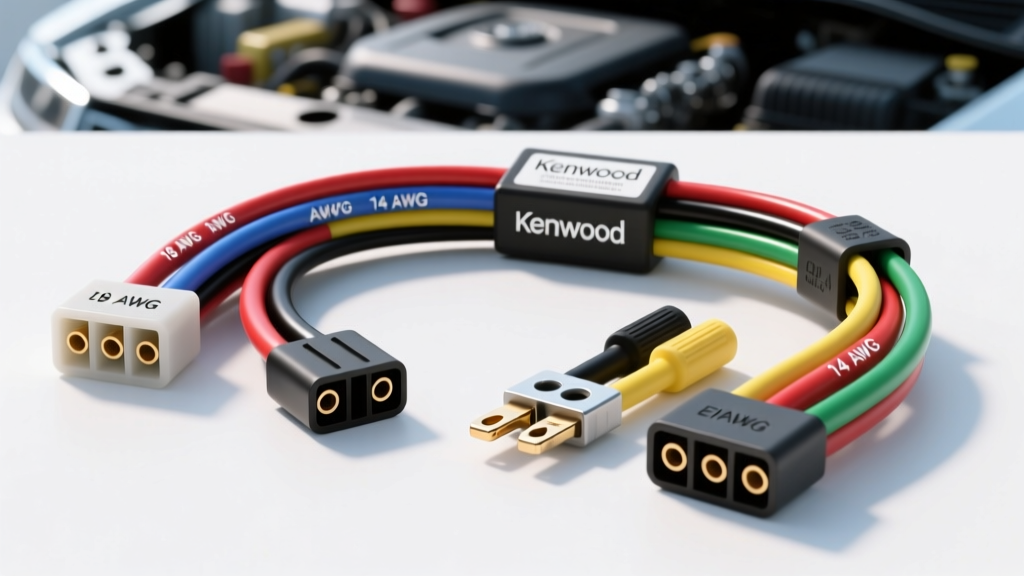
Introduction to Kenwood Head Unit Wiring
Upgrading your factory stereo to an aftermarket Kenwood head unit is one of the most rewarding DIY automotive projects you can tackle. However, the moment you pull the new unit from the box and unbox the wiring harness, the sheer volume of multi-colored wires can be intimidating. For beginners, deciphering a Kenwood wiring harness diagram feels like learning a new language. Fortunately, Kenwood adheres strictly to industry-wide color coding standards, making the learning curve much more manageable once you understand the foundational rules.
At AutoflowWire, we believe that proper electrical fundamentals are the difference between a reliable, high-fidelity audio system and one plagued by battery drains, blown fuses, and alternator whine. This beginner-friendly guide will break down the anatomy of your Kenwood harness, explain the EIA/CEA color standards, and provide actionable advice on matching wire gauges and making secure connections.
Decoding the Standard Kenwood Wiring Harness Diagram
Modern Kenwood receivers (including the popular eXcelon and DMX series) utilize a proprietary multi-pin block connector on the rear chassis. However, the pigtail harness included in the box translates this proprietary plug into the universal EIA/CEA (Consumer Technology Association) color code standard. Understanding this standard is critical, as nearly every aftermarket wiring harness adapter (from brands like Metra, Scosche, and PAC) will mirror these exact colors.
Power, Ground, and Accessory Circuits
The most common beginner mistake is confusing the constant 12V memory wire with the switched 12V accessory wire. According to the standard Kenwood wiring harness diagram:
- Yellow (BATT / Constant 12V): This wire provides continuous power to maintain the head unit's internal memory (radio presets, clock, EQ settings). It must be connected to a circuit that is always live, even when the key is removed.
- Red (ACC / Switched 12V): This wire acts as the trigger. It receives 12V only when the ignition is turned to the 'Accessory' or 'Run' position, telling the head unit to power on.
- Black (GND / Ground): The main chassis ground. This must be connected to a clean, bare metal point on the vehicle's chassis or the factory harness ground.
Expert Insight: If you swap the Red and Yellow wires, the radio will turn on, but it will reset every time you turn off the car. Worse, if wired incorrectly to a high-draw circuit, it can cause a parasitic battery drain. Always verify your vehicle's factory harness with a digital multimeter before making connections.
Speaker Wire Color Codes and Polarity
Kenwood uses a highly logical system for speaker outputs. The solid colors represent the Positive (+) terminal, while the matching colors with a black stripe (or tracer) represent the Negative (-) terminal.
- Front Left: White (+) / White with Black Stripe (-)
- Front Right: Gray (+) / Gray with Black Stripe (-)
- Rear Left: Green (+) / Green with Black Stripe (-)
- Rear Right: Purple (+) / Purple with Black Stripe (-)
Reversing the polarity on a single speaker (e.g., connecting White to White-Black) will cause that speaker to be 'out of phase.' This results in a severe cancellation of low frequencies, making your bass sound hollow and weak, and destroying the stereo imaging of your soundstage.
EIA/CEA Standard Harness Reference Chart
Keep this table handy when adapting your Kenwood harness to a vehicle-specific adapter. For comprehensive vehicle-specific wiring schematics, resources like the Crutchfield Car Audio Wiring Guide are invaluable for identifying factory wire colors that deviate from the standard.
| Function | Wire Color | Stripe / Tracer | Typical AWG | Notes |
|---|---|---|---|---|
| Constant 12V (Memory) | Yellow | None | 18 AWG | Fused at the head unit chassis |
| Switched 12V (Accessory) | Red | None | 18 AWG | Ignition controlled |
| Chassis Ground | Black | None | 18 AWG | Do not share with amp ground |
| Illumination / Dimmer | Orange | None or White | 20 AWG | Dims display with headlights |
| Power Antenna | Blue | None | 20 AWG | Only active in AM/FM tuner mode |
| Amp Turn-On (Remote) | Blue | White Stripe | 18 AWG | Active in ALL audio modes |
| System Mute | Purple | None | 22 AWG | Used for OEM Bluetooth/Phone |
Matching Your Kenwood Harness to the Vehicle Adapter
You should never cut your vehicle's factory wiring harness or the Kenwood pigtail directly. Instead, you will use a vehicle-specific wiring harness adapter (often called a 'T-harness' or 'plug-and-play adapter'). These adapters plug directly into the vehicle's factory radio plug and feature bare wires on the other end that perfectly match the EIA colors of your Kenwood harness.
Common Connector Types
Depending on your vehicle's make and model year, the factory adapter will utilize different connector standards:
- ISO 10487 Connectors: Common in European vehicles (VW, BMW, Audi) and some older Japanese models. These feature standardized Block A (power) and Block B (speaker) configurations.
- Proprietary OEM Plugs: Modern Ford, GM, and Toyota vehicles use complex, multi-pin proprietary connectors that integrate CAN-bus data, steering wheel controls, and factory amplifiers. In these cases, your Kenwood harness will connect to an advanced interface module (like an iDatalink Maestro RR or Axxess GMOS-LAN) which then translates the data and audio signals.
Wire Gauge (AWG) and Current Capacity Requirements
Understanding American Wire Gauge (AWG) is crucial for preventing voltage drops and fire hazards. According to SAE J1128 standards for low-tension automotive primary wire, the current-carrying capacity of copper wire is dictated by its gauge and the ambient temperature of the engine bay or dashboard.
The standard Kenwood pigtail utilizes 18 AWG stranded copper for the main power and speaker circuits. An 18 AWG wire can safely handle up to 16 Amps over short runs (under 10 feet). A typical 50W x 4 channel Kenwood head unit draws roughly 10 to 12 Amps at maximum volume, making the factory 18 AWG harness perfectly adequate for head-unit power.
However, if you are installing an external amplifier, do not use the head unit's Yellow or Red wires to trigger or power the amp. You must use the Blue/White (System Remote Control) wire to trigger the amplifier's remote turn-on terminal, and run a dedicated 8 AWG or 4 AWG power wire directly from the vehicle's battery, complete with an inline AGU or ANL fuse within 18 inches of the battery terminal.
Step-by-Step: Making Secure Connections
Beginners often rely on 'T-taps' or electrical tape to join wires. In the high-vibration, high-temperature environment of a vehicle dashboard, these methods will inevitably fail, leading to intermittent audio cutouts or short circuits. Follow this professional workflow:
- Prep the Wires: Strip exactly 3/8-inch of insulation from both the Kenwood harness wire and the vehicle adapter wire using a precision wire stripper.
- The Twist and Solder Method: Twist the bare copper strands together tightly. Apply rosin-core solder to the joint until the copper is fully saturated and shiny.
- Heat Shrink Tubing: Slide a piece of 3M or generic dual-wall adhesive heat shrink tubing over the joint. Apply heat until the tubing shrinks and the adhesive oozes slightly from the ends, creating a waterproof, vibration-proof seal.
- Alternative (Crimping): If you cannot solder, use nylon-insulated butt crimp connectors. Use a dedicated ratcheting crimper tool to ensure a gas-tight mechanical bond. Never use pliers to crush crimps.
Troubleshooting Common Harness Mistakes
Even with a perfect Kenwood wiring harness diagram, mistakes happen. Here is a diagnostic decision tree for common beginner installation errors:
Symptom: Head Unit Powers Off When Cranking the Engine
- Cause: The Red (Accessory) and Yellow (Constant) wires are swapped.
- Fix: When the starter engages, the vehicle's accessory circuit drops to 0V to prioritize the starter motor. If your Kenwood's main power is tied to the accessory circuit, it will reboot. Swap the Red and Yellow connections at the harness adapter.
Symptom: External Amplifier Does Not Turn On
- Cause: The amplifier remote turn-on wire was connected to the solid Blue wire instead of the Blue/White wire.
- Fix: The solid Blue wire is strictly for power antennas; it only outputs 12V when the AM/FM radio tuner is active. If you switch to Bluetooth or USB, the solid Blue wire drops to 0V, turning off your amp. Always use the Blue/White wire for amplifier remote triggers.
Symptom: Steering Wheel Controls Do Not Function
- Cause: Attempting to hardwire the 3.5mm SWC (Steering Wheel Control) jack directly to the vehicle harness.
- Fix: Kenwood head units require a digital translation module (like the Axxess ASWC-1 or PAC RP5-CH11) to interpret the vehicle's multiplexed steering wheel resistance signals into the digital commands the Kenwood 3.5mm port understands. Refer to the Kenwood Support Manuals for your specific model's SWC compatibility list.
By respecting the EIA color codes, utilizing proper wire gauges, and executing secure solder-and-shrink connections, your Kenwood installation will be as reliable as it is powerful. Take your time, verify with a multimeter, and let the diagram guide your build.