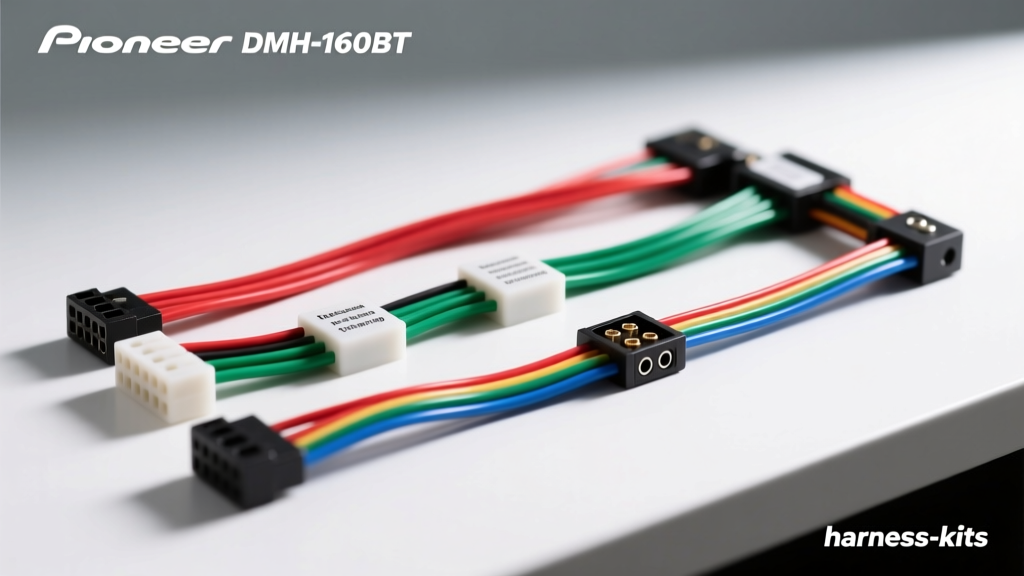
Introduction to the Pioneer DMH-160BT Harness Architecture
The Pioneer DMH-160BT is a highly capable digital media receiver, but integrating it into a modern vehicle requires a precise understanding of its wiring harness architecture. Unlike factory head units that utilize proprietary multi-pin data connectors, the DMH-160BT relies on a standard 16-pin ISO-style primary harness for power, ground, and speaker outputs, alongside secondary proprietary connectors for the microphone, USB, and steering wheel controls (SWC). When installing this unit using a vehicle-specific adapter (such as the Metra 70-1761 for GM or the Axxess XSV-5522-1 for Ford), electrical faults frequently arise from misaligned pinouts, inadequate grounding, or confused accessory trigger wires.
This guide provides a step-by-step troubleshooting flow designed for automotive electrical technicians and advanced DIY installers. By following this diagnostic decision tree, you can systematically isolate faults related to the Pioneer DMH-160BT wiring harness, ensuring a reliable, noise-free installation that adheres to SAE J1128 low-tension primary cable standards.
Phase 1: Complete Power Failure (Unit is Dead)
If the DMH-160BT fails to power on entirely, the issue is almost always localized to the primary 16-pin harness's power or ground circuit. Do not immediately assume the head unit is defective; instead, follow this multimeter testing sequence.
Step 1: Verify Constant 12V Memory (Yellow Wire)
The yellow wire (Pin 15) provides constant 12V to maintain the unit's memory and internal clock. Set your digital multimeter (DMM) to DC Voltage. Probe the yellow wire on the vehicle side of the harness adapter with the red lead, and a known good chassis ground with the black lead. You should read between 12.2V and 12.6V with the ignition off. If voltage is absent, check the vehicle's radio memory fuse (often labeled 'BATT', 'ROOM', or 'AUDIO' in the interior fuse panel).
Step 2: Verify Switched 12V Accessory (Red Wire)
The red wire (Pin 14) provides switched 12V, signaling the unit to wake up. Probe the red wire on the vehicle adapter harness while cycling the ignition to the 'ACC' or 'RUN' position. Voltage should jump to ~12.4V. Common Failure Mode: In some late-model Chrysler and Ford vehicles, the factory harness does not provide a switched 12V source at the radio location, relying instead on CAN-bus data to wake the factory amp. If your adapter lacks an integrated data module, you will need to run a dedicated 16 AWG switched 12V wire from the ignition switch or a fused accessory circuit.
Step 3: Voltage Drop Test on Ground (Black Wire)
The black wire (Pin 9) is the system ground. A poor ground will cause the unit to boot-loop or shut down when the internal amplifier draws current. Do not just test for continuity. Perform a voltage drop test: set the DMM to DC Volts, place the red lead on the battery's negative terminal, and the black lead on the black ground wire of the harness adapter while the unit is attempting to power on. A reading above 0.2V indicates excessive resistance. Clean the chassis ground point to bare metal and secure it with a star washer and ring terminal.
Phase 2: Audio Loss and Amplifier Trigger Faults
If the DMH-160BT powers on and the display functions, but you experience no audio, external amplifier failure, or intermittent sound cut-outs, the fault lies within the speaker outputs or the remote turn-on circuit.
Symptom: External Amplifier Fails to Turn On
This is one of the most common errors when adapting the Pioneer DMH-160BT wiring harness. The 16-pin connector features two blue wires:
- Blue Wire (Pin 13): Power Antenna Turn-On. This outputs 12V only when the AM/FM radio tuner is active. It drops to 0V when switching to Bluetooth or USB.
- Blue/White Wire (Pin 10): System Remote Control (Amp Turn-On). This outputs a steady 12V whenever the head unit is powered on, regardless of the source.
The Fix: Ensure your external amplifier's remote turn-on terminal is connected to the Blue/White wire. If you tapped the solid Blue wire, your amp will shut off every time you stream audio via Bluetooth.
Symptom: Audio Cuts Out at High Volume (Protection Mode)
Pioneer head units feature a built-in short-circuit protection IC. If any of the 18 AWG speaker wires touch the vehicle chassis, the internal amplifier will instantly mute to prevent thermal damage. Factory speaker wires often degrade, or aftermarket crimp connectors can slip out of their housings. Disconnect the harness adapter from the vehicle. Using your DMM set to Ohms (Continuity), probe each speaker negative wire (White/Black, Grey/Black, Green/Black, Purple/Black) against the vehicle chassis. If you read continuity (near 0 Ohms), you have a shorted speaker wire that must be isolated and re-terminated.
Phase 3: Accessory and Secondary Harness Integration
The DMH-160BT utilizes additional wires on the 16-pin harness for vehicle integration features like backup cameras and dashboard illumination. Troubleshooting these requires understanding the specific trigger logic.
Backup Camera Not Engaging
The Light Green wire (Pin 12) is the reverse gear trigger input. It requires a +12V signal to force the screen into the camera view. Troubleshooting Flow: If the camera displays a black screen or 'No Signal' when in reverse, verify that the Light Green wire is receiving +12V. In vehicles with PWM (Pulse Width Modulated) reverse lamps or CAN-bus controlled lighting (common in modern European and late-model domestic trucks), a standard incandescent bulb tap will not provide a clean +12V signal. You must install a 12V relay or a dedicated CAN-bus reverse trigger adapter to provide a clean DC voltage to the Pioneer harness.
Illumination and Dimmer Failures
The Orange/White wire (Pin 11) is the illumination trigger, which dims the screen when the headlights are turned on. Some vehicle-specific harness adapters use a solid Orange wire or an Orange/Black wire for this function. Consult the Crutchfield Car Stereo Wiring Guide to verify your specific vehicle's dimmer wire color. If the screen remains at full brightness at night, use a test light to verify that the vehicle's illumination wire only receives power when the headlight switch is in the 'ON' position, and bridge it to the Pioneer's Orange/White wire.
Master Pinout and Wire Gauge Specification Table
Reference this table when fabricating custom harness extensions or verifying adapter continuity. All wire gauges comply with standard automotive low-current specifications.
| Pin | Function | EIA Wire Color | AWG Size | Signal Type |
|---|---|---|---|---|
| 15 | Constant 12V (Memory) | Yellow | 16 AWG | Power |
| 14 | Switched 12V (Accessory) | Red | 16 AWG | Power |
| 9 | Chassis Ground | Black | 16 AWG | Ground |
| 10 | System Remote (Amp Turn-On) | Blue/White | 18 AWG | +12V Trigger |
| 13 | Power Antenna | Blue | 18 AWG | +12V Trigger |
| 11 | Illumination / Dimmer | Orange/White | 18 AWG | +12V Trigger |
| 12 | Reverse Gear Input | Light Green | 18 AWG | +12V Trigger |
| 7 | Left Front Speaker (+) | White | 18 AWG | Audio |
| 8 | Left Front Speaker (-) | White/Black | 18 AWG | Audio |
| 5 | Right Front Speaker (+) | Grey | 18 AWG | Audio |
| 6 | Right Front Speaker (-) | Grey/Black | 18 AWG | Audio |
| 1 | Left Rear Speaker (+) | Green | 18 AWG | Audio |
| 2 | Left Rear Speaker (-) | Green/Black | 18 AWG | Audio |
| 3 | Right Rear Speaker (+) | Purple | 18 AWG | Audio |
| 4 | Right Rear Speaker (-) | Purple/Black | 18 AWG | Audio |
Best Practices for Harness Adapter Splicing and Termination
When mating the Pioneer DMH-160BT's included universal pigtail to your vehicle-specific adapter harness, the physical connection method dictates the long-term reliability of the electrical system. Automotive environments are subject to severe thermal cycling and high-frequency vibration.
Avoid T-Taps and Twist Connectors: Never use 'Scotchlok' T-taps or cheap twist-on wire nuts. These connections pierce the wire insulation, exposing the copper strands to moisture and oxidation, which inevitably leads to voltage drop and intermittent audio faults. Furthermore, they fail to meet the mechanical retention requirements outlined in Pioneer's official installation guidelines.
The Solder and Heat Shrink Method: For the most reliable connection, strip 1/2 inch of insulation from both the 16 AWG power wires and the 18 AWG signal wires. Use a parallel or Western Union splice, apply rosin-core solder, and seal the connection with dual-wall, adhesive-lined polyolefin heat shrink tubing. The adhesive lining melts and seals out moisture, preventing galvanic corrosion between the copper strands. If soldering is not feasible, use high-quality nylon-insulated closed-end crimp connectors or butt splices, ensuring you use a ratcheting crimping tool calibrated for the specific AWG size to achieve a gas-tight mechanical bond.
By methodically following this troubleshooting flow and adhering to strict termination standards, you will eliminate the vast majority of electrical gremlins associated with the Pioneer DMH-160BT wiring harness, resulting in a factory-grade, fully integrated mobile audio system.