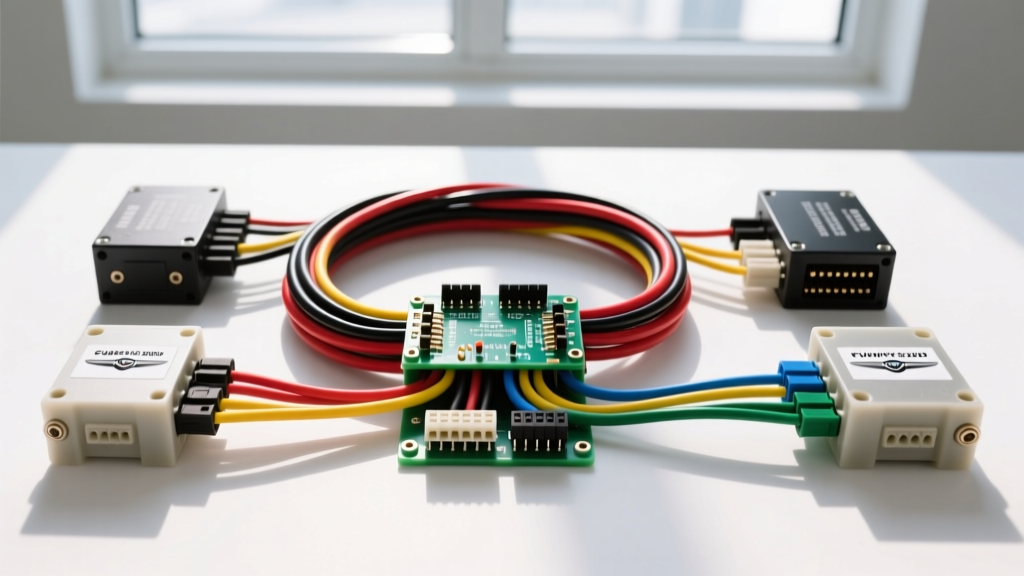
Understanding the 2006 Chrysler 300 Stereo Wiring Diagram
Upgrading the head unit in a 2006 Chrysler 300 is one of the most rewarding modifications you can make to the LX platform. However, unlike older vehicles where you could simply splice power, ground, and speaker wires, the 2006 Chrysler 300 relies heavily on digital communication networks. For beginners, looking at a 2006 Chrysler 300 stereo wiring diagram can be intimidating due to the integration of the vehicle's CAN bus (Controller Area Network) and the Totally Integrated Power Module (TIPM).
This beginner-friendly guide will decode the factory 22-pin connector, explain the critical wire color codes, and walk you through the fundamental steps required to install an aftermarket stereo without triggering dashboard error codes or losing your steering wheel controls. According to Crutchfield's vehicle fit database, understanding your specific trim level (Base vs. Boston Acoustics Premium) is the very first step before cutting a single wire.
Factory 22-Pin Connector Pinout & Wire Colors
The standard base audio system in the 2006 Chrysler 300 utilizes a single 22-pin main harness (often gray or black). Below is the definitive reference chart for the primary power, ground, illumination, and speaker circuits. Always verify these colors with a digital multimeter (DMM) before making connections, as previous owners or dealerships may have altered the harness.
| Pin | Function | Factory Wire Color | AWG Size | Testing Notes |
|---|---|---|---|---|
| 1 | 12V Constant (Battery) | Pink | 16 AWG | Reads 12.6V with key OFF. Tied to rear PDC fuse. |
| 2 | 12V Switched (Ignition) | Red/White | 16 AWG | Reads 12V only in ACC or RUN positions. |
| 3 | Chassis Ground | Black/Light Green | 16 AWG | Must read near 0.0 ohms to bare chassis metal. |
| 4 | Illumination | Orange/White | 20 AWG | Variable voltage (0-12V) based on dash dimmer switch. |
| 7 | Left Front Speaker (+) | Dark Green | 18 AWG | Test with AA battery for pop confirmation. |
| 8 | Left Front Speaker (-) | Dark Green/Black | 18 AWG | Do not ground to chassis; must float to amp. |
| 9 | Right Front Speaker (+) | Purple | 18 AWG | Test with AA battery for pop confirmation. |
| 10 | Right Front Speaker (-) | Purple/Black | 18 AWG | Do not ground to chassis; must float to amp. |
| 11 | Left Rear Speaker (+) | Brown/Yellow | 18 AWG | Test with AA battery for pop confirmation. |
| 12 | Left Rear Speaker (-) | Brown/Yellow/Black | 18 AWG | Do not ground to chassis; must float to amp. |
| 13 | Right Rear Speaker (+) | Dark Blue/White | 18 AWG | Test with AA battery for pop confirmation. |
| 14 | Right Rear Speaker (-) | Dark Blue/Black | 18 AWG | Do not ground to chassis; must float to amp. |
The CAN Bus Challenge: Why You Need an Interface Module
The most common mistake beginners make when consulting a 2006 Chrysler 300 stereo wiring diagram is assuming that connecting the Pink (Constant), Red/White (Switched), and Black (Ground) wires is enough to complete the installation. While this will turn the aftermarket radio on, it ignores the vehicle's CAN C bus network.
In the LX platform, the factory radio acts as a digital node on the CAN bus. It is responsible for routing audible chimes (seatbelt warnings, door ajar alerts, turn signal clicks) through the driver-side front speaker. If you remove the factory radio without a proper bypass module, you will lose these critical safety chimes, and the TIPM may log communication fault codes.
The Solution: You must use a CAN bus interface module. As documented by PAC Audio and iDatalink Maestro, modules like the PAC C2R-CHY4 or the Maestro RR connect to the vehicle's CAN High and CAN Low twisted-pair wires. These modules intercept the digital data packets and translate them into analog 12V remote turn-on signals, accessory outputs, and steering wheel control resistances that your new aftermarket stereo can understand.
Boston Acoustics Premium System Bypass
If your 2006 Chrysler 300 is equipped with the optional 380W Boston Acoustics premium audio system, the wiring diagram changes drastically. The factory head unit does not send amplified speaker-level signals to the doors. Instead, it sends low-level pre-out signals to an external amplifier located in the trunk (driver-side rear quarter panel). Furthermore, the factory amplifier does not use a standard 12V remote turn-on wire; it wakes up via a digital CAN bus command.
Beginner Bypass Strategy: If you are installing a basic aftermarket head unit and keeping the factory speakers, you cannot simply plug in a standard harness adapter. You have two options:
- Run New Speaker Wire: Bypass the trunk amplifier entirely by running new 16 AWG speaker wires from your new dash harness adapter directly to the four door speakers. This is labor-intensive but guarantees a clean signal.
- Use a Premium CAN Interface: Use a high-end interface (like the Maestro RR with a compatible radio) that can communicate with the vehicle and provide dedicated RCA pre-outs to feed a new aftermarket amplifier, effectively replacing the Boston Acoustics amp.
Step-by-Step Beginner Installation Workflow
Follow this structured workflow to ensure a safe and professional installation.
- Disconnect the Battery: Use a 10mm socket to remove the negative terminal from the battery. Wait 5 minutes for the airbag and TIPM capacitors to discharge.
- Remove the Dash Bezel: Use a plastic nylon pry tool to gently pop the clips securing the main dashboard bezel surrounding the radio and climate controls. Pull straight back toward the rear seats.
- Unbolt the Factory Radio: Remove the four 7mm hex-head screws securing the factory stereo to the metal sub-frame.
- Disconnect Harnesses: Press the release tabs on the 22-pin main connector and the antenna cable. Note: If you have Navigation or Sirius satellite radio, you will also see a secondary gray connector and a specialized antenna plug.
- Wire the Harness Adapter: Connect your CAN bus interface and wiring harness adapter on a workbench, not inside the dark dashboard.
- Test Before Reassembly: Reconnect the negative battery terminal temporarily. Plug the adapter into the car and the radio into the adapter. Turn the key to ACC and verify power, illumination, and all four speaker channels.
Wire Connection Methods: Solder vs. Crimp
Automotive environments are subjected to extreme temperature fluctuations, vibrations, and humidity. The method you use to join your aftermarket harness to the interface module dictates the longevity of your install.
- Rosin-Core Solder & Heat Shrink (Recommended): Strip 1/2 inch of insulation, twist the copper strands, apply rosin-core solder, and seal with 3M dual-wall adhesive heat shrink tubing. This creates a waterproof, gas-tight seal that prevents copper oxidation.
- Butt Connectors (Acceptable): Use nylon-insulated, heat-seal crimp butt connectors. Ensure you use a proper ratcheting crimp tool. Avoid cheap plastic squeeze-crimpers that fracture the copper strands.
- Vampire Taps / Scotch Locks (NEVER USE): Never use U-taps to splice into the factory Chrysler harness. These cut through the wire strands, reducing the AWG capacity, causing voltage drops, and eventually leading to intermittent CAN bus failures.
Common Wiring Mistakes & Troubleshooting
Even with a perfect wiring diagram, beginners often encounter issues. Use this diagnostic tree to solve common 2006 Chrysler 300 stereo problems.
Symptom: Radio Turns On, But No Sound
- Cause 1: The vehicle has the Boston Acoustics system, and the factory trunk amp is not receiving a wake-up signal.
- Fix: Verify your CAN bus interface is properly programmed for the premium audio system, or manually bypass the amp by running new speaker wires.
- Cause 2: Factory amplifier protection mode triggered by a shorted speaker wire.
- Fix: Check all speaker wire connections with a multimeter for continuity to ground. Speaker negatives must never touch the chassis.
Symptom: Radio Loses Memory (Presets/Clock Reset)
- Cause: The 12V Constant (Pink) and 12V Switched (Red/White) wires are swapped at the harness adapter.
- Fix: Use a DMM to verify the Pink wire has 12V with the key completely removed from the ignition. Swap the pins if necessary.
Symptom: Alternator Whine in Speakers
- Cause: Ground loop caused by a poor chassis ground or routing RCA cables parallel to power wires.
- Fix: Ensure the ground wire is attached to bare, unpainted metal using a self-tapping screw or ring terminal. Rerender RCA interconnects away from the 12V power supply.
By respecting the digital architecture of the LX platform and strictly following the factory pinouts, you can seamlessly integrate modern touchscreen technology into your 2006 Chrysler 300 while retaining the vehicle's essential safety and convenience features.