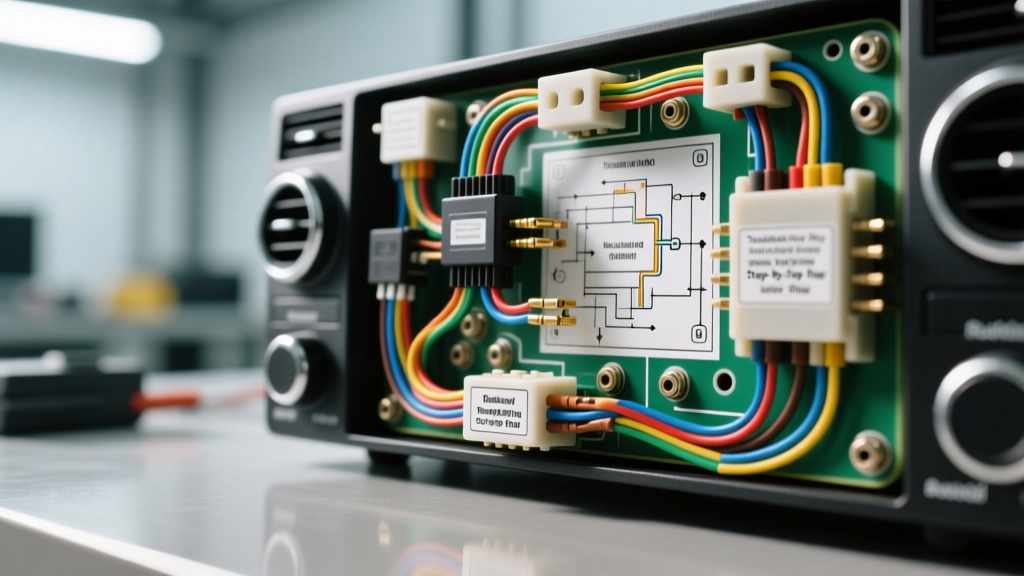
Mastering the Radio Wiring Diagram: A Diagnostic Approach
When an aftermarket head unit fails to power on, retains no memory, or produces distorted audio, the radio wiring diagram is your primary diagnostic map. Misinterpreting pinouts, ignoring voltage drop, or misidentifying data bus lines can lead to blown fuses, damaged CAN-bus modules, and hours of wasted labor. This step-by-step troubleshooting flow guides automotive electrical technicians through systematic verification of power, ground, accessory, and speaker circuits using industry-standard wiring schematics.
Phase 1: Power and Ground Circuit Verification
The foundation of any car audio installation relies on stable voltage delivery. According to the ISO 10487:2018 standard for car radio connectors, standard aftermarket harnesses utilize Block A for power and Block B for speakers. Before assuming the head unit is defective, you must verify the integrity of the primary power circuit.
Step 1: Constant 12V (Memory) Verification
Locate the Yellow wire on the radio wiring diagram (Pin A4 on an ISO connector). This circuit provides continuous 12V to maintain memory for presets, clock, and security codes.
- Test: Set your Digital Multimeter (DMM) to DC Voltage. Place the black probe on a known good chassis ground and the red probe on the Yellow wire.
- Specification: Expect 12.2V to 12.6V with the engine off. If you read below 11.5V, check the inline 10A blade fuse and inspect the battery terminal connection.
- Wire Gauge: Minimum 18 AWG for standard head units; upgrade to 16 AWG for units with high-draw internal amplifiers.
Step 2: Switched 12V (Ignition) Verification
Locate the Red wire (Pin A7). This circuit signals the head unit to wake up when the ignition is turned to the ACC or ON position.
- Test: Probe the Red wire with the DMM. Turn the ignition key to ACC.
- Specification: Voltage should jump from 0V to 12V+ instantly. If it remains at 0V, trace the diagram back to the steering column ignition switch or the CAN-bus interface module (e.g., PAC RP4-CH11) which generates this 12V trigger via data.
Step 3: Ground Voltage Drop Testing
The Black wire (Pin A8) is the most common culprit for head unit reboots during heavy bass transients. Do not simply test for continuity; perform a voltage drop test.
- Test: Set the DMM to DC millivolts (mV). Place the red probe on the battery negative post and the black probe directly on the head unit ground pin.
- Specification: With the radio playing at moderate volume, a reading greater than 20mV (0.02V) indicates high resistance. This means the ground point is corroded, the wire is undersized, or it is sharing a ground with high-current accessories.
Phase 2: Accessory, Illumination, and Turn-On Signals
Modern radio wiring diagrams include secondary circuits that control external amplifiers, power antennas, and dashboard integration.
Amp Turn-On (Blue/White Wire)
The Blue/White wire provides a +12V remote turn-on signal for external amplifiers. A common failure mode is connecting this wire to a high-draw accessory, which exceeds the head unit's internal 300mA limit, frying the internal switching transistor. Always use the radio wiring diagram to confirm the wire is specifically designated for 'Amp Turn-On' and not 'Power Antenna' (Solid Blue), which may drop voltage when switching from AM/FM to Bluetooth or USB sources.
Illumination and Dimmer Circuits (Orange / Orange-White)
Older vehicles use a simple 12V trigger on the Orange wire to dim the display when headlights are on. However, modern Chrysler, GM, and Ford vehicles utilize a PWM (Pulse Width Modulation) dimmer signal on the Orange/White wire. If your radio wiring diagram indicates a PWM dimmer, probing it with a standard DMM will show erratic, fluctuating voltage. You must use an oscilloscope or a DMM with a duty-cycle function to verify the signal integrity.
Phase 3: Speaker Output and Impedance Mapping
Block B of the ISO connector handles speaker outputs. The Electronic Industries Alliance (EIA) standard dictates specific color codes to maintain proper phase and channel mapping.
Standard EIA Speaker Wire Colors
- Front Left: White (+) / White with Black Stripe (-)
- Front Right: Gray (+) / Gray with Black Stripe (-)
- Rear Left: Green (+) / Green with Black Stripe (-)
- Rear Right: Purple (+) / Purple with Black Stripe (-)
Impedance and Short Testing
Before connecting the head unit, set your DMM to Ohms (Ω). Probe the positive and negative terminals for each speaker channel at the vehicle harness. You should read approximately 4 ohms. If you read 2 ohms, the speakers may be wired in parallel, or the negative wire is shorted to chassis ground. A reading of OL (Open Loop) indicates a broken voice coil or a severed 16 AWG OFC speaker wire in the door boot hinge area.
Step-by-Step Diagnostic Decision Tree
Use this structured reference to quickly isolate faults based on the physical symptoms and the radio wiring diagram.
| Symptom | Check Diagram For | DMM Action & Threshold | Common Failure Mode |
|---|---|---|---|
| Head unit loses memory/presets when car is off | Pin A4 (Yellow / Constant 12V) | Test inline fuse; verify 12.2V+ at battery direct connection | Yellow and Red wires swapped at the harness adapter |
| Alternator whine in audio system | Ground routing & RCA shielding | Perform voltage drop test on head unit and amp grounds (<20mV) | Shared ground point with fuel pump or ECU; RCA cables routed alongside 12V power |
| External amplifier clicks/pops on shutdown | Blue/White (Amp Turn-On) sequencing | Verify turn-on signal drops to 0V immediately upon key-off | Amp turn-on wired to an accessory circuit that stays live for 10+ minutes (e.g., retained accessory power) |
| Parasitic battery draw exceeds 50mA | Switched 12V (Red) & CAN-Bus sleep modes | DMM in 10A series with battery negative; wait 20 mins for CAN sleep | Head unit failing to enter sleep mode due to faulty CAN-bus interface module |
Advanced Integration: CAN-Bus and FAKRA Quadlock Connectors
In late-model European and domestic vehicles, the traditional ISO harness is replaced by a FAKRA Quadlock (Z-connector). The radio wiring diagram for these systems will show data lines instead of simple 12V triggers. The Quadlock connector houses the CAN-High and CAN-Low twisted pair wires, which are critical for vehicle network communication.
Troubleshooting CAN-Bus Termination
According to SAE J1113 Electromagnetic Compatibility guidelines, data buses are highly susceptible to EMI if termination resistors fail. The CAN bus relies on two 120-ohm termination resistors at each end of the network.
- Test: Disconnect the vehicle battery. Set your DMM to Ohms and probe the CAN-H and CAN-L pins at the radio harness.
- Specification: You should read approximately 60 ohms (two 120-ohm resistors in parallel). If you read 120 ohms, one termination resistor is missing or open. If you read near 0 ohms, the twisted pair is shorted together, which will crash the entire infotainment and gateway network.
- Warning: Never force standard DMM probes into Quadlock terminals. Use proper back-probing pins to avoid spreading the female terminals, which causes intermittent data dropouts and 'No Signal' errors on the display.
RCA Ground Loop Isolation and EMI
While the radio wiring diagram primarily covers the head unit harness, it also dictates the grounding topology for the entire audio system. A frequent issue during aftermarket installations is the introduction of Electromagnetic Interference (EMI) via RCA interconnects. If the radio wiring diagram shows the head unit ground tied to a central grounding block behind the dash, ensure your external amplifier ground is tied to the same chassis node, or use a dedicated ground loop isolator. Running 18 AWG shielded twisted-pair RCA cables away from the 12 AWG amplifier power wire by at least 18 inches on opposite sides of the center console is mandatory to prevent inductive coupling of alternator noise into the audio signal path.
Conclusion
A radio wiring diagram is not just an installation guide; it is a vital diagnostic tool. By systematically verifying constant and switched power, performing precise voltage drop tests on ground circuits, and understanding the nuances of CAN-bus data lines, you can eliminate guesswork. Always rely on verified wire color codes, adhere to AWG sizing standards, and use a quality Digital Multimeter to ensure your car audio system operates flawlessly and safely.