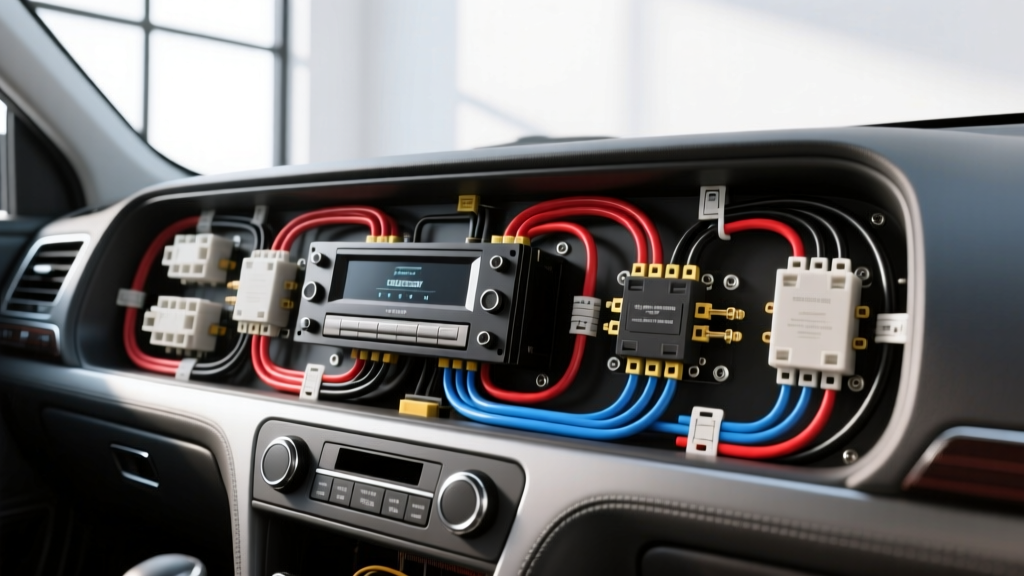
The Hidden Dangers of Misreading an Aftermarket Stereo Wiring Diagram
Installing a new head unit or amplifier should be an upgrade, not a lesson in electrical damage. While referencing an aftermarket stereo wiring diagram is the first step to a successful install, misinterpreting standard conventions or ignoring vehicle-specific deviations leads to blown fuses, fried Body Control Modules (BCMs), and even electrical fires. According to industry data, over 70% of car audio warranty claims stem from improper wiring rather than defective equipment. This guide breaks down the most critical safety warnings and common installation mistakes to protect your vehicle's electrical architecture.
Critical Safety Warnings Before You Splice a Single Wire
1. Airbag (SRS) Proximity Hazards
The lower dashboard cavity, where the stereo resides, is heavily populated by Supplemental Restraint System (SRS) wiring. Airbag circuits are universally identifiable by yellow or orange corrugated looms. Never pierce, splice, or probe these wires. According to the National Highway Traffic Safety Administration (NHTSA), improper handling of SRS circuits can cause accidental deployment or disable the system during a collision. Always disconnect the negative battery terminal and wait a minimum of 15 minutes for the SRS backup capacitors to discharge before working near the dash.
2. The Multimeter Mandate
Never rely solely on a printed diagram's color codes without physical verification. Manufacturing variations, previous owner modifications, and mid-year production changes mean the wire colors in your dash may not match the generic aftermarket stereo wiring diagram provided in the box. Use a digital multimeter (DMM) to verify voltage states. Constant 12V (B+) should read 12.2V-12.6V with the key off. Switched 12V (Accessory) should read 0V with the key off, and 12.2V-14.4V with the key in the ACC or ON position.
Top 5 Wiring Mistakes and How to Avoid Them
Mistake 1: Confusing Blue (Power Antenna) with Blue/White (Amp Remote)
The Error: Connectors often feature both a solid blue wire and a blue wire with a white stripe. Installers frequently connect the solid blue wire to the amplifier's remote turn-on terminal.
The Consequence: The solid blue wire is typically the power antenna trigger. It only outputs +12V when the head unit is tuned to AM/FM radio. When you switch to Bluetooth, CD, or auxiliary input, the voltage drops to 0V, causing your amplifier to shut off mid-song.
The Fix: Always use the Blue/White wire for the amplifier remote turn-on. This wire provides a constant +12V trigger whenever the head unit is powered on, regardless of the audio source.
Mistake 2: Undersizing the Constant 12V (B+) Power Feed
The Error: Tapping into a thin factory 20 AWG or 22 AWG wire to power a high-wattage aftermarket head unit or DSP.
The Consequence: Modern digital media receivers and DSPs can draw 15A to 25A under heavy load. Factory accessory wires are often fused at 5A or 10A. Overloading them causes severe voltage drop, resulting in head unit reboots during heavy bass transients, or worse, melting the factory wire insulation.
The Fix: Reference the SAE J1128 standard for low-tension primary cables to select the proper gauge. For standard head units, use a minimum of 16 AWG or 18 AWG OFC (Oxygen-Free Copper) wire directly to the battery or a dedicated fused distribution block. For amplifiers, 8 AWG or 4 AWG is mandatory.
Mistake 3: Grounding to Painted or Plastic Dash Brackets
The Error: Securing the black ground wire to a factory bolt that is coated in zinc, paint, or e-coat, or worse, a plastic dash support.
The Consequence: Paint and zinc act as insulators. This creates a high-resistance ground, forcing the stereo to seek a ground path through the RCA shield cables or antenna ground, introducing severe alternator whine and ground loop noise into your audio signal.
The Fix: Scrape away all paint and e-coat to expose bare, shiny metal. Use a crimped ring terminal (never a spade terminal) and secure it with a star washer to bite into the metal. Torque the bolt to the manufacturer's specification (typically 8-10 Nm for M6 bolts) and coat the terminal with dielectric grease to prevent oxidation.
Mistake 4: Tapping into High-Speed CAN-Bus Data Lines
The Error: Attempting to find a switched 12V source by splicing into unknown twisted-pair wires in modern (2010+) vehicles.
The Consequence: Those twisted pairs are likely CAN-High and CAN-Low data lines operating at 500 kbps. Splicing into them alters the impedance of the network, potentially crashing the vehicle's BCM, disabling the instrument cluster, or throwing the car into limp mode.
The Fix: If the factory radio does not have a dedicated 12V accessory wire (common in Chrysler, Ford, and VW vehicles), you must use a vehicle-specific data interface module (like an iDatalink Maestro or PAC RP4) to safely translate the CAN-Bus data into a standard analog 12V accessory output.
Mistake 5: Ignoring Illumination and Dimmer Circuit Polarity
The Error: Connecting the head unit's Orange/White (Illumination) and White/Black (Dimmer) wires directly to the factory lighting circuit without checking polarity.
The Consequence: Some vehicles use a negative-switched illumination circuit (grounding the wire turns the lights on). Feeding +12V into a negative-switched factory circuit will backfeed voltage into the BCM lighting driver, potentially destroying the dimmer module.
The Fix: Test the factory illumination wire with a DMM. If it reads +12V when headlights are off and 0V when on, it is positive-switched. If it reads 0V when off and shows continuity to ground when on, it is negative-switched and requires a relay to invert the signal for your aftermarket stereo.
ISO 10487 Standard Connector Pinout Reference
Most European and Asian vehicles utilize the ISO 10487 standard for head unit connections. Understanding the exact pinout prevents catastrophic cross-wiring. Below is the standard Block A (Power) configuration.
| Pin Number | Function | Standard Wire Color | Minimum AWG | Fuse Rating |
|---|---|---|---|---|
| Pin 1 | Mute / Telephone Mute | Brown/White | 20 AWG | N/A |
| Pin 2 | Reverse Mute / Speed Pulse | Blue/White | 20 AWG | N/A |
| Pin 3 | Reserved (Not Used) | - | - | - |
| Pin 4 | Constant 12V (B+ / Memory) | Yellow | 16 AWG | 10A - 15A |
| Pin 5 | Power Antenna / Amp Remote | Blue / Blue-White | 18 AWG | 5A |
| Pin 6 | Illumination / Dimmer | Orange / Orange-White | 20 AWG | 5A |
| Pin 7 | Switched 12V (Accessory) | Red | 16 AWG | 10A - 15A |
| Pin 8 | Ground (Chassis) | Black | 16 AWG | N/A |
Note: Always verify these pinouts with a multimeter. Some manufacturers (notably VAG and PSA Group) swap Pin 4 and Pin 7, which will result in the radio losing its memory presets every time the vehicle is turned off.
Expert Troubleshooting: When the Diagram Fails You
Symptom: Head Unit Turns On, But Amplifier Stays in Protect Mode
Cause: Voltage drop on the remote turn-on wire or inadequate amplifier grounding. The aftermarket stereo wiring diagram might show the remote wire, but if you ran 18 AWG wire over a distance longer than 10 feet, the voltage at the amp may drop below the 9V threshold required to trigger the relay.
Fix: Measure voltage at the amplifier's remote terminal while the head unit is on. If it is below 11V, upgrade the remote wire to 16 AWG or install a 12V automotive relay near the amplifier, using the head unit's remote wire merely to trigger the relay coil.
Symptom: Severe Alternator Whine That Revs With the Engine
Cause: Ground loop. This happens when the head unit and the amplifier are grounded at different chassis points with varying resistance levels, causing audio signal shields to carry the return current.
Fix: Ensure the amplifier is grounded directly to the vehicle's bare chassis within 18 inches of the amp. Do not ground the amp to a seatbelt bolt or a factory audio bracket. Verify the head unit ground is equally secure. According to installation best practices outlined by Crutchfield's Car Stereo Installation Guide, star-grounding all audio components to a single, massive bare-metal distribution point eliminates 99% of alternator whine issues.
Final Safety Checklist Before Powering Up
- Visual Inspection: Check for pinched wires behind the DIN sleeve. The metal edges of the dash bracket can easily slice through 18 AWG speaker wire when the unit is pushed into place.
- Tug Test: Gently pull on every crimped butt connector and ring terminal. Solder-seal heat shrink connectors are vastly superior to standard crimp caps for automotive environments subject to vibration and temperature swings.
- Fuse Verification: Ensure the inline fuse on the constant 12V yellow wire is located within 6 inches of the battery terminal or distribution block, not behind the dash. A short behind the dash without a localized fuse will melt the vehicle's main harness.
- Pre-Power Multimeter Check: Before plugging in the head unit, measure resistance between the B+ wire and Ground, and Accessory wire and Ground. You should read infinite resistance (OL). If you read near 0 ohms, you have a dead short that will instantly blow the fuse upon connection.
By respecting the electrical realities of your vehicle and treating the aftermarket stereo wiring diagram as a foundational guide rather than an absolute rulebook, you ensure a clean, safe, and high-fidelity audio upgrade.