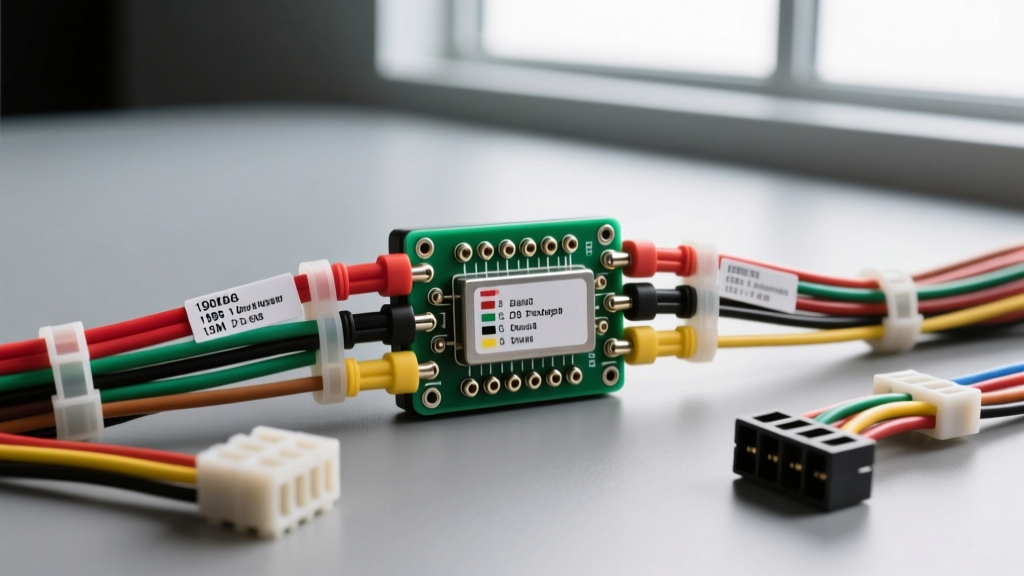
Understanding the 1998 Dodge Dakota Radio Wiring Diagram
The 1998 model year marked the debut of the second-generation Dodge Dakota, bringing a more rounded, modern aesthetic and an updated interior electrical architecture. For beginners looking to upgrade their audio system, navigating the factory harness can seem intimidating. However, the 1998 Dodge Dakota radio wiring diagram is remarkably straightforward once you understand the fundamental color codes and connector layouts used by Chrysler during this era.
Unlike modern vehicles that rely on complex CAN-bus data networks for stereo communication, the 1998 Dakota utilizes a traditional analog 12-volt system. This makes it an ideal platform for novice DIYers to learn automotive electrical fundamentals. By referencing the correct pinout and wire color codes, you can safely install an aftermarket head unit, integrate amplifiers, or diagnose factory audio failures without risking damage to the vehicle's primary electrical system.
Safety First & Essential Tools for Beginners
Before touching any wires behind the dash, proper preparation is critical. Automotive electrical systems operate on 12V DC, which is generally safe from a shock hazard, but a short circuit can easily melt 18 AWG wiring or start an electrical fire.
- Battery Disconnect: Always disconnect the negative (-) battery terminal using a 10mm or 8mm wrench before removing dash panels. Wait 5 minutes to allow the airbag system capacitors to discharge.
- Digital Multimeter (DMM): Essential for verifying constant vs. switched power. Never rely solely on wire colors, as previous owners may have altered the harness.
- Wire Strippers & Crimpers: Use precision strippers calibrated for 18-22 AWG stranded copper wire. Avoid using pliers, which can nick the copper strands and create a high-resistance point.
- Trim Removal Tools: Nylon pry tools prevent marring the Dakota's textured ABS plastic dash bezels.
- Heat Shrink Tubing & Electrical Tape: For insulating connections. According to SAE J1128 standards for low-tension primary cable, proper insulation is required to prevent moisture intrusion and copper oxidation.
Dash Bezel and Radio Removal Procedure
To access the wiring harness, you must first remove the factory radio. The 1998 Dakota dash bezel is secured by four visible Phillips-head screws located on the front face of the bezel surrounding the instrument cluster and HVAC controls.
- Remove the four bezel screws and gently pull the plastic panel toward you, disconnecting the headlight switch and 4WD actuator connectors if equipped.
- The factory radio is held in place by a metal support bracket secured by four 7mm or 8mm hex-head screws on the sides of the unit.
- Slide the radio forward. You will see two main wiring blocks plugged into the rear: the C1 (Power/Accessory) connector and the C2 (Speaker) connector, alongside the coaxial antenna cable.
- Press the release tabs on the top of each plastic connector to unplug them from the factory chassis.
1998 Dodge Dakota Radio Pinout & Wire Color Chart
The factory stereo utilizes two distinct connectors. The C1 connector handles power, ground, and illumination, while the C2 connector routes the amplified or pre-amplified audio signals to the door and cab speakers. Below is the definitive OEM color code reference based on Haynes and Chrysler Factory Service Manuals.
Table 1: C1 Power & Accessory Connector (7-Pin)
| Pin | Wire Color | Function | Typical AWG |
|---|---|---|---|
| 1 | Black | Chassis Ground | 16 AWG |
| 2 | Red/White | Switched 12V+ (Ignition/Accessory) | 18 AWG |
| 3 | Pink | Constant 12V+ (Battery / Memory) | 16 AWG |
| 4 | Orange | Panel Illumination (Dimmer) | 20 AWG |
| 5 | Dark Green/Red | Power Antenna / Amp Turn-On | 18 AWG |
| 6 | Dark Green/White | Mute / Factory Amp Enable | 20 AWG |
| 7 | Empty / N/A | Reserved for Chime Module | N/A |
Table 2: C2 Speaker Connector (8-Pin)
| Pin | Wire Color | Speaker Location & Polarity |
|---|---|---|
| 1 | Dark Green | Left Front (+) |
| 2 | Brown/Red | Left Front (-) |
| 3 | Purple | Right Front (+) |
| 4 | Dark Blue | Right Front (-) |
| 5 | Brown/Yellow | Left Rear (+) |
| 6 | Brown/Light Blue | Left Rear (-) |
| 7 | Dark Blue/White | Right Rear (+) |
| 8 | Dark Blue/Black | Right Rear (-) |
Step-by-Step: How to Test the Harness with a Multimeter
Beginners should never assume the factory wiring is untouched. If you are installing a new head unit without an adapter, you must verify the power feeds using a Digital Multimeter (DMM).
- Set the DMM: Turn your multimeter dial to DC Voltage (the 20V setting).
- Establish Ground: Connect the black (common) probe to a known, unpainted metal point under the dash, such as the metal steering column support bracket.
- Test Constant Power: With the key completely out of the ignition, touch the red probe to the Pink wire terminal. You should read between 12.2V and 12.6V. This wire maintains your radio presets and clock memory.
- Test Switched Power: Insert the key and turn it to the 'ACC' or 'RUN' position. Touch the red probe to the Red/White wire. It should now read ~12.2V. Turn the key off; the voltage should immediately drop to 0V.
- Test Illumination: Turn on the vehicle's headlights. Probe the Orange wire. It should read ~12V. If you roll the dash dimmer switch down, the voltage on this wire will proportionally decrease.
The Smart Beginner's Route: Wiring Harness Adapters
The most critical piece of advice from the Mobile Electronics Association (MEA) for novice installers is to never cut the factory OEM harness. Splicing directly into the Dakota's C1 and C2 connectors leads to voltage drops, intermittent failures, and severe depreciation of the vehicle's interior value.
Instead, purchase a vehicle-specific wiring harness adapter (such as the Metra 70-1002 or Scosche CR02B). These adapters plug directly into the Dakota's factory C1 and C2 connectors and present a standardized, color-coded pigtail that matches the EIA/CEA standard colors found on aftermarket stereos (e.g., Yellow for Constant, Red for Switched, Black for Ground). You can safely crimp and heat-shrink your connections on the adapter pigtail on your workbench, away from the cramped confines of the dash cavity.
Common 1998 Dakota Audio Wiring Failure Modes
If you are troubleshooting a factory or aftermarket stereo issue, keep an eye out for these common Dakota-specific electrical gremlins:
- Radio Loses Memory Every Time You Turn Off the Truck: This is the classic symptom of swapped constant and switched power wires. The aftermarket radio is receiving switched power on its memory circuit. Verify the Pink and Red/White wires are mapped correctly.
- Blown IOD Fuse: The Dakota utilizes an 'Ignition Off Draw' (IOD) fuse in the under-hood Power Distribution Center (PDC). If the Pink constant wire shorts to ground behind the radio bracket, it will blow this fuse, which also controls interior dome lights and the glovebox lamp.
- Alternator Whine in Speakers: If you hear a high-pitched whine that revs with the engine, your ground connection is poor. The factory Black ground wire relies on a ring terminal bolted to the dash frame. If that bolt is loose, or if the metal is painted, the audio system will seek a ground path through the RCA cables or antenna shield, creating a ground loop. Sand the metal to bare steel and secure the ground tightly.
- Power Antenna Doesn't Retract: The Dark Green/Red wire only outputs 12V when the radio is turned on and set to the AM/FM tuner. If you are playing a CD or auxiliary input, some factory Chrysler radios cut power to this pin, causing the antenna to drop mid-song. If this bothers you, wire the aftermarket power antenna trigger to the Red/White switched accessory wire instead.
By respecting the factory wire gauges, utilizing proper crimp-and-shrink techniques, and relying on a verified 1998 Dodge Dakota radio wiring diagram, you can achieve a professional-grade audio upgrade with zero electrical headaches.