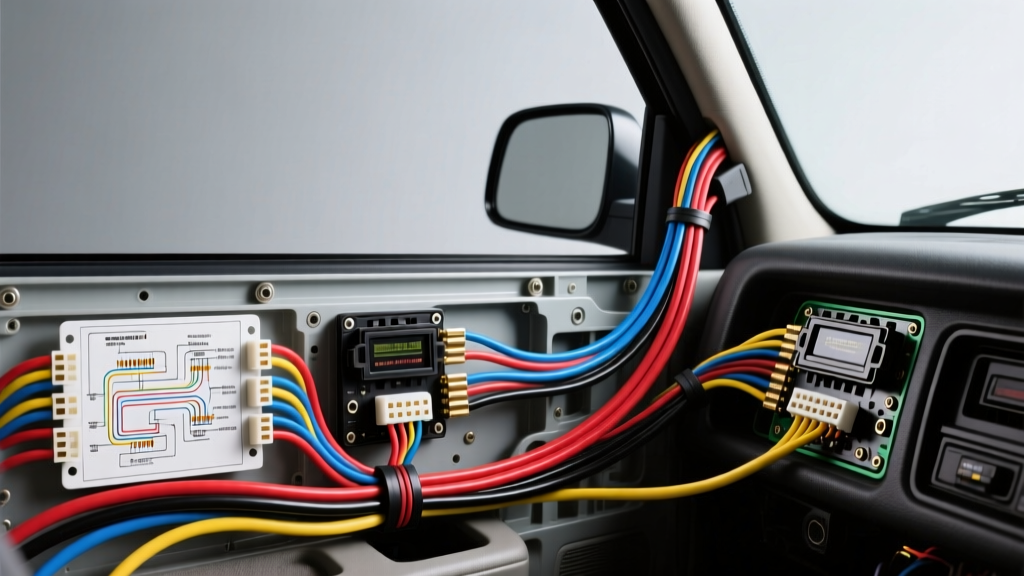
Introduction to the 2nd-Gen Dakota Audio Upgrade
Upgrading the head unit in a 2000 Dodge Dakota (part of the 1997-2004 second generation) is one of the most effective ways to modernize the truck's interior. However, interfacing an aftermarket double-DIN or single-DIN receiver with Chrysler's proprietary 7-pin and 10-pin harness architecture requires precise attention to wire color codes and polarity. Miswiring the constant 12V memory circuit or improperly handling the factory Infinity amplifier bypass are the most common failure points in this specific platform. This practical how-to guide provides the exact 2000 Dodge Dakota stereo wiring diagram, pinout configurations, and step-by-step installation procedures required for a reliable, professional-grade integration.
Required Tools and Materials
Before beginning the dash disassembly, gather the following tools to ensure a safe and efficient installation:
- Panel Removal Tools: Nylon pry tools to prevent marring the textured ABS plastic dash bezel.
- Socket Set: 7mm socket and 1/4-inch drive ratchet (required for the factory radio bracket bolts).
- Wire Strippers & Crimpers: Calibrated for 18 AWG (speaker) and 16 AWG (power) stranded copper.
- Heat Shrink Tubing: 3:1 shrink ratio, adhesive-lined marine grade for environmental sealing.
- Digital Multimeter (DMM): For verifying constant vs. switched 12V sources and checking ground continuity.
- Wiring Harness Adapter: Metra 70-1002 or Scosche CR02B (highly recommended to avoid cutting the factory vehicle harness).
2000 Dodge Dakota Stereo Wiring Diagram & Pinout Chart
The 2000 Dodge Dakota utilizes a dual-connector setup for the base audio system: a 7-pin connector (primarily power and front speakers) and a 10-pin connector (rear speakers, illumination, and accessory data). Below is the definitive OEM wire color reference based on Haynes Chrysler Truck Repair Manuals and verified field testing.
| Wire Color | Function / Polarity | Connector / Pin Location | AWG Size |
|---|---|---|---|
| Pink | +12V Constant (Battery / Memory) | 7-Pin Connector | 16 AWG |
| Red / White Stripe | +12V Switched (Ignition Accessory) | 7-Pin Connector | 16 AWG |
| Black | Chassis Ground | 7-Pin Connector | 16 AWG |
| Orange | Illumination / Dash Dimmer | 10-Pin Connector | 18 AWG |
| Dark Green | Front Left Speaker (+) | 7-Pin Connector | 18 AWG |
| Dark Green / Black | Front Left Speaker (-) | 7-Pin Connector | 18 AWG |
| Purple | Front Right Speaker (+) | 7-Pin Connector | 18 AWG |
| Purple / Black | Front Right Speaker (-) | 7-Pin Connector | 18 AWG |
| Brown | Rear Left Speaker (+) | 10-Pin Connector | 18 AWG |
| Brown / Black | Rear Left Speaker (-) | 10-Pin Connector | 18 AWG |
| Dark Blue | Rear Right Speaker (+) | 10-Pin Connector | 18 AWG |
| Dark Blue / Black | Rear Right Speaker (-) | 10-Pin Connector | 18 AWG |
Note: Wire colors and pinouts align with standard SAE J1128 Low Voltage Primary Cable specifications for automotive environments, ensuring temperature and abrasion resistance.
Step-by-Step Factory Radio Removal
1. Battery Disconnect and Safety Prep
Always disconnect the negative (-) battery terminal using a 10mm socket before probing or cutting any wires. The 2000 Dakota's airbag system (SRS) utilizes yellow-jacketed wiring that is often routed near the center stack. Accidentally shorting a 12V source to an SRS harness can cause catastrophic deployment or module damage.
2. Dash Bezel Extraction
The 2nd-generation Dakota features a unibody plastic trim bezel that surrounds the radio, HVAC controls, and instrument cluster. Starting from the bottom near the ashtray, use a nylon pry tool to gently pop the tension clips. Work your way up the sides and across the top. Pull the bezel straight back toward the rear of the cabin. You will need to reach behind the bezel to unclip the headlight switch rod and the 4WD selector cable (if equipped) to fully remove the panel.
3. Unbolting the Radio Chassis
With the bezel removed, the factory radio is exposed. It is secured by four 7mm hex-head bolts located on the top and bottom corners of the metal mounting bracket. Use a 1/4-inch ratchet to remove these bolts. Apply a torque of no more than 20 in-lbs when reinstalling aftermarket brackets to prevent stripping the threads in the plastic dash subframe. Slide the radio out, depress the locking tabs on the 7-pin and 10-pin connectors, and disconnect the Motorola antenna cable.
Aftermarket Harness Integration vs. Direct Splicing
While it is physically possible to cut the factory Dodge connectors and solder directly to an aftermarket radio pigtail, this is heavily discouraged. Cutting the OEM harness degrades the vehicle's resale value and increases the risk of intermittent shorts due to the vibration inherent in a pickup truck chassis.
The Professional Method: Purchase a Metra 70-1002 or equivalent T-harness. Connect the aftermarket harness to the vehicle's factory 7-pin and 10-pin plugs. On your workbench, match the aftermarket radio's pigtail wires to the adapter harness wires using the color codes provided in the diagram above. Use adhesive-lined heat shrink and a proper crimping tool. Stagger your wire lengths by 1/2 inch so that the bulky heat-shrink joints do not create a single rigid mass that could snap under dashboard vibration.
Bypassing the Factory Infinity Amplifier
If your 2000 Dodge Dakota is equipped with the premium Infinity audio package, the standard wiring diagram above will not yield sound from the speakers. The Infinity system uses an external amplifier (typically mounted under the passenger seat or behind the right kick panel). The factory head unit outputs low-level pre-amp signals, not amplified speaker-level signals.
Solution A (The Clean Bypass): Purchase an Infinity bypass harness (e.g., Metra 70-1003). This harness intercepts the signal and routes the new head unit's amplified speaker outputs directly to the factory speaker wiring, bypassing the external amp entirely. Note that you will lose the factory subwoofer functionality unless you wire it separately.
Solution B (Hardwire Bypass): If a bypass harness is unavailable, you must run new 14 AWG speaker wire from the aftermarket head unit, through the firewall grommets or down the A-pillars, and directly into the door jambs to connect to the speaker terminals, completely abandoning the factory wiring.
Diagnostic Troubleshooting Tree
Even with a perfect Crutchfield Car Stereo Wiring Guide reference, gremlins can occur. Use this decision tree to diagnose common post-installation issues:
- Symptom: Radio loses station presets and clock every time the truck is turned off.
- Cause: The Pink (+12V Constant) and Red/White (+12V Switched) wires are swapped.
- Fix: Use a DMM to verify which vehicle wire has 12V with the key OFF (Pink). Re-crimp the connections to the radio's Yellow (Constant) and Red (Switched) wires accordingly.
- Symptom: Dash illumination fuse blows immediately when headlights are turned on.
- Cause: The Orange (Illumination) wire is shorting to the chassis ground, or the aftermarket radio's dimmer wire is tied to a 12V+ source instead of the negative dimming circuit.
- Fix: Isolate the Orange wire. Ensure it is only connected to the radio's Illumination/Dimmer input and properly insulated.
- Symptom: Alternator whine or high-pitched static that scales with engine RPM.
- Cause: Ground loop caused by a poor chassis ground or sharing a ground point with a noisy accessory (like a CB radio or fuel pump relay).
- Fix: Verify the Black ground wire has less than 0.1 ohms of resistance to the battery negative terminal. Sand away any paint or rust under the dash mounting bolt to ensure bare metal contact.
Final Testing and Reassembly
Before snapping the dash bezel back into place, reconnect the vehicle's negative battery terminal. Turn the key to the ACC position and verify that the head unit powers on, all four speakers produce audio (test left/right and front/rear fade), and the illumination dims when the headlight switch is engaged. Once verified, carefully fold the excess wiring harness into the rear of the radio cavity, ensuring no wires are pinched against the metal HVAC ductwork, which can melt insulation and cause a dead short. Slide the radio in, secure the 7mm bolts, and press the bezel tension clips firmly back into their factory positions.