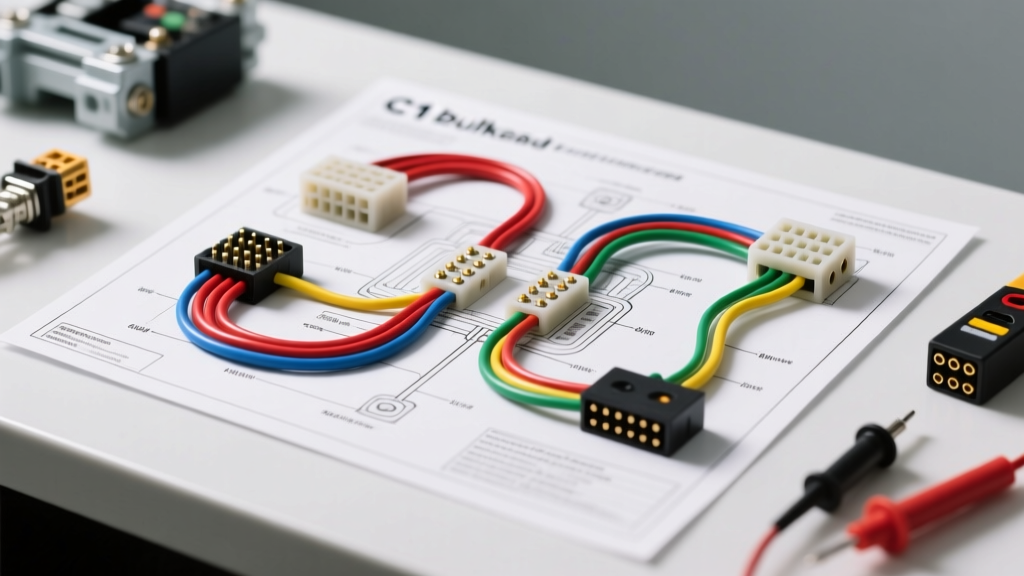
Understanding the Classic C10 Firewall Junction
The 1973-1987 Chevrolet C10 "Square Body" relies on a critical, yet notoriously fragile, connection point to route electrical signals from the engine bay into the cab: the bulkhead connector. When referencing a factory diagram, C10 bulkhead wiring reveals a complex matrix of power feeds, grounds, and sensor circuits passing through a single rectangular nylon block. Over decades of heat cycling, vibration, and moisture intrusion, this junction becomes a primary failure point. A melted housing, corroded terminal, or loose pin can result in everything from dead dash gauges to intermittent headlight failure. This guide provides a professional, step-by-step troubleshooting flow to diagnose and repair your C10 firewall connector using OEM wiring schematics and precise electrical testing methods.
How to Read the C10 Factory Wiring Diagram Legend
Before probing the connector, you must understand the factory diagram legend. General Motors color-codes its primary harnesses strictly. In the C10 bulkhead diagram, you will typically see wire colors denoted by abbreviations (e.g., RED, PNK, BRN). A second letter often indicates a tracer stripe (e.g., RED/WHT is Red with a White stripe). Furthermore, the diagram will specify the American Wire Gauge (AWG). Main battery feeds utilize heavy 12 AWG or 10 AWG wire, while illumination and sensor circuits use thinner 18 AWG or 20 AWG strands. Understanding these visual cues on the diagram is essential for tracing a fault from the dash harness side to the engine harness side without misidentifying a circuit.
Essential Diagnostic Equipment
- Digital Multimeter (DMM): Required for precise voltage drop testing across the bulkhead pins.
- Test Light: Useful for quick continuity and power presence checks under load.
- GM Flat-Blade Terminal Removal Tool: Essential for extracting the flat-pack terminals without snapping the nylon locking tangs.
- Electrical Contact Cleaner: Use a fast-drying, non-chlorinated solvent to dissolve oxidation.
- Dielectric Grease: A lithium-based or specialized electrical grease (like Nyogel 760G) to seal out moisture post-repair.
Step-by-Step Troubleshooting Flow
Symptom 1: Complete Dash Power Loss (No Gauges, No Dash Lights)
Step 1: Verify Battery Feed at the Firewall
Locate the main 12 AWG Red wire on the engine side of the bulkhead. This wire originates directly from the horn relay bus bar and provides constant 12V+ to the dash. Set your DMM to DC Voltage. Place the black probe on a clean engine block ground and the red probe on the engine-side Red wire terminal. You should read within 0.2V of the battery's resting voltage (typically 12.4V - 12.6V).
Step 2: Perform a Voltage Drop Test Across the Bulkhead
If the engine side has power but the dash is dead, the fault lies inside the connector. Move your DMM red probe to the cab-side (dash harness) Red wire terminal while keeping the black probe on the battery negative post. A reading below 11.5V indicates severe internal resistance. According to SAE J1128 standards for low-tension primary cable, any voltage drop exceeding 0.2V across a junction under load signifies a failing connection requiring immediate depinning and cleaning.
Step 3: Check the Ignition Switch Feed
If the dash lights work but gauges are dead, test the 14 AWG Pink wire. This wire carries switched 12V+ from the ignition switch. Probe the cab-side Pink wire with the key in the "RUN" position. If voltage is absent here but present on the engine side, the bulkhead pin for the ignition circuit is corroded or pushed back out of the nylon housing.
Symptom 2: Intermittent Exterior Lighting or Wipers
Step 1: Isolate the Lighting Feed
The 18 AWG Brown wire routes power from the headlight switch to the rear tail lights and side markers. Intermittent flickering usually points to a loose female terminal grip inside the bulkhead. With the parking lights turned ON, use a test light to back-probe the cab-side Brown wire. If the test light flickers when you wiggle the main harness near the firewall, the terminal locking tang is broken.
Step 2: Test the Wiper Motor Feed
The wiper system relies on a 14 AWG Dark Blue wire (low speed) and a 14 AWG Light Blue wire (high speed) passing through the bulkhead. If the wipers park intermittently or fail to engage, check for voltage drop on these specific cavities while the wiper switch is active. A failing bulkhead connection here will cause the wiper motor to draw excessive amperage, potentially tripping the internal breaker in the wiper switch.
Symptom 3: Melted Nylon Housing or Burnt Odor
Step 1: Visual Inspection and Thermal Assessment
If you smell burning plastic or notice the nylon bulkhead housing is warped, immediately disconnect the battery. This melting is caused by high resistance on a high-amperage circuit (usually the 12 AWG Red battery feed or the 14 AWG Pink ignition feed). The resistance generates heat, which softens the nylon, allowing the male and female terminals to separate slightly, creating an arc that melts the surrounding plastic.
Step 2: Extract and Evaluate the Terminals
Using the GM flat-blade extraction tool, carefully release the locking tang and pull the melted pins from both the engine and dash harnesses. If the copper wire strands inside the crimp barrel are blackened, the wire has suffered thermal damage. You must cut back the wire past the discoloration, crimp on a new OEM-style flat-pack terminal, and insert it into a replacement bulkhead pigtail housing.
1973-1987 C10 Bulkhead Connector Pinout Reference
The following table outlines the primary cavities found in the standard 24-pin C10 bulkhead connector. Always cross-reference with your specific year's Haynes or Chilton repair manual, as A/C and heavy-duty trailering packages may alter specific pin assignments.
| Cavity | Wire Color | AWG | Circuit Function |
|---|---|---|---|
| A1 | Red | 12 | Battery Feed (Horn Relay to Dash) |
| A2 | Pink | 14 | Ignition Switch (Run/Start Feed) |
| A3 | Brown | 18 | Tail Lights and Side Markers |
| A4 | Yellow | 18 | Instrument Panel Dimmer Feed |
| B1 | Dark Blue | 14 | Wiper Motor (Low Speed) |
| B2 | Light Blue | 14 | Wiper Motor (High Speed) |
| B3 | Black | 14 | Main Dash Harness Ground |
| C1 | Green | 18 | Right Rear Stop/Turn Signal |
| C2 | Yellow | 18 | Left Rear Stop/Turn Signal |
Advanced Repair: Bypassing a Destroyed Bulkhead
When the factory diagram shows a circuit path but the physical nylon housing is too warped to hold new terminals securely, a bulkhead bypass is the most reliable, professional-grade repair. Instead of forcing pins into a melted block, route the high-amperage wires externally.
Step 1: Cut the 12 AWG Red and 14 AWG Pink wires on both sides of the firewall, removing them from the bulkhead entirely.
Step 2: Install a heavy-duty, weather-sealed Deutsch connector or a marine-grade bulkhead grommet on the firewall.
Step 3: Splice the cab-side and engine-side wires using adhesive-lined heat shrink butt connectors.
Step 4: Install an inline Maxi-Fuse (30A for the Red wire, 20A for the Pink wire) on the engine side within 6 inches of the battery junction to protect the new external routing. This method eliminates the factory bottleneck, reduces voltage drop to near zero, and permanently solves the melting issue common to high-mileage Square Body trucks.
Preventative Maintenance and Reassembly
Once your troubleshooting flow has identified and repaired the faulty circuits, reassembly requires meticulous attention to detail. Before mating the engine and dash halves of the bulkhead, apply a generous amount of dielectric grease to the male terminals. This displaces moisture and prevents the galvanic corrosion that plagues classic GM trucks. Ensure the rubber weather seal is properly seated in its groove to prevent water from tracking down the harness directly into the fuse box. By combining a systematic reading of the C10 bulkhead wiring diagram with precise electrical testing, you can restore your classic Chevy's electrical system to better-than-factory reliability.